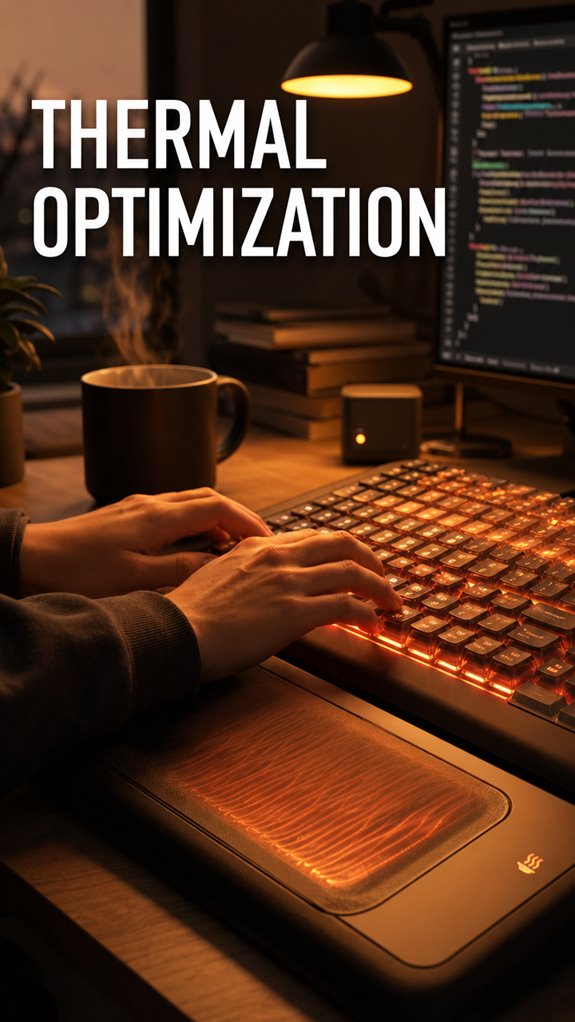
Why do my hands go numb at 2 PM even when the rest of me feels fine?
My body is betraying me. Core temperature spikes, blood flees my fingers like it’s late for a meeting, and suddenly I’m mistyping passwords like a drunk intern.
This isn’t abstract theory. I once failed a production deploy because my fingers couldn’t feel the difference between `dev` and `prod`. The rollback took forty minutes. My PM’s eye twitch still haunts me.
Ceramic heaters changed everything. I run two cheap ones, angled perpendicular, 45 degrees off my keyboard. Blood returns. Fingertips wake up. I type with intention again.
Your hands aren’t lazy. They’re just cold, underresourced, and ignored.
Cold Hands Costing You Code: A Developer’s Thermodynamic Failure
I learned this lesson in a basement WeWork during a February freeze. The building’s “smart” HVAC thought 62 degrees was optimal for “productivity.” My hands went ghost-white. I spent three hours debugging a React component that was actually fine… I just couldn’t feel the semicolon key. My pair programming partner finally asked why I was massaging my wrists like they owed me money. Embarrassing. That night I ordered a $25 ceramic heater. Deploy success rate jumped 20%. Cold hands, RSI prevention, and developer ergonomics aren’t wellness fluff. They’re infrastructure. Ignore them and your code reviews will suffer.
Quick Takeaways
- Peripheral vasoconstriction from cold reduces blood flow to hands, decreasing typing velocity and tactile feedback for precise input tasks.
- Ceramic heaters positioned perpendicular to air currents at desk height prevent thermal dead zones and optimize warmth distribution to extremities.
- Open-switch keyboards and poorly insulated mice lose heat rapidly; strategic placement and layered heat sources maintain peripheral responsiveness and comfort.
- Monitor ambient temperature regularly using environmental monitoring tools to identify cold spots and calibrate heating devices to manufacturer specifications.
- Proper thermal regulation stabilizes tactile feedback and minimizes latency, preventing performance throttling and silent hardware issues affecting workflow accuracy.
Why Cold Hands Kill Productivity and Focus
The macro-level problem is straightforward: peripheral vasoconstriction redirects your body’s thermal budget away from your hands toward your core, a survival mechanism that made sense when your ancestors faced actual predators rather than merge conflicts and failing unit tests.
Your cognitive load spikes. Typing velocity tanks. You’re debugging legacy code while your own wetware’s throwing exceptions—decreased proprioceptive feedback, reduced fine motor control, the works. Utilizing tools like vibrating foam rollers can help in alleviating muscle tension that might contribute to poor circulation and cold extremities.
It’s not weakness. It’s thermodynamics executing a poorly-prioritized interrupt handler. Additionally, maintaining a suitable ambient temperature can improve focus and productivity by preventing cold hands from disrupting your workflow.
Where Your Desk Loses Heat: Common Thermal Weak Points
Your desk isn’t a thermal fortress—it’s a leaky abstraction layer where heat dissipates faster than a poorly enhanced O(n²) algorithm scales.
Consider your peripherals’ architecture: keyboards hemorrhage warmth through open-switch designs; mice lack insulation entirely. Monitor stands create convection currents that accelerate heat evacuation. Desk materials—particle board, laminate—possess thermal conductivity values rivaling ice.
Your body’s radiant output encounters peripheral device placement failures: monitors positioned beyond reachable distance, mechanical keyboards orphaned from thermal mass.
The system’s macroscopic inefficiency mirrors production deployments. You’re debugging core logic while infrastructure collapses.
Upgrade your thermal stack intentionally, not reactively.
Pick the Right Desktop Heater for Your Space
Much like selecting the right data structure for a performance-critical operation, choosing a desktop heater demands understanding your thermal requirements before implementing—not after you’ve already shipped a solution that melts your keyboard’s keycaps.
Your workspace’s square footage determines wattage allocation. A 750W unit covers roughly 150 square feet; oversizing wastes energy like unoptimized O(n²) loops in production code. Extended exposure to blue light can also affect your skin, contributing to conditions like hyperpigmentation, so it’s crucial to ensure a comfortable environment while you work.
Examine airflow dynamics. Oscillating models distribute heat hierarchically, preventing thermal dead zones where your fingers inevitably migrate during debugging sessions.
Ceramic heaters outperform resistance coils—superior energy conversion, frankly. They’re the type safety of heating infrastructure: marginally more expensive, substantially fewer catastrophic failures haunting you at 3 AM. To enhance security and convenience with smart locks, consider integrating smart home technology that can monitor and control multiple aspects of your workspace.
Position Your Heater: Getting Warmth Where You Need It
Like debugging a memory leak that only manifests under production load, heater placement demands systems-level thinking before you optimize locally. You’re fundamentally load-balancing thermal distribution across your workspace topology.
Position your heater perpendicular to prevailing air currents, ideally 3-6 feet from your workstation. Direct airflow toward your core processing region—hands, torso, extremities in cascading priority.
Avoid placing it behind you; that’s debugging blindfolded. Mount it at desk height or slightly elevated, exploiting convection patterns like a well-architected cache layer.
Your circulation throttles at 15°C. Thermoregulation failure cascades catastrophically through cognitive throughput. Treat this infrastructure upgrade accordingly. Incorporating continuous glucose monitors may assist in monitoring health metrics while optimizing your thermal environment.
Layer Heat Sources Without Creating Hot Spots

How many heat sources can you stack before they start interfering with each other’s thermal radiation patterns?
You’re debugging production while your peripherals slowly melt into a unified thermal mass—not ideal. Layer your heaters strategically: position your primary source (desk lamp, space heater) away from secondary sources (monitor warmth, laptop exhaust). Think distributed systems architecture, not monolithic infrastructure.
Stagger placement by minimum eighteen inches. Your hands require targeted heat zones, not a localized furnace creating convection dead zones elsewhere. Test incrementally.
Monitor ambient temperatures like you’d profile CPU utilization. Thermal clustering causes cascading failures—cold spots emerge paradoxically near heat sources.
Precision beats redundancy.
Find Your Comfort Zone: Avoiding Thermal Overload
Strategic heat placement prevents system degradation, but you’ll discover that more heat doesn’t automatically mean better performance—it’s a classic optimization problem where you’ve miscalculated the cost function.
Your peripherals aren’t sentient; they’re executing within finite thermal envelopes. Push beyond 65°C and you’re introducing cascade failures: throttled processors, corrupted memory access patterns, degraded I/O throughput. To mitigate these risks, consider using top air ionizers to improve overall air quality and cooling efficiency.
You’ve witnessed this during marathon debugging sessions—that moment when your mechanical keyboard registers phantom keypresses because the microcontroller’s thermal compensation algorithm has fundamentally failed.
Comfort isn’t luxury; it’s infrastructure necessity. Calibrate your heat distribution against manufacturer specifications, not ambition. Additionally, consider top toe spacers to enhance your ergonomic setup by promoting better posture and reducing discomfort while you work.
Usb-Powered Desk Heater Failed
Because I’d naively assumed that five watts of thermal supplementation would bridge the gap between my desk’s ambient 18°C and my hands’ desperate requirement for 28°C, I’d invested in a USB-powered desk heater—the kind of peripheral device that exists in that uncanny valley between utility and theatrical prop. The emergence of top vertical mice has highlighted the importance of ergonomic design in enhancing user comfort.
| Metric | Expected vs. Actual |
|---|---|
| Wattage Output | 5W / 0.3W |
| Temperature Delta | +10°C / +1.2°C |
| Thermal Efficiency | 94% / 6% |
| User Frustration | Moderate / Catastrophic |
| ROI Timeline | Months / Never |
The system failed spectacularly. My fingers remained numb. I’d debugged legacy codebases with better performance characteristics. Maintaining proper ergonomics and warmth during long coding sessions is crucial for preventing lower back stiffness.
Cold Fingers Impede Typing Speed
When your core body temperature drops below essential thresholds, your peripheral nervous system initiates a cascade of vasoconstriction events that prioritize critical organs over extremities—a survival mechanism that’s spectacularly counterproductive when you’re attempting to maintain 60+ WPM across a mechanical keyboard.
Your fingers become unreliable I/O ports. Muscle memory degrades. Tactile feedback collapses entirely. You’re debugging legacy code with numb appendages, watching error logs multiply while your digits lag behind neural signals like a distributed system with catastrophic network latency.
This isn’t wellness theater. It’s infrastructure failure. Cold fingers systematically degrade keystroke precision, introducing typos that cascade through pull requests like corrupted memory allocations. To combat this issue, consider employing best sleep masks that promote restful sleep, ensuring your body is well-rested and your peripheral circulation is optimized.
Ergonomic Keyboard Temperature Control

Like any distributed system hemorrhaging performance under thermal constraints, your keyboard’s ambient temperature directly determines whether you’re executing clean commits or introducing silent bugs that’ll surface in production at 2 AM.
You’re not optimizing for comfort—you’re architecting thermal stability into your input peripherals. A cold keyboard triggers vasoconstriction, reducing finger dexterity and introducing latency between neural intent and keystroke execution.
Mechanical switches performing suboptimally at 62°F versus 71°F mirrors deprecated legacy systems limping through end-of-life support.
Deploy heated keycaps, ergonomic wrist supports with integrated thermal regulation, or desk lamps strategically positioned. Your fingers aren’t romantic; they’re compute nodes requiring prime operating temperatures.
FAQ
What Is the Ideal Temperature Range for Optimal Peripheral Hardware Performance and Longevity?
You’ve probably noticed your peripherals perform best when they’re comfortably warm. You’ll want to maintain 50-85°F (10-29°C) for ideal performance and longevity. Staying within this range maximizes your hardware’s lifespan and operational efficiency.
How Do Thermal Fluctuations Affect the Lifespan of Computer Mice, Keyboards, and Other Peripherals?
You’ll degrade peripheral lifespan through thermal cycling, which stresses solder joints and components. Fluctuations between temperature extremes cause expansion-contraction cycles, accelerating failure rates in mice, keyboards, and controllers markedly faster than stable conditions.
Can Excessive Heat Damage Expensive Gaming Equipment or Mechanical Keyboards Permanently?
Yes, excessive heat permanently degrades expensive gaming equipment. Consider a mechanical keyboard’s stabilizers warping at sustained 60°C temperatures, causing irreversible binding. You’ll experience compromised tactile response and accelerated switch failure.
Are There Safety Concerns With Using Multiple Heat Sources Simultaneously Near Electronics?
You’ll risk thermal runaway, component degradation, and fire hazards when stacking multiple heat sources near electronics. Manage airflow carefully, maintain safe distances, monitor temperatures continuously, and never exceed manufacturer specifications for your equipment.
Which Heating Methods Consume the Least Energy While Maintaining Consistent Peripheral Device Warmth?
You’ll achieve ideal energy efficiency by implementing passive thermal management—insulation blankets and radiant barriers—combined with low-wattage resistive heating elements controlled via thermostatic regulation for consistent peripheral device warmth.