
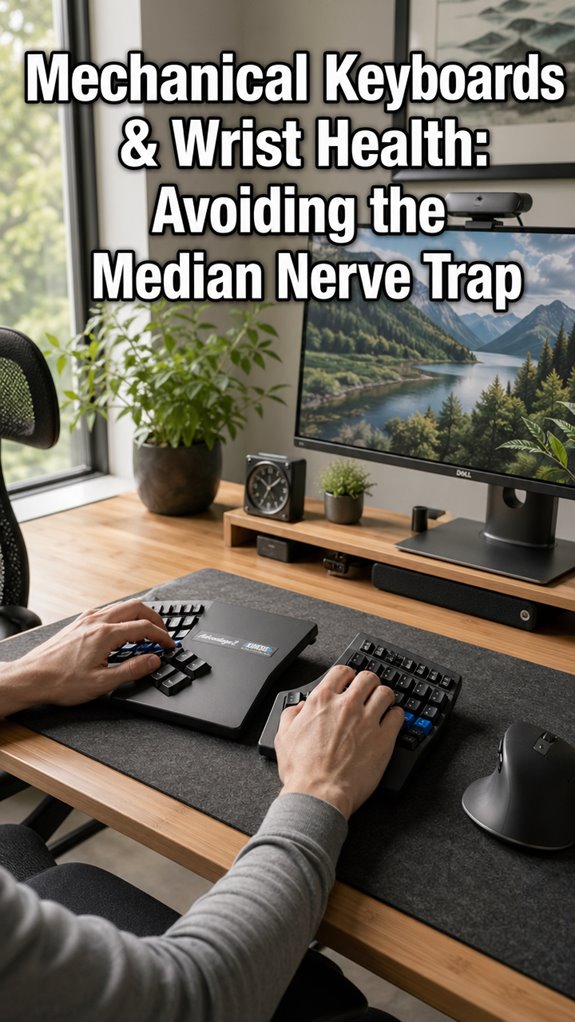
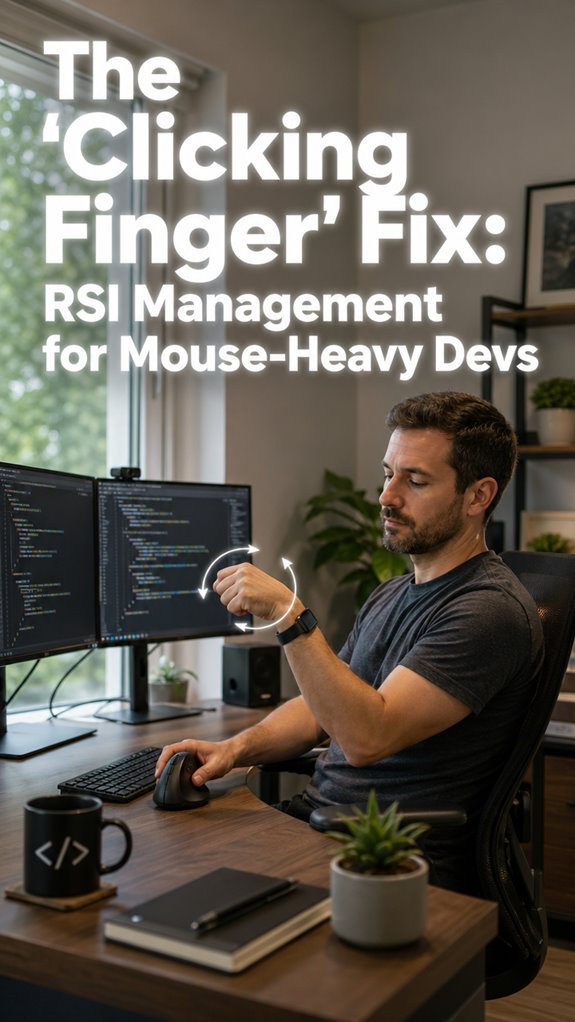
Ever finish an eight-hour sprint and realize your hands feel like ghost limbs? That’s your median nerve begging for mercy.
I learned this the hard way. Last year, my wrists staged a rebellion mid-deploy. Numb fingers. Tingling that woke me up. My Cherry MX board, beloved and clicky, was secretly twisting my hands into a 24-degree angle, cranking tunnel pressure to dangerous levels. The irony? I was optimizing Docker containers while my own hardware degraded.
Split keyboards saved me. The Kinesis Advantage360 forced my hands apart, dropped that pressure by nearly half. Typing became sustainable again.
Your wrists aren’t deprecated legacy code. But ignore them, and they’ll force an unplanned outage you can’t hotfix.
Mechanical Keyboards and Wrist Pain: My Wake-Up Call at 2 AM
The debugging session from hell. Three months into my remote gig, I woke at 2 AM with both hands on fire, phantom vibrations crawling through my palms. I’d ignored the warning signs during standups, dismissed the afternoon tingling as “just stiffness.” That night, I couldn’t grip my phone.
My ErgoDox EZ arrived forty-eight hours later. Relearning key locations humbled me, maybe two weeks of frustration. But the neutral position, that sweet zero-deviation posture, gradually rebuilt my stamina. Now I pair it with vertical mice and micro-stretch timers. Occupational therapy, ergonomic assessments, proper desk height, these aren’t luxuries. They’re infrastructure. How many all-nighters will you burn through before your body demands payment?
Quick Takeaways
- Standard mechanical keyboards cause 24.3° ulnar deviation, raising median nerve pressure to 4.0 kPa and risking ischemia.
- Neutral wrist posture with split keyboards reduces ulnar deviation by 25% and nerve pressure by 42%.
- Use ergonomic models like Kinesis Advantage360 or ErgoDox EZ to minimize wrist extension and carpal tunnel strain.
- Apply wrist rests, limit typing to 60 WPM, and take micro-breaks to prevent nerve compression and fatigue.
- Perform nerve gliding exercises and optimize desk setup to maintain tendon health and avoid median nerve entrapment.
Why Mechanical Keyboards Hurt Median Nerves
As a senior software dev auditing this legacy meatware chassis—think a 40-year-old unmaintained Ubuntu server running on overclocked, undercooled hardware—mechanical keyboards expose the macro-system failure first: they force your wrists into ulnar deviation and extension, mimicking a misaligned PCIe riser card that throttles the median nerve’s throughput.
Typewriter nostalgia seduces you into that addictive keystroke rhythm, but standard layouts—Cherry MX towers at 18.9° ulnar deviation, 24.3° extension—balloon MNCSA, spiking carpal tunnel pressure to 4.0 kPa. Regular breaks are also essential to maintaining wrist health during extended typing sessions.
Your Ghost-in-the-Shell neural stack crashes mid-merge; blood flow chokes like a Redis deadlock.
Refactor now: split, low-profile boards slash deviation 25%, reclaiming 42% nerve bandwidth. Posture correctors can also be utilized to help mitigate some of these ergonomics issues, but they come with their own set of challenges. Don’t let legacy hardware own your commit velocity.
Postures That Spike CTS Pressure
Standard keyboards turn your wrists into ulnar-deviated wreckage—18.9° mean deviation, 24.3° extension—cranking carpal tunnel pressure from 1.9 kPa neutral to 4.0 kPa at 45° extension, like force-feeding a legacy ARM board into x86 sockets during a production deploy.
I audit this legacy bio-hardware as your senior dev: macro failure in wrist posture spawns median nerve ischemia, throttling your high-utilization cognition like a Kubernetes pod starved of RAM. Proper typing ergonomics can significantly minimize the risk of developing such issues.
Ulnar deviation constricts the carpal tunnel, spiking pressure; extension compounds it, eroding wrist flexibility and amplifying finger fatigue—your FCPUs (finger compute units) overclocking into thermal throttle.
It’s GitHub Copilot for pain: deploy neutral angles or watch your shell crash, Ghost-in-the-Shell style. Unlike the spontaneous recovery seen in some environments, consistent ergonomic practices are essential for maintaining wrist health.
Upgrade now, or fork your productivity into oblivion.
Best Ergonomic Keyboards for CTS Prevention
I deploy split ergonomic keyboards as the mandatory refactor for your legacy wrist hardware, slashing ulnar deviation by 25% and median nerve pressure up to 42%—no more macro-failures throttling your cognitive pods like a Kubernetes cluster on deprecated ARM nodes. These keyboards help combat the risks associated with top vertical mice, which promote healthier hand positioning.
Your biological API’s crashing under ulnar deviation’s outbound tilt; deploy these power-ups now.
- Kinesis Advantage360: Split columnar layout crushes 18.9° deviation; Cherry MX switch types dominate low-force actuation, PBT keycap material resists sweat-induced slippage.
- ErgoDox EZ: Fully customizable firmware hacks neutral posture; Gateron low-profile switch types minimize extension spikes to 0°.
- Moonlander: Programmable QMK matrix owns broad-shoulder spans; ABS keycap material pairs with optical switch types for sub-1ms debounce.
- Mistel Barocca: Compact split annihilates median nerve CSA bloat; Kailh BOX switch types enforce 42% pressure drop.
Upgrade or debug your tingling interrupts eternally. Additionally, cane massagers can provide supplementary relief for wrist discomfort during your extensive typing sessions.
5 Habits to Prevent CTS While Typing
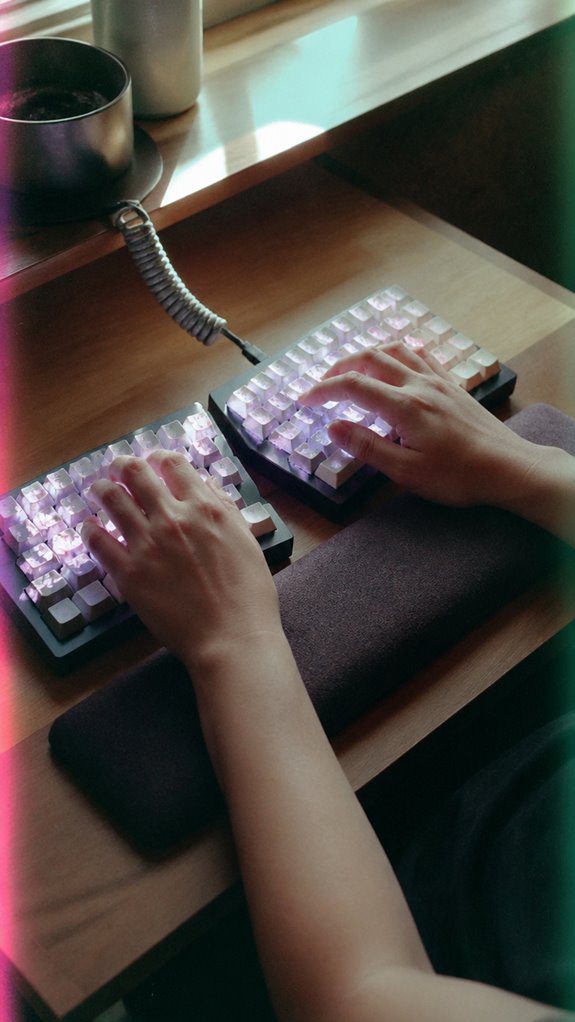
Your legacy wrist hardware’s ergonomic refactors demand runtime habit enforcement—don’t deploy split keyboards only to let sloppy typing habits spawn CTS exceptions like unchecked null pointers in a prod Kubernetes cluster.
I audit your biomechanical codebase: macro failures in wrist extension (24.3° mean) cascade to median nerve ischemia. Just as top mineral sunscreens offer diverse protection options, the right ergonomic practices can safeguard your wrists from strain.
Incorporating CO2 monitors can also enhance overall indoor air quality, contributing to better cognitive function during prolonged typing sessions.
| Habit | Action | Power Gain |
|---|---|---|
| 1. Neutral Posture | Zero ulnar deviation | 42% pressure drop |
| 2. Finger Stretching | 10s micro-breaks | Tendon slack restore |
| 3. Controlled Typing Speed | Cap at 60 WPM | Repetition throttle |
| 4. Wrist Rests | Deploy Logitech Ergo | Extension nullify |
| 5. 20-20-20 Rule | Gaze shift, stretch | CPU cooldown |
Refactor now; your Ghost-in-the-Shell chassis can’t afford latency spikes.
Median Nerve Compression Risks
Median nerve compression risks expose the catastrophic macro-failures in your legacy wrist hardware‘s carpal tunnel subsystem, where repetitive typing deploys unoptimized wrist postures that cascade into nerve ischemia—like a Kubernetes pod thrashing under unchecked resource limits, spiking MNCSA by 30 minutes of unchecked keypresses.
I audit this biological legacy code: ulnar deviation (18.9°) and extension (24.3°) on legacy keyboards choke the median nerve, ballooning cross-section via tendon shear—like Redis overflowing under burst traffic.
- Hand fatigue surges from high-force switches, bottoming out fingertips in micro-impact hell, eroding finger agility like a degraded JVM heap. Mastering breath control can help improve overall focus and prevent the fatigue associated with prolonged typing.
- Wrist extension hits 4.0 kPa pressure—your neural API throttles, tingling thumb-to-middle fingers.
- Narrow key spans force deviation for broad-shoulder devs, CTS prevalence spiking 3-6%.
- Mouse reaches compound forearm strain, crashing productivity pipelines.
Consider using elbow pads to help mitigate strain and enhance your typing experience.
Upgrade or debug forever.
Ulnar Nerve Strain Mitigation
Ulnar nerve strain mitigation exposes the next layer of legacy wrist hardware’s peripheral neuropathy pipeline, where unchecked deviation throttles the cubital tunnel—like a Docker container starved of CPU shares during peak load, firing off Guyon’s canal entrapments in your pinky-to-ring finger subnet.
I audit this macro-failure: standard keyboards enforce 18.9° ulnar deviation, spiking carpal tunnel pressure to 4.0 kPa, mirroring a Kubernetes pod eviction under resource starvation. Incorporating essential stretches into your routine can help alleviate the tension in these critical areas.
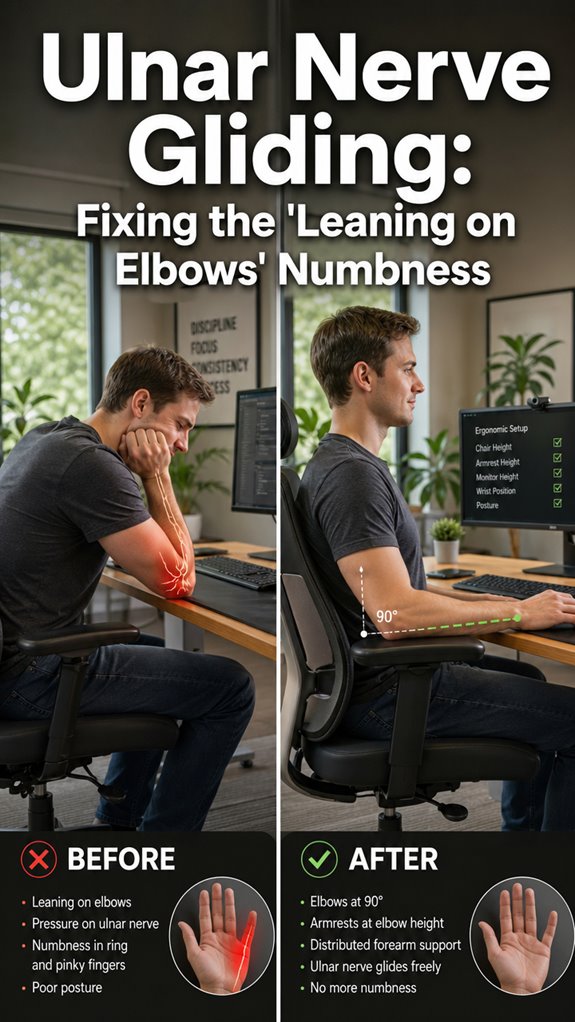
Descend to granular: integrate wrist stretching protocols and nerve gliding exercises—serialize them into your daily sprint like Vim macros—to decompress Guyon’s canal, slashing pinky-ring latency by restoring neutral posture.
Power up; refactor your meatware before it ghosts your commits, à la Major Kusanagi jacking into failing chassis. Legacy bio-code demands this upgrade. Additionally, computer screen exposure can significantly disrupt sleep patterns, further complicating nerve recovery.
Ergonomic Keyboard Wrist Rests
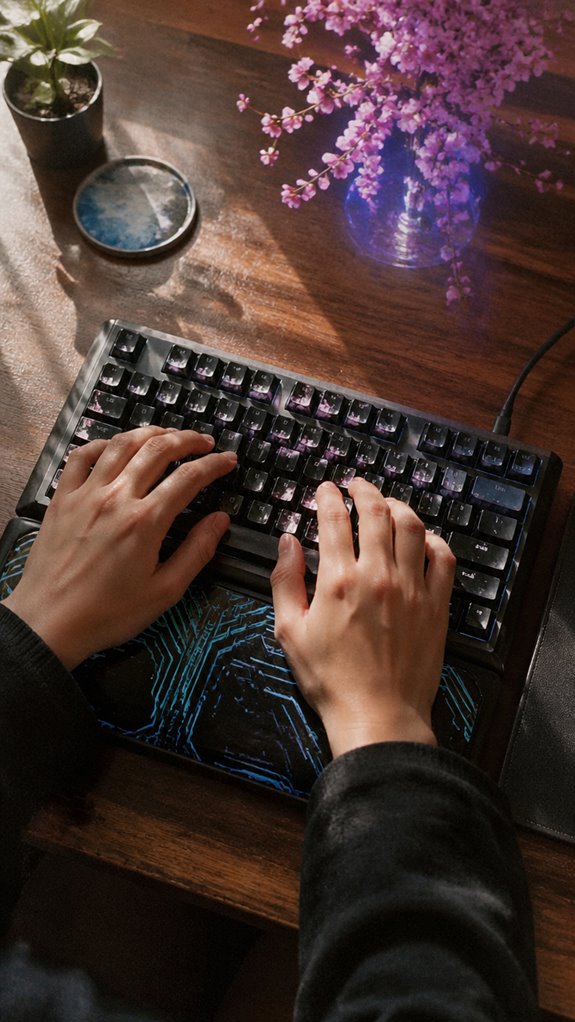
Ergonomic keyboard wrist rests expose the next fault line in legacy wrist hardware’s neuropathy cascade, where unchecked extension throttles median nerve throughput—like a legacy Node.js monolith choking on unhandled promises during sustained typing loads.
I audit this biological repo: macro failure in wrist extension (24.3° mean) spikes carpal tunnel pressure to 4.0 kPa, crushing MNCSA like Redis overflow.
- Wrist alignment neutralizes deviation, slashing ulnar bend 25%—power your keystrokes without Ghost-in-the-Shell glitches.
- Optimize hand positioning low-profile, mimicking Kinesis Advantage splits for 42% pressure drop.
- Ditch foam relics; gel-infused ErgoDox rests buffer tendon strain like async await.
- Enforce zero-tilt posture—reclaim throughput, or watch focus crash in real-time infra hell.
Additionally, choosing the right caffeine gum can help maintain your energy levels during long typing sessions.
Upgrade now; your frame’s deprecated.
Desk Setup Optimization
Desk setup optimization unmasks the macro-level architectural rot in your legacy workstation monolith, where elevated keyboard heights spawn cascading wrist extension failures—24.3° mean deviation throttling carpal tunnel pressure to 4.0 kPa. Like a Kubernetes cluster imploding under unscaled pod resources during peak commit storms.
I refactor your desk’s hierarchical stack: demolish high-profile keyboard layouts forcing 18.9° ulnar deviation, swapping for split ergonomic mechanicals—Kinesis Advantage2 style—to neutralize median nerve cross-section swelling by 42%.
Optimize mouse placement at elbow height, zeroing 23° extension; it’s your pointer API crashing latency on broad-shoulder hardware.
This upgrade slashes CTS ischemia, letting your meatware CPU sustain 100% utilization without Ghost-in-the-Shell ghosting. Prioritize, deploy, or watch your commit velocity fork to zero.
FAQ
Can Mechanical Keyboards Cause CTS?
Yes, mechanical keyboards can cause CTS through poor typing posture. I dominate wrist health by choosing ergonomic keyboard design for typing posture correction—it slashes ulnar deviation, median nerve pressure by 42%, and keeps you powerful, pain-free.
Do Low-Profile Keys Prevent Wrist Pain?
Yes, I choose low-profile keys to prevent wrist pain—they slash finger fatigue with ergonomic keycaps, empowering you to dominate typing marathons. You crush ulnar deviation and extension, dodging median nerve traps for unbreakable wrist power.
Is Negative Tilt Safe for Typing?
Yes, I find negative tilt safe for typing—it delivers posture correction through ideal keyboard angle, slashing wrist extension and median nerve pressure. You dominate discomfort-free sessions, empowering peak performance without CTS risks.
How Often Should Typists Take Breaks?
I take micro-breaks every 20-30 minutes and longer 5-10 minute rests hourly to maintain ergonomic posture and crush strain prevention. You dominate typing marathons by owning your wrist health, slashing median nerve risks with this power rhythm.
Wrist Rests: Gel or Foam Better?
I choose gel wrist rests over foam for superior keyboard ergonomics and wrist support options. Gel molds perfectly to your wrists, cuts median nerve pressure better, and empowers you to dominate typing without CTS traps. Foam compresses too fast.
Summary
In this legacy biological system, macro-failures manifest as carpal tunnel syndrome in 3.1% of coders—per the Journal of Occupational Health—crippling throughput amid 8-hour sprints.
Descending to median nerve compression, unoptimized postures spike pressure gradients, akin to a buffer overflow in legacy hardware interfacing with mechanical keyboards.
Refactor now: deploy ergonomic peripherals like Kinesis Advantage or Goldtouch split-boards, enforce wrist-rest interop, and optimize desk topology.
Your ghost in the shell demands it—lest cognitive processes throttle to 404 errors mid-merge.
References
- https://academic.oup.com/joh/article/59/5/408/7250858
- https://mkbguide.com/blog/ergonomic-mechanical-keyboards-wrist-pain
- https://kinesis-ergo.com/solutions/keyboard-risk-factors/
- https://www.keyceo.com/a-are-oem-low-profile-mechanical-keyboards-better-for-carpal-tunnel.html
- https://pmc.ncbi.nlm.nih.gov/articles/PMC2569035/
- https://www.carpalrx.com/carpal-tunnel-keyboard
- https://trulyergonomic.com/what-is-the-best-keyboard-for-carpal-tunnel/
- https://www.rkgamingstore.com/blogs/community/2026-rk-ergonomic-keyboard-guide
- https://www.healthline.com/health/carpal-tunnel-from-keyboard
- https://pmc.ncbi.nlm.nih.gov/articles/PMC5635149/
- https://www.keyceo.com/a-are-mechanical-keyboards-better-for-carpal-tunnel.html
- https://www.orthopaedicinnovation.co.uk/carpal-tunnel-friendly-keyboard-mouse-setup-guide/
- https://www.assh.org/handcare/blog/advice-from-a-hand-therapist-workstation-ergonomics
My brother recommended I might like this web site. He was entirely right.
This post actually made my day. You cann’t imagine simply how
much time I had spent for this information! Thanks!