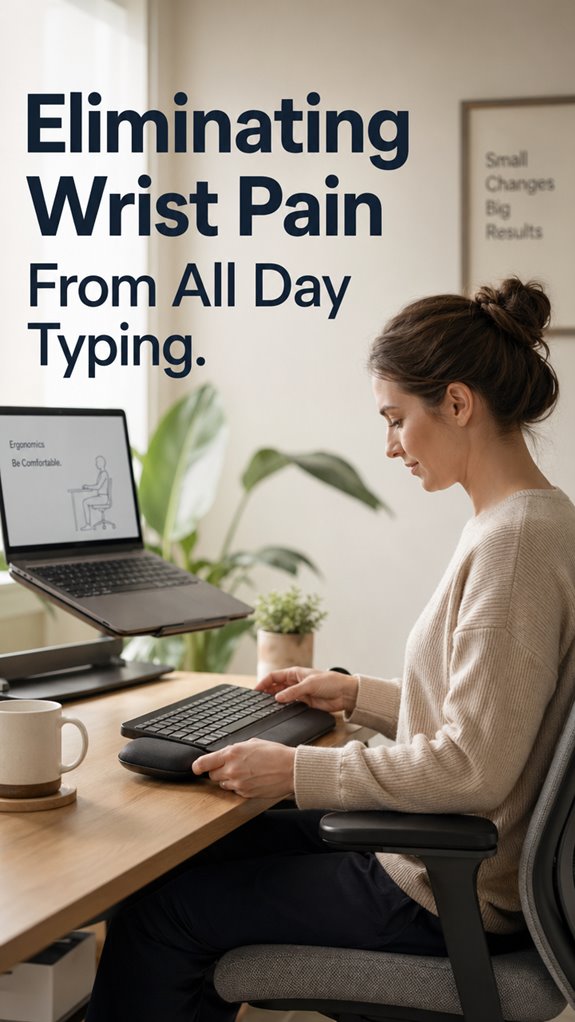
Ever finish a sprint with your wrists screaming louder than a production outage at 3am? I have. Last year, my hands went numb mid-deploy. Terrifying.
Turns out, my setup was technical debt incarnate. Keyboard too high. Mouse miles away. Chair pretending to be furniture.
I fixed it incrementally. Split keyboard. Vertical mouse. Monitor at actual eye level. Small bets, huge payoff.
My wrists stopped betraying me. Yours don’t have to either.
What’s your setup’s current uptime?
How I Ignored RSI Warning Signs Until I Couldn’t Type My Own Password
The real wake-up call? I couldn’t unlock my laptop one morning. My right thumb simply refused. Panic set in. I’d dismissed twinges for months, popping ibuprofen like deprecated dependencies. Carpal tunnel, tendinitis, ulnar nerve issues, these weren’t abstract concepts anymore. They were my blocker. Physical therapy became my new standup. The recovery taught me that ergonomics isn’t luxury, it’s maintenance. Your body logs errors silently until it doesn’t. Listen early.
Quick Takeaways
- Maintain neutral wrist positioning and proper ergonomics to reduce strain during extended typing sessions.
- Incorporate regular stretching, wrist exercises, and frequent breaks to prevent overload and tension buildup.
- Use ergonomic accessories like supportive pads, adjustable desks, and split keyboards to optimize workspace setup.
- Address full-body posture for overall alignment, preventing compensatory movements that increase wrist stress.
- Focus on identifying and resolving root causes of tension, rather than relying on temporary fixes like padding or braces.
What Causes Wrist Pain During Long Keyboard Sessions?
When long keyboard sessions begin to resemble an out-of-control server crash, it’s usually because the fundamental input/output pipeline has been compromised—namely, your wrists and tendons.
Like a misconfigured API endpoint, poor positioning causes signals to lag, swell, or hit “timeout.” Tendons, as collateral damage, inflame faster than your debugger can catch errors. Median nerve compression acts as a “deadlock,” stalling workflow with burning pain and numbness.
It’s the software equivalent of a memory leak—gradually degrading your core function without alert. Without intervention, your hardware’s stability becomes a distant memory, echoing “Ghost in the Shell”: a human system in critical failure mode. Incorporating essential stretches to do throughout your day can be fundamental to preventing wrist pain from compounding over time.
Simple Ergonomic Changes to Prevent Wrist Strain
In the world of human-computer interfaces, a misconfigured ergonomic stance is akin to a software bug lurking deep within the kernel—subtle, disruptive, and capable of dispatching your workflow into a crash loop.
You need proactive control over your build environment—zero-day ergonomic patches. Implement structural adjustments like maintaining neutral wrist positioning, aligning keyboard, mouse, and monitor. Furthermore, investing in top noise cancelling headphones can significantly enhance your focus by minimizing distractions in your environment.
| Adjustment | Target Area | Mechanism |
|---|---|---|
| Keyboard height tweak | Wrist joint | Prevents extension and flexion extremes |
| Wrist support pad | Carpal tunnel region | Reduces nerve compression |
| Armrest integration | Forearm, shoulder | Minimizes static muscle tension |
| Sit-stand desk mod | Overall posture | Harmonizes body alignment |
| Break scheduling app | Cognitive load | Enforces system reboots (pauses) |
In essence, debug your workspace with precision akin to code testing—otherwise, Ghost in the Shell might just become your daily reality.
Wrist Stretches and Exercises to Alleviate Pain
Addressing wrist strain with targeted stretches and exercises functions as a debugging process for your mechanical interface—those hardware components that, when overtaxed or misaligned, send error signals manifesting as persistent pain or numbness.
In your role as a senior dev, you know system failures cascade from macro misconfigurations down to granular data corruption. Similarly, wrist fatigue signals system overload—tendon tension, median nerve compression. Simple, precise interventions—wrist circles, pronation, stretch holds—act as code patches, restoring neutral alignment.
Without periodic reruns (rest) and manual resets (stretches), your ergonomic system risks catastrophic failure—seriously, just ask “Ghost in The Shell.” Incorporating smart privacy screens can enhance your workspace by providing data security benefits that reduce distractions while you perform your coding tasks.
How to Choose Comfortable Wrist Supports and Accessories
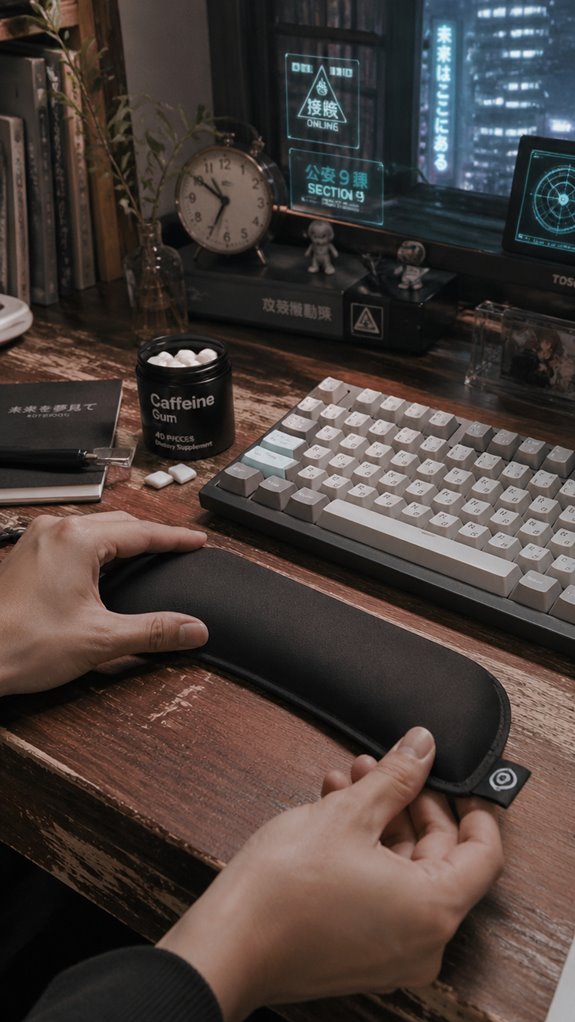
Choosing comfortable wrist supports and accessories is akin to debugging a perpetually unstable kernel—every component must integrate seamlessly into your ergonomic architecture without triggering conflicts or latency spikes.
Start by evaluating your baseline system: if the support causes microcrashes in wrist mobility, it’s incompatible. Opt for models with advanced moisture-wicking fabric and precise fit, akin to using a reliable, memory-efficient library like Eigen.
Avoid bling-brand gimmicks; focus on function over superficial aesthetics. Think of it as updating firmware in a Ghost in the Shell—everything must operate efficiently, or you’ll face the dreaded ‘blue screen’ of wrist strain. Additionally, consider the benefits of caffeine gum for a quick energy boost during long typing sessions.
Adjustable Wrist Braces Trial
When running a test suite on a system plagued by intermittent hand fatigue, it becomes evident that hardware interventions—such as adjustable wrist braces—are the analogous patches for this creeping ergonomic bug.
Like debugging a kernel panic, tweaking wrist support offers granular control.
- It allows customization—tightness, fit, and support—enabling me to leverage my control matrix.
- It acts as a failsafe, reducing strain without software-level interventions.
- It provides immediate feedback—adjust, test, repeat—mirroring iterative developer refinement.
- Ultimately, it’s about stabilizing the system before a critical fault manifests—a creepy, creeping baseline reset, like ghost in the shell. Additionally, utilizing top wrist rests can significantly enhance comfort during long typing sessions, acting as a crucial first step towards ergonomic improvement.
Limited Wrist Flexion Range
In the grand architecture of human mechanics, the wrist’s limited flexion functions much like a corrupted API endpoint—subtle, yet disruptive enough to cascade into larger operational failures during extended code sessions.
You’ll find that decreased flexion angles (typically 80-90 degrees) resemble a poorly documented library, causing syntax errors in daily tasks. Tight, inflexible joints hinder dynamic movement, forcing your upper system to compensate through exaggerated shoulder or trunk strain. It’s akin to a memory leak in your code: minor at first, but soon enough, your entire workflow becomes unstable.
| Range | Degrees | Effect on Workflow |
|---|---|---|
| Flexion | 80-90 | Restricted code execution |
| Extension | 70-80 | Overcompensation |
| Ulnar Deviation | 30-40 | Functional bottleneck |
| Radial Deviation | 20-30 | Movement slowdown |
Ergonomic Keyboard Setup
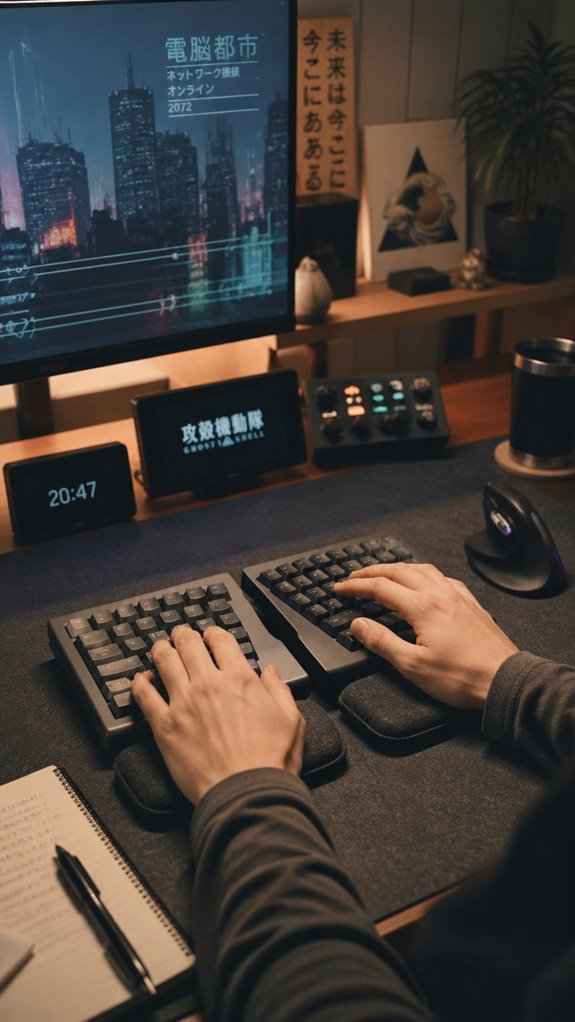
A poorly calibrated keyboard setup is like deploying a legacy API that’s out of sync—everything grinds to a halt once your ergonomic schema becomes incompatible.
To regain control:
- Set your keyboard height to align with your elbows, like defining a boundary in code—nothing worse than a misaligned function call.
- Use a split design or ergonomic model—think of it as refactoring your layout for predictable performance.
- Elevate wrists with supportive pads—think of middleware ensuring smooth data flow, not janky calls.
- Maintain neutral wrist positioning—like debugging a core module, precision is mandatory.
Investing in top vertical mice can further enhance your comfort and reduce strain, allowing you to work efficiently and pain-free.
You’re coding your way out, one keystroke at a time.
Customized Ergonomic Assessments
Every developer’s bodily infrastructure is, frankly, the lurking var in your otherwise deterministic build pipeline—an unpatched memory leak that manifests as persistent wrist pain and subtle biomechanical bugs.
Customized ergonomic assessments act as real-time debugging tools, isolating system-level failures rooted in poor biomechanical profiling. Like a profiler run on a legacy kernel, they pinpoint misalignments—be it suboptimal keyboard angle, wrist extension, or forearm tension—that propagate through your entire coding process.
Without this granular comprehension, you’re patching symptoms with bracing or padding, much like deploying a patch for a memory leak in a production environment. Consider this your IDE for bio-optimization—an essential upgrade to eliminate runtime wrist errors. Additionally, implementing full-body posture adjustments can significantly enhance your overall comfort and productivity.
FAQ
Can Wrist Pain Be a Sign of a Serious Nerve Injury?
Yes, wrist pain can signal a serious nerve injury like carpal tunnel syndrome, which may cause numbness, tingling, weakness, or burning. If symptoms persist or worsen, seek medical attention promptly to prevent permanent nerve damage.
How Long Does It Take to Recover From Typing-Related Wrist Injuries?
Recovery time varies based on injury severity and your response to treatment. With proper rest, ergonomic adjustments, and supportive products, you can often see improvement within days to weeks, but persistent issues might need professional intervention.
Are There Specific Ergonomic Habits That Worsen Wrist Strain?
Sure, you love bending your wrists or gripping tightly, but those habits worsen your strain. You hold control—adjust your keyboard height, keep wrists neutral, and avoid excessive force to prevent worsening your wrist tension deliberately.
Can Repetitive Typing Cause Long-Term Joint Damage?
Repetitive typing can cause long-term joint damage if you ignore ergonomic principles, overuse your wrists, and avoid rest. Take control by maintaining neutral positioning, using supportive equipment, and taking regular breaks to protect your joints, preventing irreversible harm.
What Are Early Warning Signs of Developing Carpal Tunnel Syndrome?
Think of your wrist whispering warnings: numbness, tingling, burning, or weakness. If you notice these signals, take charge by adjusting your position, resting, and employing ergonomic tools before the problem escalates to full-blown carpal tunnel syndrome.
References
- https://www.rushortho.com/news-events/news/what-causes-wrist-pain-from-typing/
- https://www.atipt.com/wrist-pain-at-work-ergonomic-fixes-that-help/
- https://polygonpt.com/wrist-pain-from-typing-all-day-heres-whats-actually-going-on/
- https://www.neurosurg.org/blog/how-can-you-avoid-wrist-pain-from-constant-typing/?bp=29384
- https://www.totalorthosportsmed.com/wrist-hurt-while-typing-all-day/
- https://www.houstonmethodist.org/blog/articles/2024/may/can-typing-all-day-cause-wrist-pain/
- https://www.hand2shouldercenter.com/why-do-my-wrists-hurt-when-i-type-on-a-laptop/
- https://www.cosmc.org/blog/can-typing-too-much-cause-hand-problems
- https://health.clevelandclinic.org/typing-troubles-how-to-avoid-wrist-pain
- https://www.jacksonvilleorthopaedicsurgeon.com/blog/combatting-wrist-pain-in-an-office-job
- https://www.movewithpurpose.com/why-wrist-flexion-matters
- https://handtoshoulderaustin.com/why-wrist-mobility-matters/
- https://www.healthline.com/health/wrist-flexion
- https://www.ncbi.nlm.nih.gov/books/NBK532993/
- https://protailored.com/suffering-from-limited-wrist-mobility/
- https://www.youtube.com/watch?v=nvJ-1suJCTU
- https://www.airrosti.com/blog/the-importance-of-wrist-mobility/
- https://www.3pointproducts.com/blog/health-arthritis-finger-and-toe-conditions/diagnosis-and-treatment-of-limited-range-of-motion-in-the-fingers