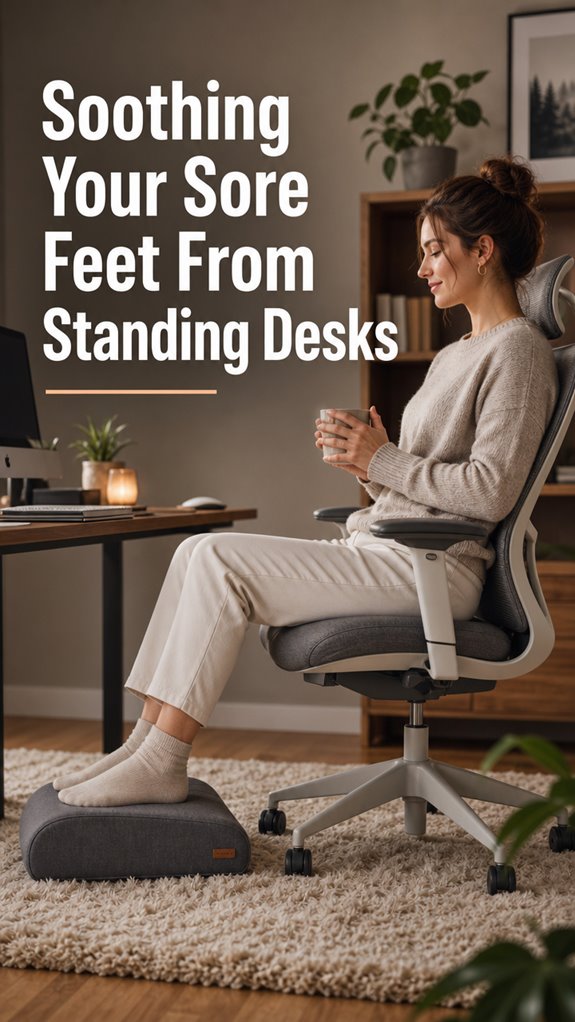
Fed up with feet that feel like they’ve been compiling errors all day? I was too, until my standing desk became my personal torture device.
Three months in, my soles were screaming. Literal screaming. My Crocs (yes, I know) had betrayed me during a brutal 10-hour deploy. The numbness started at 2 PM. By 6 PM, I was hobbling like I’d run a marathon in flip-flops.
The fix? Anti-fatigue mats are game changers. I switch positions every 30 minutes now. Compression socks help too. Elevation, foot soaks, the occasional massage gun. Small rituals that keep this meat vessel functional.
Your feet carry your brain’s ambitions. Treat them like production infrastructure: monitor, maintain, don’t ignore the alerts.
—
Standing Desk Foot Pain: Why My Developer Setup Was Failing Me
Last summer I ignored the warning signs. Swollen ankles. That pins-and-needles sensation during standups. I thought I was being “healthy” ditching my chair. Instead, I developed chronic inflammation that affected my sleep hygiene and concentration optimization.
My breakthrough came watching a coworker use a balance board. Varied movement, not static positioning, solved my circulation issues. I integrated calf raises, ankle rotations, and proper ergonomic footwear into my workflow. Now my home office setup includes a foot rest, gel mats, and scheduled sitting intervals. Productivity tools matter, but so does physiological sustainability.
Quick Takeaways
- Use supportive footwear and insoles to cushion feet and reduce pressure from standing all day.
- Take regular breaks to stretch, elevate legs, and promote circulation for quick relief.
- Apply cold packs or ice bottles to reduce inflammation and soothe sore areas.
- Incorporate anti-fatigue mats and footrests to lessen strain and improve comfort during prolonged standing.
- Perform foot massages or use massaging tools like tennis balls to relieve muscle tension and enhance recovery.
Why Do Standing Desks Cause Foot Pain: and How Can You Prevent It?
When you deploy a standing desk as the ultimate solution to your ergonomic bugs, you might find yourself debugging new issues—namely, foot pain, a classic example of system overload caused by static pressure accumulation and impaired circulation.
Like a flawed script running on faulty hardware, your circulatory system struggles under static load. Residual pressure builds—akin to memory leaks—leading to discomfort analogous to “Ghost in the Shell’s” glitching cyborgs.
Circulation throttles, tissues become throttled, and pain manifests. Your body, the imperfect code, responds with alerts—swollen arches, tingling, fatigue—reminding you that even meticulous software needs hardware support. Incorporating top slant boards into your routine can help alleviate this discomfort by providing a more dynamic standing position.
Choosing Supportive Shoes and Insoles for Extended Standing
Ensuring your footwear firmware is optimized for prolonged standing requires a deliberate selection process akin to debugging a critical module in a sprawling software architecture—except here, the architecture is biological, and bugs manifest as arch pain and fatigued tendons.
Prioritize these patches:
- Opt for shoes with supportive midsoles, akin to a high-performance SDK update.
- Integrate orthotic insoles—the equivalent of middleware, ensuring compatibility.
- Choose firm-fit designs—think of them as bulletproof code, preventing unintended crashes.
- Avoid fashion disasters like flats or stilettos—your human hardware deserves no less than robust validation routines.
Additionally, consult a podiatrist to ensure you select the most effective orthotic insoles for your specific needs.
Creating an Ergonomic Environment for Foot Comfort
Have you ever experienced the haunting realization that your ergonomic setup is operating like a poorly configured thread—causing systemic failures in foot comfort and overall productivity? Like deploying an update without testing, ignoring subtle cues leads to cascading issues, from plantar fascia misalignments to superficial heel pain, all under the guise of user error.
Creating a truly ergonomic environment involves auditing your physical infrastructure: adjust desk height like code parameters, deploy anti-fatigue mats akin to runtime patches, and optimize footwear as if updating drivers. Additionally, integrating top under desk footrests into your setup can dramatically enhance support and comfort throughout your workday.
Without this, your biological code crashes under the load, echoing the fragility showcased in “Ghost in the Shell”—except here, the magician is just a human, lost in a system crash.
Easy Ways to Relieve Foot Soreness After Standing

Even the most meticulously calibrated ergonomic setup can encounter runtime errors—those painful moments when your feet remind you that, despite all the code enhancements, the human hardware still suffers memory leaks and processing bottlenecks.
To mitigate this, you should
- Rest with warm foot soaks—think of it as a soft reboot for your arches.
- Use cold therapy by rolling a frozen water bottle, debugging inflammation like a seasoned sysadmin.
- Apply tennis balls or foot massagers, executing a manual patch to release muscle tension—because sometimes, you need a hardware refresh.
- Elevate legs, leveraging gravity’s subsystem to reduce swelling—rebooting your lower system for peak performance.
Additionally, incorporate a foot bath designed for relaxation and relief to enhance your recovery process and soothe sore muscles.
Foot Stretches and Exercises to Reduce Pain During Your Day
When your workflow resembles a perpetual debug cycle—stuck in an infinite loop of sitting—your lower extremities become the crash log, signaling urgent intervention.
To regain control, execute micro-operations like calf stretches: step back, activate the dorsiflexion subroutine, and hold for a few seconds. Roll the arch—akin to debugging a memory leak—using a frozen water bottle, reducing inflammation like garbage collection.
Incorporate tennis ball massages: pressure sensors activate, releasing tightness and improving circulation. Think of these as system patches; without them, your feet crash faster than a bad firmware update.
Recall, Ghost in the Shell aside, control is crucial—fight the chaos before the system reaches terminal failure. Engaging in relaxation techniques can also aid in unwinding after prolonged standing, allowing your body to recalibrate and recover.
My New Memory Foam Mat
Amidst the relentless execution cycle of my standing desk routine, where every microsecond counts and latency errors cascade like a memory leak, I found that my physical infrastructure needed a patch—enter the memory foam mat.
This upgrade offers:
- Reduced foot pressure—akin to a software patch reducing CPU load during peak processes.
- Enhanced support—like reliable middleware steering the request flow smoothly.
- Micro-pressure zones—targeting arch and heel, akin to microservices focused on specific functions.
- Greater stability—preventing the fallibility of rigid floors from causing catastrophic crashes in my musculoskeletal system.
Additionally, a good mat can also provide essential cushioning, which is crucial for absorbing impact during prolonged standing, making it a vital component of a productive workspace.
A logical fix, precisely calibrated for this human kernel.
Early Discomfort During Transition
As you begin to adjust your human hardware—akin to deploying a patch to a failing server—the initial episodes of discomfort mirror a bug lurking in the code’s alpha stage. This is a classic phase where systemic failures cascade into localized hardware crashes: plantar fascia strain, sluggish circulation, calf muscle fatigue—each an error log from your biological beta.
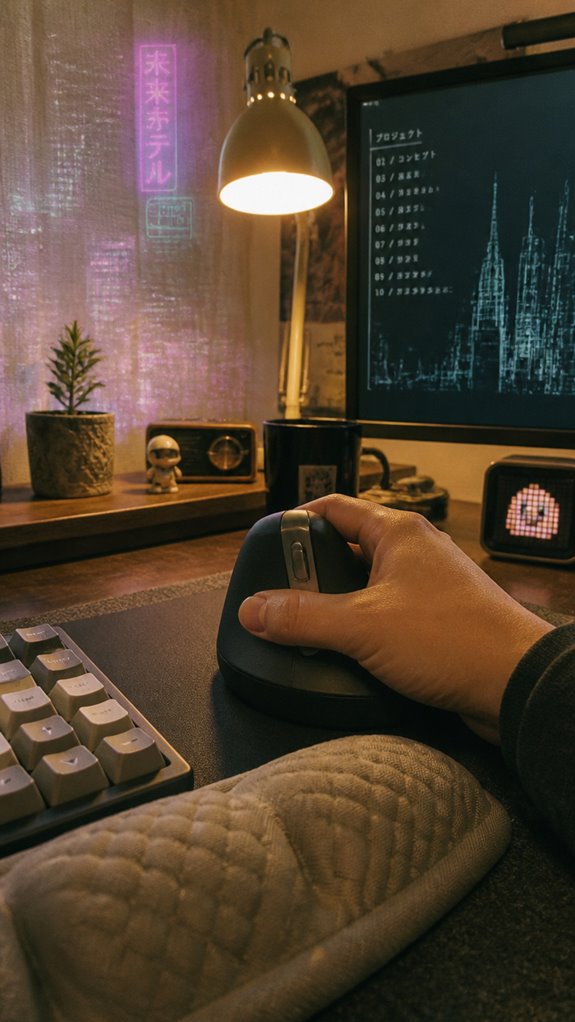
Much like debugging during system testing, early signals—heel pain, aching arches, or swollen ankles—indicate you’ve pushed beyond the system’s current firmware capacity. To prevent a fatal failure, it’s essential to install support routines—movement, proper footwear, micro-pauses—before your resilience reaches “kernel panic” status. Additionally, considering top vertical mice can significantly improve your overall comfort during these transition periods.
Adjustable Height Settings
Adjustable height settings function as the dynamic kernel parameter in your ergonomic firmware—allowing you to fine-tune the interface between human hardware and workstation environment.
In a system prone to micro-stutters, tweaking height is akin to patching kernel beige threads.
- Prioritize control over static configurations—think of it as version control for your posture.
- Enable granular adjustments to prevent your bio-debugging from crashing—like avoiding buffer overflows in muscle memory.
- Use presets or custom profiles—like RESTful APIs—to streamline user experience.
- Recall, just like software, hardware needs updates—avoid the “Ghost in the Shell” scenario where your physical infrastructure becomes obsolete.
Additionally, integrating features like adjustable vibration plates can enhance your overall experience by promoting circulation and relieving soreness in the feet.
Ergonomic Chair Tips
When your skeletal kernel begins throwing kernel panics—shoulder tension, lower back fatigue, the kind of hardware bugs that make you contemplate rewiring your spinal cord—the workstation setup becomes the first line of defense.
Your ergonomic chair, like a well-optimized patch, should support critical kernel modules. Prioritize lumbar adjustability, ensuring your vertebral stack stays aligned, preventing the downstream stack overflow of sciatic nerve errors.
Engage seat height controls calibrated for your codex—feet flat, knees at 90 degrees—and avoid the bluescreen of poor posture.
This isn’t some “feel-good” feature; it’s the core infrastructure necessary for your biological OS to run with minimal debugging. Remember, proper posture ergonomics can significantly enhance your comfort and reduce the risk of repetitive strain injuries.
FAQ
Can Specific Foot Massages Help Prevent Standing-Related Foot Pain?
Yes, targeted foot massages help prevent standing-related foot pain by improving circulation, releasing muscle tension, and reducing tightness. Regularly rolling a tennis ball or using a foot massager keeps your feet relaxed and supports better overall comfort.
Are There Foods That Can Reduce Inflammation Caused by Prolonged Standing?
Yes, you can fight inflammation with foods like fatty fish, berries, and leafy greens—your allies in the battle. Incorporate these power foods to take control, reduce swelling, and keep inflammation at bay during long hours of standing.
How Do I Know if My Shoes Are Properly Supporting My Feet?
You’ll know your shoes support your feet well if they fit properly, feel comfortable, and provide firm midsole cushioning. Look for proper arch support, avoid flats or high heels, and guarantee they help maintain stability during extended periods.
What Are Signs I Should See a Healthcare Professional for Foot Pain?
You should see a healthcare professional if foot pain persists despite preventive measures, worsens, causes numbness, tingling, or swelling, or if you notice deformities or skin changes. Trust your body’s signals and seek expert advice promptly.
Do Compression Socks Improve Circulation Only During Standing or Also at Rest?
Oh, sure, compression socks magically boost circulation only while you’re standing—like a superhero cape that vanishes at rest. In reality, they support blood flow continuously, giving you control over swelling and discomfort whether you’re on your feet or chilling.
References
- https://www.hingehealth.com/resources/articles/how-to-stop-foot-pain-from-standing-all-day/
- https://www.myfamilypodiatry.com.au/post/standing-desk-foot-pain-solutions-workplace-fatigue-relief
- https://www.goodrx.com/conditions/musculoskeletal/stop-foot-pain-standing-all-day
- https://www.pcworld.com/article/2836588/i-struggled-with-standing-desk-foot-pain-until-i-tried-these-3-things.html
- https://islandfootclinics.com/reducing-foot-pain-from-using-a-standing-desk-all-day/
- https://upodiatry.com/office-foot-care-how-to-keep-your-feet-happy-in-a-9-to-5-job/
- https://bellagiofootankle.com/foot-pain-at-the-office-ergonomic-fixes-for-desk-workers/
- https://updowndesk.com.au/blogs/news/standing-desk-feet-hurt
- https://www.nomorepainergonomics.com.au/blogs/no-more-pain-ergonomics/transitioning-to-standing-desks
- https://www.tanglewoodfootspecialists.com/library/want-to-switch-to-a-standing-desk-read-this-important-info-first.cfm
- https://vvenace.com/blogs/news/common-mistakes-to-avoid-when-switching-to-a-standing-desk
- https://alignbodyclinic.co.uk/what-happens-when-you-try-to-move-to-a-standing-desk/
- https://www.youtube.com/watch?v=3GzEn85u3w8
- https://uncagedergonomics.com/blogs/default-blog/9-common-standing-desk-mistakes-and-how-to-fix-them