Ever feel like your body’s throwing a 500 error after eight hours of cranking out code? Mine definitely did. Last sprint, I caught my reflection in the dark IDE screen and barely recognized the hunched creature staring back.
Three years in, I thought I was immune. Then the neck pain hit. Sharp. Relentless. Like a memory leak you can’t trace.
So I rebuilt my setup. Monitor at eye level. Elbows locked at 90°. Microbreaks every 25 minutes, Pomodoro style. Felt ridiculous at first. Then the tension melted.
I added scapular squeezes between standups. Stretched my chest against doorframes like some weird office yoga devotee. The difference? Night and day.
Your spine’s the only codebase you can’t refactor later. Treat it accordingly.
Hunched Shoulder Pain From Poor Desk Setup: My Wake-Up Call
The real damage happened during a hackathon in 2022. Forty hours straight, fueled by energy drinks and stubbornness. By hour thirty, my shoulders had fused into permanent shrug mode. I finished the project. Couldn’t turn my head for a week. Physical therapy, ergonomic assessment, the whole disaster. That $20 monitor stand I ignored? Would’ve saved me $800 in medical bills. Now I evangelize standing desks and Thoracic mobility exercises to every junior dev I mentor. Your future self is begging you to listen.
Quick Takeaways
- Adjust your ergonomic setup by elevating the monitor and maintaining elbow at 90° to promote proper alignment.
- Take regular microbreaks every 20-30 minutes to reset posture and prevent muscle fatigue.
- Incorporate shoulder retraction exercises like scapular squeezes and wall angels into daily routines.
- Stretch the chest and open the shoulders with doorway and overhead stretches to counteract forward hunching.
- Practice mindful posture awareness and support neutral spine positioning throughout your typing sessions.
Why Do My Shoulders Hunch When I Type?
Ever wonder why your shoulders spontaneously hunch into a human CUDA kernel meltdown whenever you’re clacking away at the keyboard? It’s akin to lasering your desk setup into an unstable state—caused by mismatched muscle loads and faulty input parameters.
Your chest muscles, like over-allocated threads, tighten from relentless forward dependencies, while upper back stabilizers, starved of CPU cycles, deactivate, rendering your posture a crash dump of design flaws.
Fundamentally, your hardware architecture has become misconfigured, forcing your joints into a “kernel panic.” The result? a system-averse, posture-corrupting exception.
Quick Ergonomic Fixes for Better Shoulder Posture
In the domain of ergonomic patch management, the first line of defense against system crashes—namely, hunched shoulders during prolonged typing sessions—is often a swift tweak rather than a complete overhaul of your codebase.
Adjust your workspace to lock in shoulders, akin to configuring a stable build. Elevate your monitor to eye level (like updating firmware), and keep elbows at 90° (a minimalist API constraint).
Implement microbreaks—think of it as scheduled garbage collection—to prevent memory leaks in your posture thread. These quick fixes, much like patching a critical bug, reset your ergonomics metadata before your system emits a catastrophic exception. Additionally, utilizing top physical planners can help you incorporate regular breaks and reminders into your daily routine.
Stretching and Strengthening Exercises for Your Shoulders
When your musculoskeletal architecture starts behaving like a legacy codebase—full of deprecated patterns, tight coupling, and a propensity to crash into poor posture—it’s time to deploy precision-targeted patches.
Focus on strengthening your upper back with rows, reverse flys, and thoracic extensions—think of these as system refactors for scapular stability.
Simultaneously, run tight scripts on stretching the chest via doorway pec and overhead stretches, releasing that excessive forward-facing bloat.
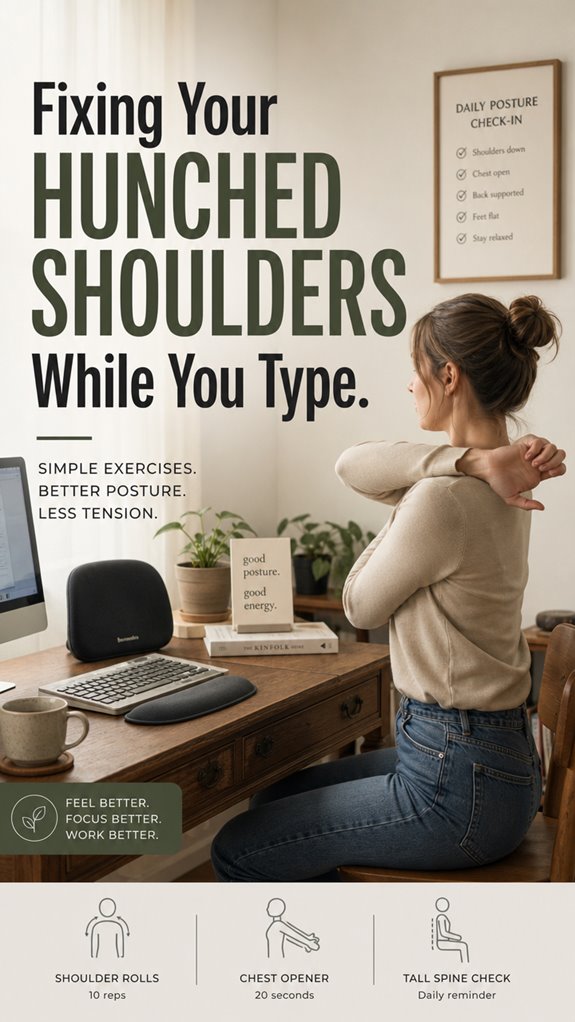
Incorporate stabilization modules like scapular squeezes and wall angels, optimizing load balancing across shoulder blades.
Recall, this isn’t a feature upgrade but a fundamental system redesign—an architecture overhaul to prevent your own “Ghost in the Shell” from turning into a full-blown crash report. Additionally, remember that a stiff neck from looking down can often exacerbate shoulder issues, making it essential to address both areas in your regimen.
Daily Habits to Keep Your Shoulders Relaxed

In the relentless compile-and-run cycle of your workday, neglecting to periodically reset your posture is akin to deploying a patch with a critical bug—it silently propagates inefficiencies into your musculoskeletal architecture. Incorporating top posture sensors into your workspace can significantly enhance your awareness of proper alignment.
To maintain system stability, integrate micro-habits that become background processes, like setting checkpoints in your IDE.
| Habit | Implementation | Impact |
|---|---|---|
| Microbreaks | Resist the urge to code non-stop, take 30s every 20-30 min | Prevents model drift into bad form |
| Shoulder Squeezes | Set reminders for scapular retraction | Keeps static code optimized |
| Elbow Position | Keep elbows at 90°, avoid keyboard spaghetti | Ensures interface remains lean |
My Ergonomic Chair Adjustments
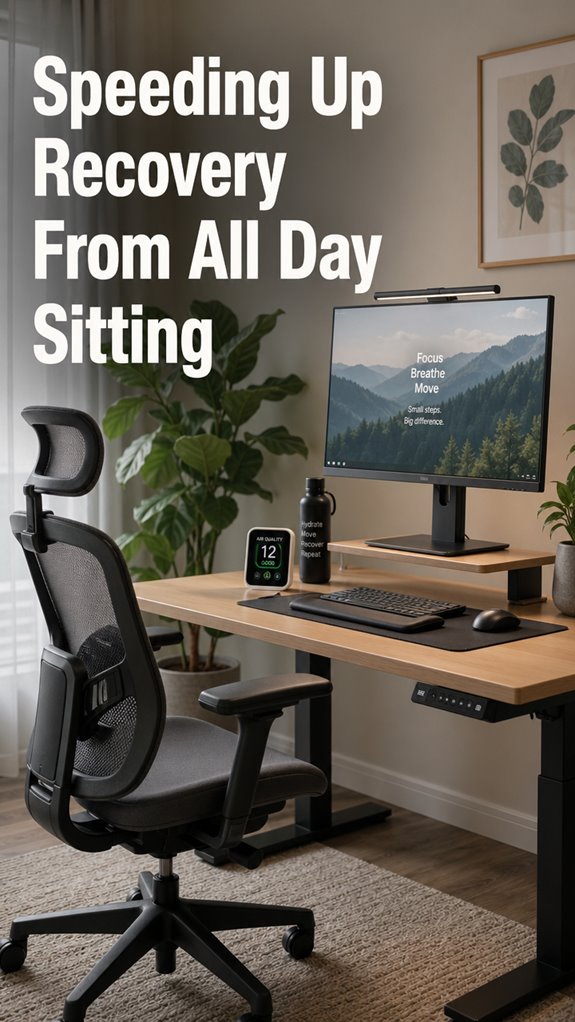
Optimizing your chair setup is akin to refactoring legacy code—without it, your entire ergonomic architecture remains dangerously fragile, vulnerable to the slow decay of hunching and shoulder fatigue.
As a senior dev stuck in the matrix, I treat my chair like version control for posture—controlling, iterative, precise. Adjust lumbar support to prevent a recurring crash of spinal alignment, ensuring the backbone isn’t just an afterthought, like legacy legacy code.
Ensuring the seat height aligns with ergonomic benchmarks isn’t optional; it’s QA for your skeletal infrastructure—because, unlike software bugs, shoulder aches aren’t easy to debug once a system crashes. Incorporating tools like massage balls for relaxation into your routine can help alleviate muscle tension and enhance overall comfort.
Poor Scapular Positioning
Poor scapular positioning functions like a systemic bug in your ergonomic architecture—persistent, insidious, and almost impossible to debug after deployment. You’re running on outdated code, with forward shoulders acting like a memory leak, hogging resources and collapsing your posture stack.
When scapulae fail to retract properly, it’s akin to a null pointer exception in your back-end framework—disrupting core alignment, triggering spine and neck exceptions, and degrading overall stability.
Like Ghost in the Shell’s unpatched AI, your musculature needs a system update: targeted strengthening (rows, flys), mobility fixes (wall angels), and reinitialization routines (scapula squeezes). Incorporating an ergonomic mouse like vertical mice can further help alleviate tension and enhance your overall posture.
Debug your posture, or face a cascade of soft-tissue errors.
Supporting Elbow Joints During Typing

When you’re debugging your posture—much like running a marathon code review—you can’t overlook the foundational support system: your elbows.
In the grand architecture of ergonomic stability, poor elbow positioning acts as a failing module causing cascading shoulder and wrist errors. Keep your elbows at a 90-degree angle, akin to proper API call construction, reducing load on fragile structures like your shoulder blades, which falter under unoptimized input streams.
Just as Ghost in the Shell predicts system failures, improper elbow support crashes your workflow. Use adjustable armrests or ergonomic tools—think of them as patches—that guarantee your input pipeline remains resilient, minimizing the risk of systemic collapse. Additionally, ensure your wrists are properly supported by using ergonomic mouse designs, which can significantly reduce strain during prolonged use.
Posture Correction Exercises
In the grand debug session that’s maintaining a human ergonomic system, posture correction exercises serve as the vital patch—an essential firmware update for your biological hardware that prevents cascading hardware failures down the line.
As your musculature succumbs to the relentless entropy of static positioning, weak upper back stabilizers warrant process re-initialization.
Targeted movements—rows, reverse flys, thoracic extensions—are like patches applied during a system update, restoring core integrity.
Stretching protocols, such as doorway pecs or behind-the-back chest stretches, act as memory leaks corrected before they corrupt other subsystems.
Without this biomechanical refactor, your hardware risks a persistent crash, reminiscent of “Ghost in the Shell” traversing a corrupt matrix—only your physical ‘OS’ breaking down in real-time. To combat this deterioration, integrating regular focus-boosting exercises can significantly enhance your overall performance.
FAQ
How Can I Tell if My Shoulders Are Properly Aligned?
Like a seasoned sailor spotting a steady horizon, you’ll notice your ears align with your shoulders, chest feels open, and shoulders stay relaxed and back, not rounded, when your posture is correct and aligned during work.
Are There Specific Signs of Muscle Imbalance in My Shoulders?
You notice muscle imbalance if your shoulders feel tight or weak, with forward rounding, uneven muscle strength, or discomfort during movement. These signs indicate you need targeted stretching and strengthening to restore proper shoulder alignment.
How Often Should I Perform Stretching Exercises During Work?
You should perform stretching exercises every hour during work, combining quick stretches with longer holds. Routine, consistency, and mindful pauses empower you to undo muscle tightness, counteract imbalances, and maintain control over your posture, ultimately preventing discomfort and supporting flexibility.
Can Poor Posture Cause Long-Term Neck Pain?
Poor posture can cause long-term neck pain by creating muscle imbalances, joint strain, and nerve compression. You can control this by maintaining awareness, strengthening your upper back, stretching tight muscles, and adjusting your workspace to support proper alignment.
What Daily Routines Help Maintain Shoulder Health?
Think of your posture as a garden you tend daily. Incorporate stretching, strengthening, and ergonomic checks into your routine, like watering and pruning, to keep your shoulders balanced and your foundation strong and resilient.
References
- https://forme.science/blogs/news/how-to-fix-shoulder-posture
- https://www.medicalnewstoday.com/articles/hunched-shoulders
- https://orthop.washington.edu/patient-care/articles/shoulder/home-exercises-for-the-unstable-shoulder.html
- https://www.hingehealth.com/resources/articles/scapular-stabilization-exercises/
- https://www.healthline.com/health/rounded-shoulders-exercises
- https://www.youtube.com/watch?v=estt19oITfw
- https://alignmed.com/blogs/blog/7-exercises-to-stabilize-and-strengthen-the-shoulder
- https://myhealth.alberta.ca/Health/aftercareinformation/pages/conditions.aspx?hwid=abr7628
- https://www.youtube.com/watch?v=yghNB3z0Ulw
- https://backembrace.com/blogs/articles/proper-typing-posture
- https://www.typing.com/blog/typing-posture/
- https://www.cmd-ltd.com/advice-centre/ergonomics/ergonomic-typing-at-home/
- https://handandwristinstitute.com/blog/proper-typing-techniques-to-help-avoid-hand-fatigue-or-injury/
- https://www.totalorthosportsmed.com/shoulder-pain-from-typing-or-using-mouse/
- https://www.ergolink.com.au/blog/yes-there-s-such-a-thing-as-proper-typing-posture-are-you-typing-ergonomically
- https://mskneurology.com/permanently-resolve-scapular-dyskinesis/
- https://www.chiropracticmoves.com.au/blog/scapular-winging-causing-shoulder-neck-arm-pain/
- https://www.physio-pedia.com/Scapulothoracic_Posture_and_Its_Effect_on_GH_Instability
- https://www.orthobullets.com/shoulder-and-elbow/3062/scapular-winging