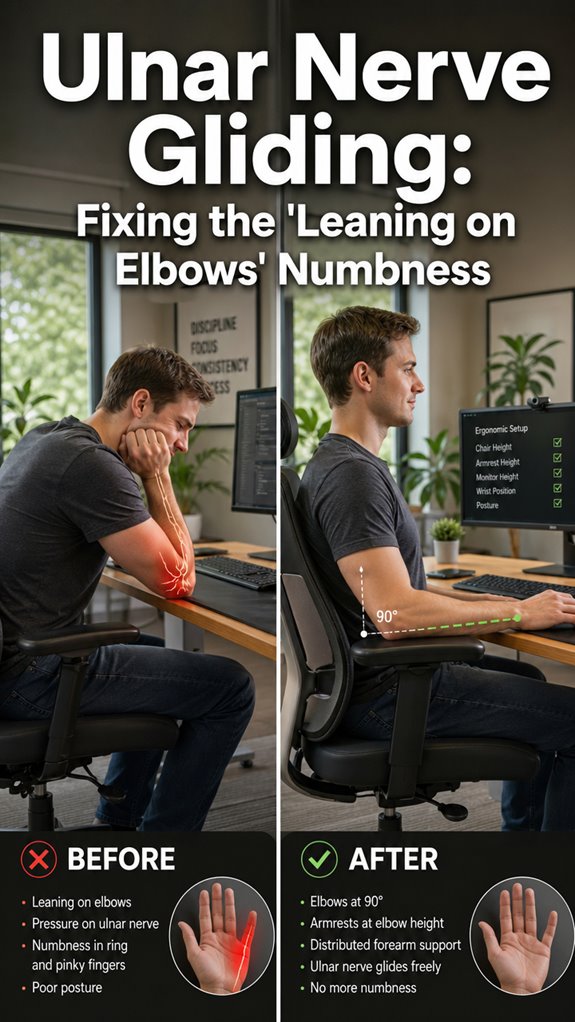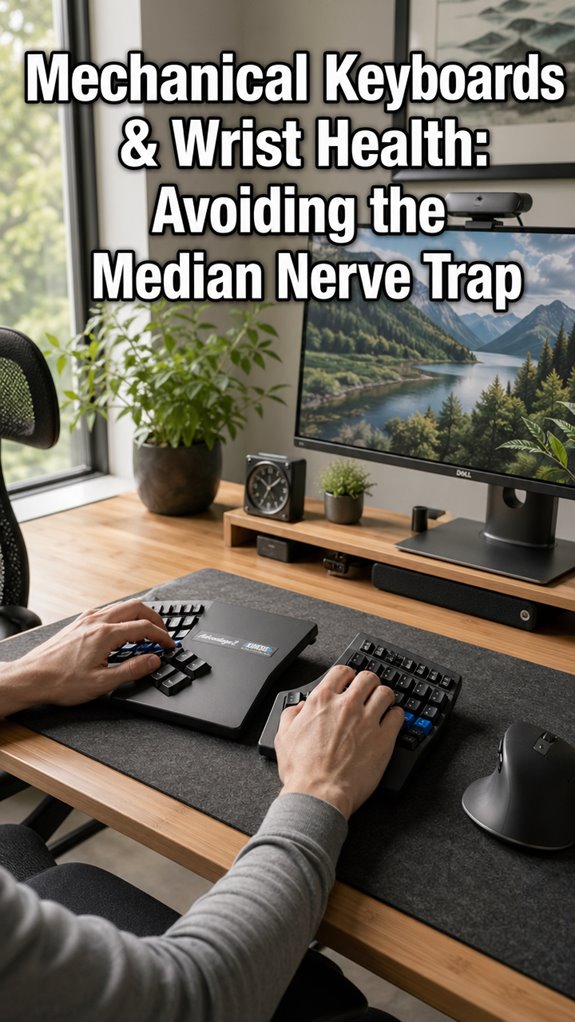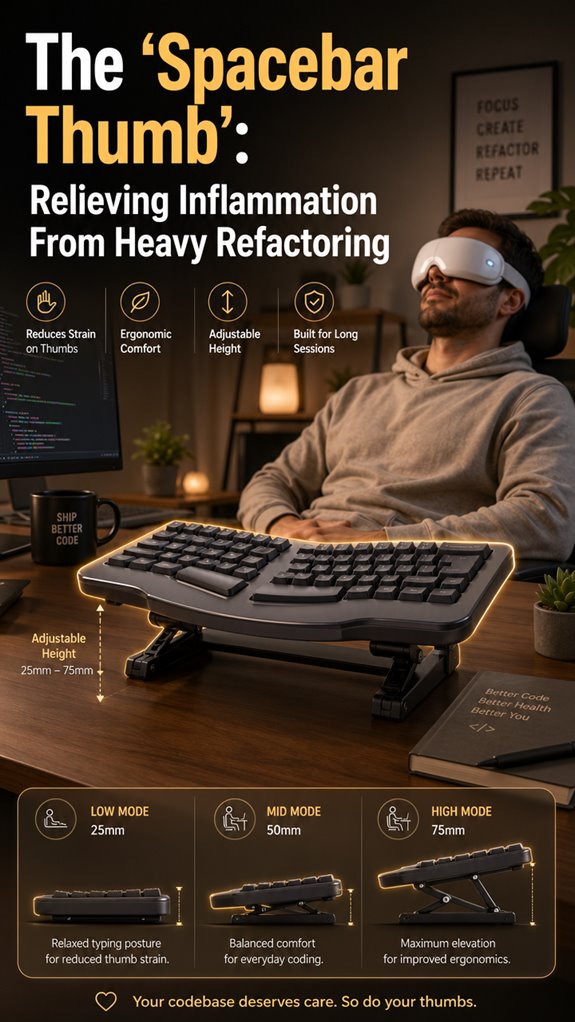
Ever had a body part mutiny on you while you’re just trying to ship code? My thumb did. It went full diva on me.
Three months of brutal refactoring. No breaks. Just me, my IDE, and approximately twelve thousand thumb strokes an hour. Then the ache started. That deep, grinding “your body is filing a formal complaint” kind of pain.
Tendonitis. The spacebar thumb. Sounds ridiculous until you can’t grip your coffee without wincing.
I tried brute-forcing through it because that’s what we do with bugs, right? Wrong move. The inflammation laughed at my stubbornness. Split keyboard, vertical mouse, actual lunch breaks. Patches for broken hardware.
Listen to your error logs before the system crashes.
When Split Keyboards Become Essential Developer Infrastructure
My wake-up call came during a brutal 2AM deploy. My right thumb locked mid-keystroke. Just… stopped working. Like a mutex that never releases. I sat there, staring at my ZSA Moonlander, which I’d bought as vanity hardware, now realizing it was survival equipment. That night I researched kinstretch, tendon gliding exercises, and the depressing economics of ergonomic chairs. The keyboard split became non-negotiable. So did walking meetings and a timer that screams at me every twenty minutes. My Jira board still hates me. My tendons don’t. Small victories.
Quick Takeaways
- Incorporate ergonomic keyboard setups and device reconfigurations to reduce repetitive thumb strain during heavy coding sessions.
- Perform targeted thumb exercises and stretching to strengthen tendons and prevent inflammation.
- Use supportive devices like braces, gel pads, and split keyboards to minimize hardware overload and tendon stress.
- Take regular breaks, limit smartphone use, and practice hand massage to decrease inflammation and promote circulation.
- Recognize persistent pain and swelling as signals to seek medical assessment to prevent long-term damage.
How to Recognize Spacebar Thumb Pain and Its Causes
How often do you find yourself stuck in a loop of repetitive thumb actions, like hammering away at the spacebar during late-night code refactoring, only to realize later that your ergonomic model has crashed—reliability compromised?
The signs and symptoms of Spacebar Thumb manifest as pain at the thumb’s base radiating to your forearm, swelling, and reduced grip strength—akin to a debugging nightmare.
Cause identification pinpoints repetitive motions, such as relentless spacebar spam during intense debugging, as the culprit. Your tendons, like legacy code, become inflamed, thickened, and unresponsive, echoing Ghost in the Shell’s faulty cybernetic interfaces—hitting critical thresholds, demanding system revisions before a catastrophic failure. Incorporating effective hand massagers can provide significant relief and aid in reducing inflammation associated with these repetitive motions.
Quick Relief Tips for Thumb and Wrist Discomfort
When your body’s infrastructure begins throwing 500 errors in the form of thumb and wrist discomfort, it’s time to deploy quick patches—think of them as emergency hotfixes before your system becomes unresponsive. Magnesium glycinate is known for its potential to relieve muscle tension, which can be beneficial in managing discomfort.
Prioritize maintenance by nail grooming to prevent added complexity from hangnails. Limit smartphone usage, especially when reflexively toggling between apps, to reduce unnecessary API calls on your tendons. Additionally, understanding hand fatigue prevention techniques can significantly improve your comfort during long coding sessions.
| Action | Effect |
|---|---|
| Nail grooming | Eliminates minor friction points, streamlining input |
| Reduce smartphone usage | Lowers redundant calls, preserves bandwidth in tendons |
| Ergonomic keyboard configuration | Optimizes data flow, minimizes spatial overload |
| Quick stretching (thumb/wrist) | Reassigns memory, reboots inflammation |
Best Exercises and Supports to Ease De Quervain’s Tendonitis
In the sprawling scenery of repetitive motion disorders, De Quervain’s tendonitis functions as a critical runtime exception—an unanticipated failure in the API of your thumb tendons triggered by relentless resource exhaustion.
To optimize system reliability, implement exercises like:
To enhance performance, incorporate targeted exercises that debug and refresh your tendons like updating your codebase for optimal runtime.
- Thumb extension holds—hold for 6 seconds, repeat 8-12 times, akin to debugging memory leaks before crash logs appear.
- Thumb-pinky tip press stretch—simulate code refactoring, pushing the boundaries without overtaxing the interface.
- Integrate music therapy—reboot your mental processes, restoring bandwidth amidst high CPU load.
- Adopt diet modifications—refactor your nutrition stack, patch inflammation, and optimize performance.
Ergonomic Habits and Devices to Prevent Spacebar Thumb

While debugging your ergonomic setup might seem like a trivial patch in your sprawling codebase of daily mental toil, neglecting it risks catastrophic system failures—namely, Spacebar Thumb. As any senior dev knows, poor ergonomic desk setups spawn cascading failures, downgraded performance, and hardware blackouts.
Employ hand stretching techniques to preempt static, repetitive loads from turning into a full-on runtime crash. Upgrade your coding environment, reconfigure your mouse, and optimize keyboard angles. Additionally, remember that prolonged standing can also lead to foot discomfort, which is crucial to address in your comfort setup.
Consider split ergonomic keyboards—like the Taku or Kinesis—designed to eliminate thumb bottleneck issues. After all, if “Ghost in The Shell” taught us anything, it’s that even androids need proper data pipelines.
When to Consult a Doctor for Persistent Thumb or Wrist Pain
Persistent thumb or wrist pain signals a critical failure mode in your ergonomic architecture—think of it as a memory leak corrupting core processes, rather than a mere bug.
- When pain persists beyond a few days despite standard “debugging” such as rest, ice, or NSAIDs.
- If symptoms escalate: increased swelling, snapping sensations, or reduced grip strength, jeopardizing long-term prognosis.
- When conservative measures—like supportive braces or alternative therapies—fail to restore system stability.
- Signs of structural compromise or nerve involvement warrant immediate professional intervention—akin to catching a kernel panic before full system crash. Engaging in targeted eye exercises can provide additional support to your overall ergonomic health.
Ignoring these signals risks permanent damage and a buggy workflow. Additionally, consider using cycle tracking apps to monitor any underlying issues that may be contributing to repetitive strain or discomfort.
Simple Changes in Your Typing Habits to Protect Your Thumb
Small, simple adjustments—diff-based code refactoring—can optimize input flow: avoid excessive spacebar presses, utilize ergonomic placements, and incorporate macro commands. Like Ghost in the Shell, your hardware needs a human system update, not just a patch.
Incorporating tools such as acupressure foot mats can enhance your overall relaxation and improve your typing endurance. Additionally, using gel wrist rests can provide the support necessary to alleviate strain and enhance comfort during long typing sessions.
Prioritize modular hand movements; eliminate unnecessary API calls. That’s how you upgrade, not crash.
Wrist Brace Alleviation Experience
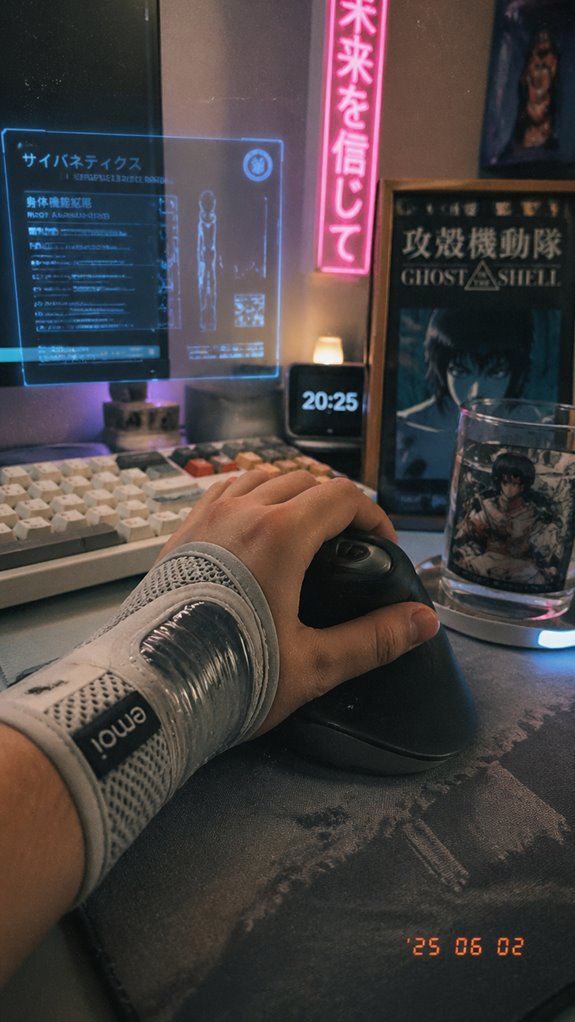
Have you ever considered that the real bug in your ergonomic setup isn’t just the keyboard layout, but your own hardware—specifically, your wrist supporting a fragile software ecosystem of tendons and nerves?
- Wrist brace comfort is the first line of defense—nothing kills productivity like ill-fitting support that’s more war zone than workspace. Additionally, investing in top vertical mice can help maintain a natural wrist position, further enhancing your ergonomic experience.
- Support material durability matters—gel padding sustains the pressure load, preventing your tendons from becoming the next deprecated API.
- Rigid orthoses, like the “Ironclad” of wrist supports, stand resilient against constant refactoring and fatigue.
- Over time, the hardware’s failure mimics a debugged system crash—reminding you that even the best code depends on stable infrastructure.
- Moreover, essential elbow pads play a critical role in your overall ergonomic setup, ensuring full limb protection and comfort during prolonged work sessions.
Wrist Pain Limitations
When the delicate codebase of your wrist’s biomechanical engine begins to misfire—be it through valgus misalignments, corrupted data streams from TFCC tears, or just plain old overclocked nerves—your entire workflow suffers. You face limitations in wrist stability, causing your joint flexibility to plummet like a deprecated API. Incorporating hand massage balls can be an effective way to enhance your recovery.
Precision becomes impossible, as if Ghost in the Shell’s system architecture is malfunctioning. Every repetitive command (typing, twisting) strains fragile, outdated modules that can’t handle the load. Without critical system updates—restoration of stability and flexibility—you risk catastrophic failure, akin to a software crash on the latest build—an unbearable bit of code you can’t debug. Incorporating techniques to enhance breath control can significantly improve your focus and alleviate stress on your wrist.
Thumb Tendonitis Management
Is it possible your thumb tendons are crashing under relentless refactoring—akin to a kernel panic in “Ghost in the Shell”?
To counteract trigger points and prevent tendon shear, focus on:
- Targeted Trigger Point Therapy: Isolate hypersensitive areas to decompress and reset faulty command loops. Regular sessions with top percussion massagers can also significantly aid in alleviating muscle tension.
- Controlled Rest & Micro-pauses: Implement scheduled cooldown cycles—failing which, expect a system crash in the form of pain and loss of grip.
- Tendon Shear Prevention Exercises: Strengthen and buffer fragile tendons through carefully calibrated stretches—like refactoring code without introducing new bugs.
- Support Hardware: Invest in ergonomic braces that prevent system overloads.
Additionally, consider using ergonomic mice that are specifically designed to enhance comfort and reduce strain on your hand while working.
Remember—without a firmware upgrade, the hardware degrades, not just the software.
Ergonomic Keyboard Accessories
In the backend of your skeletal architecture, repetitive stress and chronic refactoring—alias hours of heavy coding—can cause systemic overloads manifesting as De Quervain’s tenosynovitis, disrupting the flow of commands through your tendinous infrastructure.
Ergonomic keyboard accessories serve as infrastructural upgrades, focusing on muscle strengthening and nerve compression mitigation. Split keyboards, wrist rests, and gel pads act like code refactoring tools—get the architecture right before segment faults happen.
While these measures won’t debug your tendon pain, they optimize your hardware interface, preventing a Ghost in the Shell scenario where your tendons spontaneously crash mid-commit. Sometimes, scraping the code isn’t enough; upgrade the foundation.
Adjustable Keyboard Height Options
Adjustable keyboard height options function as crucial system variables in the ergonomic firmware of your workstation, aligning hardware parameters with the human body’s microarchitectural demands.
- Styled keyboard options allow you to override default firmware settings, granting you power over your input pipeline.
- Height customization benefits ensure your digital skeleton remains intact, preventing the catastrophic “Spacebar Thumb” error log. Additionally, regular use of eye massagers can provide relief by reducing strain from prolonged screen time.
- Fine-tuning your setup reduces the risk of macro failures in tendons, much like debugging fragile code in a critical release.
- Ultimately, these options turn your hardware into a resilient, Ghost-in-The-Shell interface—technically robust, practically essential. Ergonomic keyboards can enhance your overall comfort and productivity by reducing strain.
FAQ
Can Spacebar Thumb Resolve Without Medical Intervention?
Spacebar thumb may resolve with ergonomic adjustments and preventive exercises, but ignoring symptoms risks worsening inflammation. Take action now by strengthening your thumb, optimizing your workspace, and giving your tendons the relief they need for quick recovery.
How Long Does Recovery Typically Take After Treatment?
Like a hero’s journey, recovery varies; it could take weeks with home remedies and ergonomic tips or months for severe cases. Stay proactive, apply cold, rest, and reinforce strength—your commitment determines your victorious return to strength.
Are There Long-Term Effects From Untreated De Quervain’s?
Ignoring De Quervain’s leads to chronic muscle strain and worsened wrist fatigue, risking tendon tears or permanent motion loss. Take action now with splints, rest, or medical treatment to prevent lasting damage and regain ideal thumb and wrist strength.
What Impact Does Spacebar Thumb Have on Daily Activities?
Spacebar thumb hampers your daily activities by causing pain, stiffness, and limited thumb movement. Fix this with ergonomic adjustments and alternative devices, empowering you to maintain productivity while reducing inflammation and preventing further injury.
Can I Continue Typing During Recovery?
You can continue typing during recovery by making ergonomic adjustments and practicing preventive exercises. Strengthen your thumb and wrist, use supportive braces, and take regular breaks to reduce inflammation, ensuring your productivity remains powerful without risking further injury.
Summary
In the sprawling codebase of human ergonomics, neglecting to patch the “spacebar thumb” vulnerability mirrors deploying buggy software—eventually, system crashes are inevitable. As a seasoned dev, you’ll grasp that optimizing keyboard hardware and adopting preventive ergonomic protocols are akin to refactoring legacy code—tedious but necessary for system stability. Keep in mind, even in “Ghost in the Shell,” the infrastructure’s resilience hinges on the tiniest firmware updates; neglect those, and you risk a total system halt, thumb included.
References
- https://www.orthobullets.com/hand/6026/de-quervains-tenosynovitis
- https://www.mayoclinic.org/diseases-conditions/de-quervain-tenosynovitis/symptoms-causes/syc-20371332
- https://my.clevelandclinic.org/health/diseases/10915-de-quervains-tendinosis
- https://www.doctorsofosteo.com.au/osteopathy-blog/de-quervains-tenosynovitis
- https://www.orthopedicshi.com/blog/de-quervains-tenosynovitis
- https://www.akortho.com/6-signs-of-de-quervains-tenosynovitis/
- https://radsource.us/de-quervains-tenosynovitis-2/
- https://www.healthline.com/health/de-quervains-tenosynovitis-exercises
- https://www.cedars-sinai.org/stories-and-insights/healthy-living/dequervains-tenosynovitis-understanding-wrist-pain
- https://handandplasticskaty.com/blog/preventing-dequervains-tenosynovitis-tips-for-thumb-health/
- https://www.totalorthosportsmed.com/limited-wrist-rotation/
- https://1-hp.org/blog/blog/wrist-pain-from-coding-causes-prevention-tips-and-effective-exercises/
- https://www.flexispot.com/spine-care-center/how-poor-ergonomics-leads-to-wrist-injuries
- https://www.cpwrconstructionsolutions.org/heavy_equipment/hazard/1084/maintain-heavy-equipment-stressful-hand-wrist-activity.html
- https://www.notonlycode.org/programming-injuries-fix-your-habits-before-it-gets-bad/
- https://pmc.ncbi.nlm.nih.gov/articles/PMC1557630/
- https://www.youtube.com/watch?v=DaI30kjVTlI
- https://esmed.org/hand-and-wrist-issues-in-orthopedic-surgeons-insights/