Ever felt like your forearms are staging a quiet rebellion after an all-day typing marathon? I have. Mine turn into these burning, useless bricks by 6 PM.
Three years of ignoring this taught me the hard way. The ” extensor reset” isn’t jargon. It’s survival. Pronator stretches. Eccentric bands. Ice when they’re throbbing. Twice daily, no negotiation.
Weird numbness? Swelling that won’t quit? That’s not normal soreness. That’s your body logging a critical error you can’t patch yourself.
Quick Takeaways
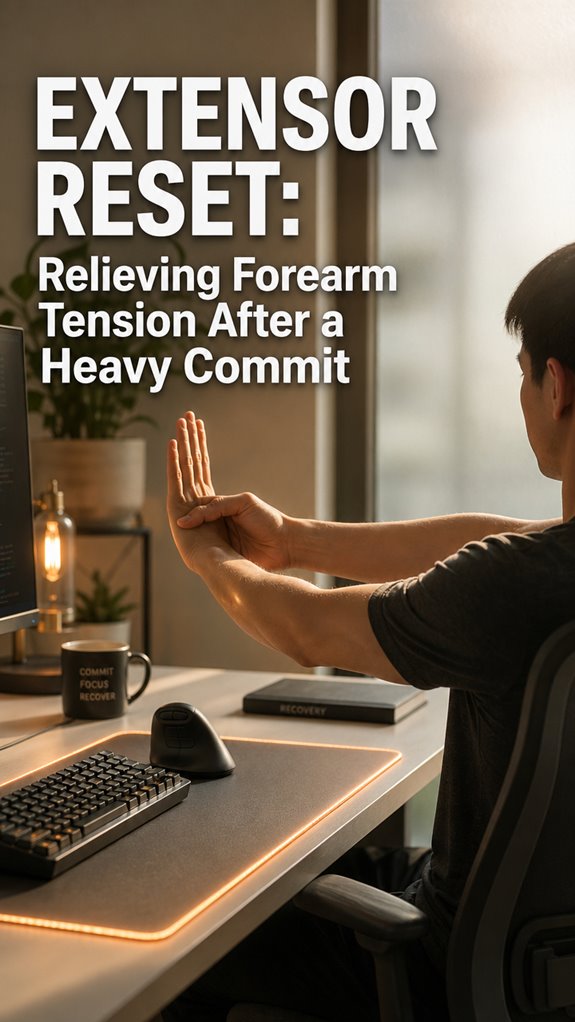
- Pronator Stretch Protocol: Extend arm, supinate palm, dorsiflex wrist, hold 15 seconds twice daily for forearm reset.
- Eccentric Loading Recovery: Use resistance bands for controlled deceleration feedback to build tendon resilience and reduce inflammation.
- Cryotherapy Application: Apply ice to reduce inflammation and support recovery after intensive keyboard work sessions.
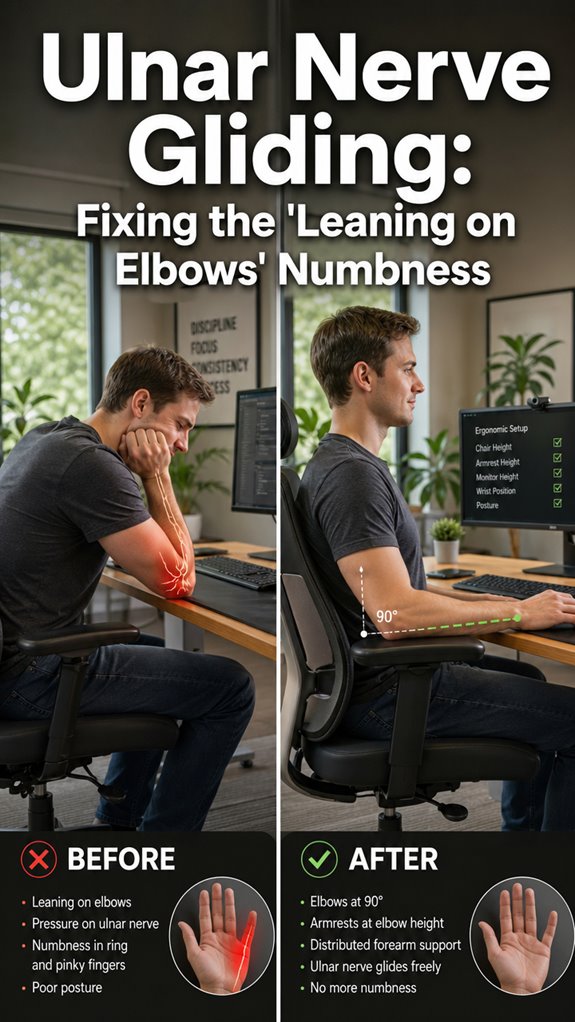
- Ergonomic Workspace Setup: Position monitor at eye level, keyboard at 90° elbow angle, desk depth 24-30 inches.
- Strategic Rest Intervals: Incorporate regular breaks during work to reduce fatigue, prevent lactate buildup, and support long-term function.
Why Your Forearm Tension Builds During Heavy Typing
The physiological reality is grimmer: sustained keyboard work forces your extensors into what’s fundamentally a DOS attack against their own metabolic processes—continuous activation without sufficient recovery cycles, lactate accumulation in the muscle tissue, and progressive neuromuscular fatigue that cascades downward into grip strength degradation and proprioceptive drift.
You’re executing production code while your forearm’s infrastructure degrades. Your extensors never toggle off. Unlike proper sprint cycles with retrospectives, your muscles receive zero recovery windows—just persistent isometric contraction mimicking an infinite loop without exit conditions.
The result: accumulated metabolic debt, calcium dysregulation, and eventual system failure resembling a memory leak nobody caught during code review. To combat this, integrating easy desk stretches into your routine can offer immediate relief and enhance your overall productivity. Furthermore, adopting tools such as air compression leg massagers can help alleviate overall muscle tension, promoting better recovery and circulation.
Three Resets to Eliminate Forearm Tension Fast
Since you’ve already diagnosed the failure mode, you’ll want to execute three discrete reset protocols that’ll decompress your forearm’s stack trace before it triggers a full system panic.
First: the pronator stretch. Extend your arm, supinate your palm skyward, then gently dorsiflex your wrist. Hold fifteen seconds. This unwinds the compression cascade your repetitive commits initiated.
Second: eccentric loading via resistance bands. Your extensors needive feedback loops, fundamentally debugged through controlled deceleration.
Third: cryotherapy application. Ice reduces inflammatory middleware cluttering your neural pathways. Incorporating tech neck pain relief strategies may also enhance your overall recovery experience.
Deploy these protocols twice daily. Your forearm’s CI/CD pipeline’ll stabilize accordingly.
When Forearm Tension Signals You Need a Doctor
While you’re convinced that three resets and disciplined stretching protocols will stabilize your forearm’s degraded performance metrics, you’ll want to escalate to professional debugging when your system starts throwing exceptions that no amount of eccentric loading can catch.
- Persistent pain radiating beyond your forearm’s designated namespace—migrating into your hand or upper arm—indicates cascading failures requiring orthopedic code review. Incorporating top vibration plates into your recovery routine could also enhance muscle relaxation and support rehabilitation efforts.
- Numbness and tingling suggest nerve compression; your peripheral systems aren’t receiving packets correctly.
- Swelling that doesn’t respond to your recovery protocols signals inflammatory states exceeding your self-healing bandwidth.
Improving your environment with air ionizers for cleaner air can also support overall recovery by promoting better oxygen circulation.
Your meat machine needs a specialist’s diagnostic tools.
Desk Setup Changes That Stop Tension Before It Starts
Once you’ve accepted that your workstation’s ergonomic architecture is fundamentally misconfigured—much like shipping production code with hardcoded localhost credentials—you’ll recognize that no amount of stretching protocols can patch what’s primarily a systems-level design flaw. The use of spiky massage balls can be an effective tool in complementing ergonomic adjustments while promoting muscle recovery.
| Adjustment | Implementation |
|---|---|
| Monitor height | Top bezel at eye level |
| Keyboard position | Elbows at 90 degrees |
| Chair lumbar support | Natural spine curvature |
| Desk depth | 24-30 inches minimum |
| Forearm angle | Neutral, not pronated |
Your extensor compartment won’t spontaneously recover through willpower alone. Reconfigure your physical infrastructure first—elevated monitor, repositioned keyboard—before debugging muscular compensation patterns. Prevention beats remediation. Proper desk standing posture can significantly reduce discomfort and enhance productivity, illustrating the importance of optimal workstation configuration.
Keyboard Aggravated My Wrists

If you’ve debugged your desk setup meticulously—monitor positioned, chair adjusted, lumbar support configured—yet your wrists still register persistent pain signals, you’re likely encountering a tertiary systems failure: the input device itself.
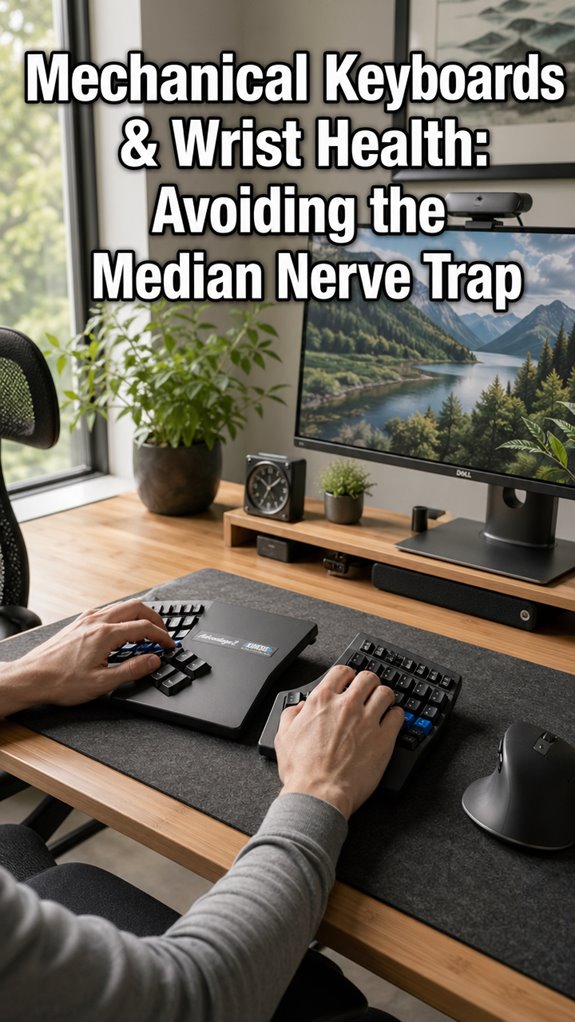
I’ve discovered that keyboard selection directly correlates with extensor tendon inflammation. After years of mechanical switches and ergonomic marketing mythology, I realized my peripherals were introducing cascading failures upstream:
- Low-profile switches requiring excessive downward force
- Narrow key spacing forcing pronation angles exceeding physiological thresholds
- Insufficient wrist elevation relative to forearm geometry
The mechanical keyboard industry’s obsession with tactile feedback obliterated ergonomic considerations. Incorporating essential movement habits can significantly enhance comfort and minimize strain during extended use; switching to a sculpted, split-layout device immediately reduced inflammation markers. A proper ergonomic keyboard can significantly enhance comfort and minimize strain during extended use.
Repetitive Strain Injury Explained
Your keyboard selection was merely one variable in a larger cascade failure—the systemic breakdown that orthopedists call repetitive strain injury (RSI), though developers know it better as the runtime exception that executes when you’ve ignored deprecation warnings for too long. You’re experiencing cumulative microdamage across tendons, nerves, and fascia. It’s not acute trauma; it’s death by a thousand commits.
| Stage | Physiological State |
|---|---|
| Early | Inflammation, reversible |
| Chronic | Scar tissue accumulation |
| Severe | Nerve compression |
The extensor carpi radialis longus—your forearm’s primary workhorse—deteriorates predictably under sustained load, triggering inflammatory cascades that your body can’t suppress through standard recovery protocols.
Extensor Carpi Radialis Syndrome
How’d you end up here? You’ve been debugging the same lateral epicondylitis for months—your extensor carpi radialis screaming like a failed unit test you can’t isolate.
Your forearm’s throwing exceptions:
- Repetitive wrist extension during keyboard marathons creates microtrauma accumulation.
- Inadequate recovery cycles between commits compound inflammatory cascade failures.
- Grip-dependent mouse interaction exacerbates radial-sided tendon stress pathology. Using a heated desk mat can help provide comfort and warmth, potentially easing cold hands and supporting better circulation during long coding sessions.
The system’s degraded. Your tendons aren’t designed for sustained, high-frequency typing loads. You’re running production code on deprecated hardware. Like debugging with one breakpoint, you’ll need strategic rest intervals, eccentric strengthening protocols, and ergonomic refactoring. Proper ergonomics can significantly reduce the strain on your upper body.
It’s not personal—it’s infrastructure maintenance.
FAQ
How Long Does It Typically Take to Recover From Forearm Extensor Tension?
You’ll typically recover from forearm extensor tension within three to seven days with proper intervention. Your commitment to targeted release work and strategic rest accelerates healing and restores functional capacity.
Can Forearm Tension Exercises Make My Symptoms Worse Initially?
You’re planting seeds in rocky soil—initial discomfort signals necessary adaptation. Yes, exercises can temporarily intensify symptoms as you’re mobilizing restricted tissue and retraining motor patterns. This acute response precedes genuine relief.
Are There Specific Keyboard Types That Reduce Forearm Strain?
You’ll reduce forearm strain with ergonomic keyboards featuring split designs, negative tilt angles, and mechanical switches requiring less force. You’re prioritizing neutral wrist positioning and minimal travel distance to optimize your typing mechanics.
What Supplements or Vitamins Help With Forearm Muscle Recovery?
Like a well-tuned instrument, your forearm recovers through magnesium, B-vitamins, and protein. You’ll optimize muscle repair by prioritizing magnesium for tension relief, consuming adequate protein for tissue synthesis, and ensuring sufficient B6 and B12 for neural recovery.
How Do I Know if My Forearm Pain Is Permanent?
You’ll know your forearm pain’s permanent if it persists beyond six weeks despite consistent rest, ice, and proper recovery protocols. Consult a sports medicine specialist who’ll assess structural damage through imaging and functional testing.