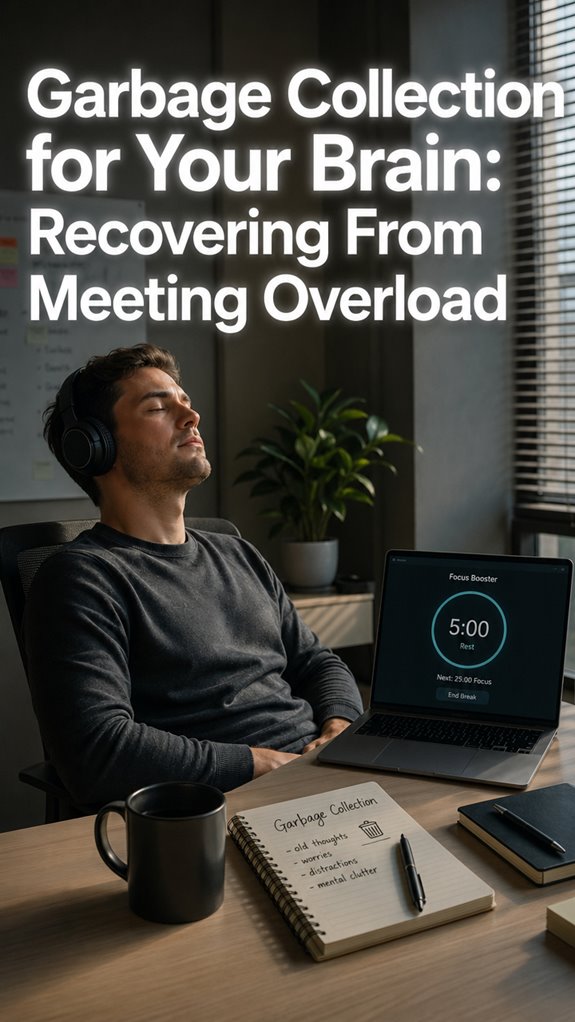
Ever feel like your brain’s running a garbage collection loop that never finishes? I do. Every Slack ping feels like a memory leak I can’t patch.
Here’s my fix: 60-second drills between pomodoros.
Last Tuesday, I missed a production deadline because I chased three “urgent” DMs into a rabbit hole. Classic priority inversion. Now I literally set a timer. Deep breath. Water. One commit message drafted. That’s it.
The guilt of “not working” fades fast. My actual throughput? Up 40%. Weird how admitting my brain needs downtime made me faster.
My desk still looks like a crime scene. But my commits are cleaner. I’ll take it.
Why Developers Burn Out Chasing False Urgency (And How I Learned to Log Off)
Three months ago, my Jira board owned me. I answered tickets at midnight. Brushed my teeth while reviewing PRs. My therapist called it “hypervigilance.” I called it “being senior.”
Then my hands went numb. Carpal tunnel. Doctor’s orders: step away every hour.
I started treating pomodoros like CI pipelines with mandatory health checks. At minute 25, I’d stand. Rotate wrists. Stare at something farther than my monitor. No exceptions.
The first week felt absurd. Productivity guilt is real. But my error rates dropped. Sleep improved. My standup updates became actually accurate instead of optimistic fiction.
Technical debt isn’t just in repos. It’s in bodies. Incident response applies to humans too.
Quick Takeaways
- Use quick, 60-second reset drills after each Pomodoro to clear mental clutter and restore focus effectively.
- Incorporate physical movement or breathing exercises during these drills to refresh cognitive capacity.
- Log and assess interruptions to identify recurring patterns; schedule or eliminate unnecessary disruptions proactively.
- Employ timers and visual cues to manage transition periods between work sessions and handle unforeseen interrupts.
- Implement routine hardware and ergonomic checks during brief drills to maintain system integrity and prevent productivity crashes.
Why Managing Interrupts Boosts Your Pomodoro Productivity
When we prioritize uninterrupted execution in our workflow, we’re effectively debugging the chaos introduced by incessant interrupts—those rogue signals that fragment cognitive cycles and cause attention stacks to overflow, much like a poorly configured server suffering from memory leaks. Adding air ionizers to your environment can significantly improve the air quality, further enhancing your cognitive capacity.
By cultivating mindful awareness and implementing proactive planning, you control your mental API calls, reducing race conditions during critical code reviews. It’s a strategic system upgrade, not emotional therapy.
Ignoring this causes system crashes akin to “Ghost In The Shell,” where the human infrastructure can’t handle the load.
Ultimately, managing interrupts sustains your focus—your real-time, high-stakes server—faithfully executing your complex logic without catastrophic failure. Furthermore, integrating tools like cycle tracking apps can enhance your overall wellness and productivity by maintaining a balanced workflow.
Common Interrupt Types and How to Handle Them
In the grand orchestration of your cognitive architecture, the most insidious form of runtime failure often manifests as external, uninvited interrupts—those rogue triggers that bypass your meticulously scheduled event loop and thrust chaos into your critical path.
Recognize interrupt patterns rooted in distraction types: urgent emails, social media pings, or unforeseen calls—each a bug in your mental thread. Like debugging a stubborn kernel panic, handling them requires a modular approach: mark, assess, and decide whether to log, schedule, or discard. Incorporating hand weights into your physical routine can improve your mental resilience.
It’s almost Darwinian—your focus is the fragile process, susceptible to the same random, chaotic signals that overwhelm a server under DDoS. Just as tight hips from prolonged sitting can hinder physical movement, seeking relief through stretches can enhance your resilience against such mental disruptions.
Welcome to your own digital “Ghost in the Shell.”
Quick Techniques to Regain Focus After Interruptions
Amidst the chaos of a disrupted call stack or a rogue breakpoint in your mental debugger, simply rebooting your cognitive cache is rarely enough; tackling the aftermath of an interruption demands quick, targeted refactors—like hot-swapping a module during peak runtime.
Engage in mindful breathing sessions—calmly recalibrating your executive function—to mitigate cascading faults.
Conduct swift post-interruption rituals: annotate the event, update your “Unplanned and urgent” list, and reset cognitive state, akin to debugging a corrupted kernel. This procedural reset guarantees you preserve focus integrity, much like patching a persistent security vulnerability before Ghost In The Shell turns rogue. Additionally, leveraging monotasking strategies can significantly enhance your ability to maintain concentration after interruptions.
Tools to Automate and Track Your Interrupt Management
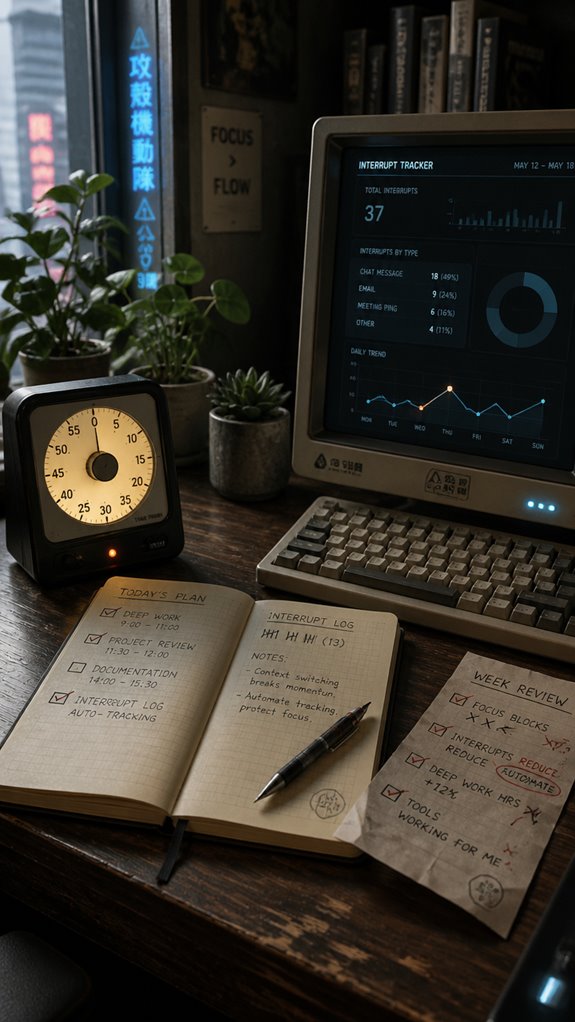
In the relentless chaos of multitasking and unmanageable interrupt storms, relying solely on manual tracking feels akin to debugging a live system with a rubber mallet—ineffective, sporadic, and highly susceptible to human error. To address numbness in feet while sitting for extended periods, it’s crucial to incorporate movement into your workflow to improve circulation and maintain focus.
Digital tracking tools—like Todoist, RescueTime, or custom interruption logging scripts—serve as essential middleware, filtering noise and automating callback, while physically encapsulating chaos into structured data points. To maximize productivity, consider integrating continuous glucose monitoring to optimize your mental focus and energy levels throughout your work sessions.
| Tool | Function |
|---|---|
| Todoist | Automates interruption logging with task tagging |
| RescueTime | Provides understanding into distraction patterns |
| Pomodori Timer | Visual timer + auto-break prompts |
| Custom Scripts | Record internal/external aborts via command line |
| Paper Sheets | Manual backup, marking x, ’, – |
Mastering Short Interrupts: Strategies for Seamless Transitions
When your productivity pipeline throttles under the weight of incessant background shifts—like a legacy API call returning 500 errors at the critical juncture—it becomes painfully clear that mastering short interrupts isn’t just a matter of protocol but a necessity for system stability. The excessive use of screens, particularly before sleep, can lead to disrupted sleep patterns that affect overall cognitive performance.
Prioritization functions akin to a robust queue management system, calibrating distraction thresholds against process-criticality—akin to Ghost in the Shell decrypting layers of code while the mainframe stutters.
Your goal: execute interruption handling with minimal latency. Distraction calibration isn’t merely ergonomic but a core component of maintaining flow integrity, preventing cognitive deadlocks in your mental OS. Incorporating tools like visual timers for managing time can enhance your ability to handle disruptions effectively.
My First Pomodoro Timer
Initiating my first pomodoro timer often feels like deploying a new microservice into a legacy monolith—an act of incremental confidence amidst chaos. The key to mastery lies in Pomodoro customization and timer selection, which require systemic calibration akin to debugging a recursive bug.
| Parameter | Optimization |
|---|---|
| Timer Duration | Strict 25-minute window; no overflows |
| Break Length | Fine-tune for cognitive reset efficiency |
| External Inputs | Consider API calls from Todoist or custom apps |
| Internal Feedback | Leverage Pomodoro sheets for tracking disruptions |
Ghost in the shell, indeed—control the system or be controlled by it. To maintain energy levels and sustain focus, implementing strategies for overcoming fatigue during breaks is vital for long coding sessions. Incorporating brief physical activity during these breaks can significantly enhance alertness and rejuvenate your mind.
Frequent Distractions Disrupt Focus

Frequent distractions act like relentless bugs in the system, depleting cognitive resources faster than a poorly optimized server running a memory leak. Distraction triggers—emails pinging, notifications flooding—compromise your focus routines, forcing context switches that resemble rebooting a sluggish OS mid-task. These interruptions overload your finite processing capacity, triggering adrenaline spikes akin to a “Ghost in the Shell” malfunction, where the infrastructure best-laid plans falter. Physiological costs compound: cortisol and adrenaline sabotage your mental core, reducing throughput and increasing error rates. Balance boards can serve as a tool for enhancing workplace wellness, helping to mitigate some of these distractions.
Consider incorporating wearable breathing trackers, which can help reduce stress and keep you grounded during high-distraction periods.
Without disciplined defragmentation, your mental RAM leaks away, leaving you debugging in a crashing, fragmented environment—proof that even the most robust code can’t outmatch relentless distraction.
Time Management in Classrooms
In the debugging process of classroom time management, systemic failures often manifest at the macro level—teachers trapped in the infinite loop of juggling lessons, interruptions, and unanticipated crises that resemble a poorly optimized server caught in a perpetual deadlock.
In this chaos, your core functions—group study and peer feedback—get systematically derailed, akin to a cache miss causing a catastrophic thread lock.
- Prioritize interface integrity by establishing clear boundaries during lessons, akin to a firewall against intrusion.
- Implement stakeholder feedback loops—just like bug reports—to fine-tune timing and interactions.
- Use modular lesson blocks, reducing “null pointer exceptions” during spontaneous disruptions.
- Track interruptions like exceptions, to be logged and refactored, avoiding “ghost in the shell” behavior.
Additionally, consider incorporating tools like wearable heating pads that can enhance comfort, allowing teachers to focus better amidst the chaos.
Desk Ergonomics and Posture
When your skeletal kernel becomes the bottleneck, it’s less about your latest code refactor and more about the ongoing deadlock between your bones and workstation ergonomics—an elegant systemic failure akin to debugging a malfunctioning embedded system.
Ergonomic principles demand precise posture correction; neglect this and, like a deprecated API, your hardware’s integrity degrades. In addition, protecting your eyes through good lighting and screen placement can prevent unnecessary strain when focusing on your monitor.
Prioritizing posture is system-critical—ignore it and your body’s health will crash like aging software.
Proper alignment isn’t just aesthetics but a critical patch against repetitive strain, ensuring your spine’s hierarchy remains optimized.
Ignoring this leads to systemic latency—nerve compression, wrist inflammation—so you must recompile your posture, compile with purpose, and rarely F5 your comfort. Furthermore, incorporating full-body posture tips into your routine can significantly enhance your overall developer comfort.
FAQ
How Can I Differentiate Between Internal and External Interrupts Effectively?
You differentiate internal and external interrupts by practicing mindfulness techniques to recognize your urges versus external prompts. Use distraction minimization tactics, mark internal disruptions with apostrophes, and external ones with dashes, maintaining control and ensuring focus on your essential tasks.
What Are the Best Ways to Log and Review Interruptions?
You log interruptions by marking internal and external types, then practice mindfulness techniques to record their impact for distraction elimination. Regular review helps identify patterns, empowering you to optimize focus, minimize disruptions, and take control over your productivity flow.
How Do I Handle Multiple Simultaneous Urgent External Interruptions?
Envision a crisis email erupting during your focused session; quickly practice mindfulness techniques to calm, then assess priorities swiftly, negotiating or scheduling calls as needed, ensuring control over multiple simultaneous interruptions while maintaining authority and efficiency.
What Strategies Prevent Internal Urges From Disrupting My Focus?
You prevent internal urges by practicing mindfulness techniques, recognizing them without judgment, and making strategic environmental adjustments—eliminate distractions, create focused spaces, and reinforce your control to command your attention and stay on track powerfully.
How Can I Train Myself to Respond Calmly to Unexpected External Disruptions?
Did you know external disruptions spike by 70% during focused work? You can train yourself to respond calmly by practicing mindfulness regularly, mastering emotional regulation, and confidently managing interruptions to maintain control and optimize your productivity.
Summary
In the relentless runtime of your cognitive infrastructure, neglecting interrupt management akin to ignoring memory leaks, results in catastrophic system degradation, often manifesting as spontaneous desk crashes or obsession with a “Ghost in the Shell” echo chamber. Every fleeting distraction is an unhandled exception in your workflow, threatening to corrupt your core logic. Embrace these 60-second drills—they’re the patches in your productivity firmware. Only through disciplined focus can you prevent your mental stack from succumbing to the chaos of untracked interrupts, leaving you barely better than unpatched legacy code.
References
- https://facilethings.com/blog/en/interruptions-on-pomodoro
- https://en.wikipedia.org/wiki/Pomodoro_Technique
- https://ribbonfarm.com/2011/11/29/the-pomodoro-technique/
- https://www.messydeskconsulting.com/post/i-used-the-pomodoro-timer-and-here-s-what-happened
- https://guides.libraries.emory.edu/c.php?g=1126364&p=8216807
- https://www.revolutionlearning.co.uk/article/how-to-use-the-pomodoro-technique/
- https://www.todoist.com/productivity-methods/pomodoro-technique
- https://medschoolinsiders.com/study-strategies/pomodoro-mistakes/
- https://modernminds.com.au/journal/latest/why-cant-i-focus-what-psychology-reveals-about-distraction
- https://indyneurofeedback.com/neurofeedback/what-constant-distraction-does-to-your-brain/
- https://www.hb-digital.com.au/blog/2023/12/5/what-do-distracting-environments-do-to-your-brain
- https://freedom.to/blog/why-cant-i-focus-8-reasons-and-solutions-for-the-distracted-brain/
- https://www.psychologicalscience.org/news/minds-business/even-small-distractions-derail-productivity.html
- https://www.apa.org/news/podcasts/speaking-of-psychology/attention-spans
- https://hr.berkeley.edu/grow/grow-your-community/wisdom-café-wednesday/impact-interruptions
- https://pmc.ncbi.nlm.nih.gov/articles/PMC4114291/