Feeling like your body’s running on legacy code after another 12-hour sprint?
My core used to be spaghetti. Three years of “I’ll fix my posture later” left me with lower back pain that screamed louder than any production alert. Then I tried a balance board at my standing desk. Absolute game changer.
The wobble forces micro-adjustments. Your transverse abdominis fires constantly. It feels like debugging while the server is literally on fire. Chaotic. Necessary.
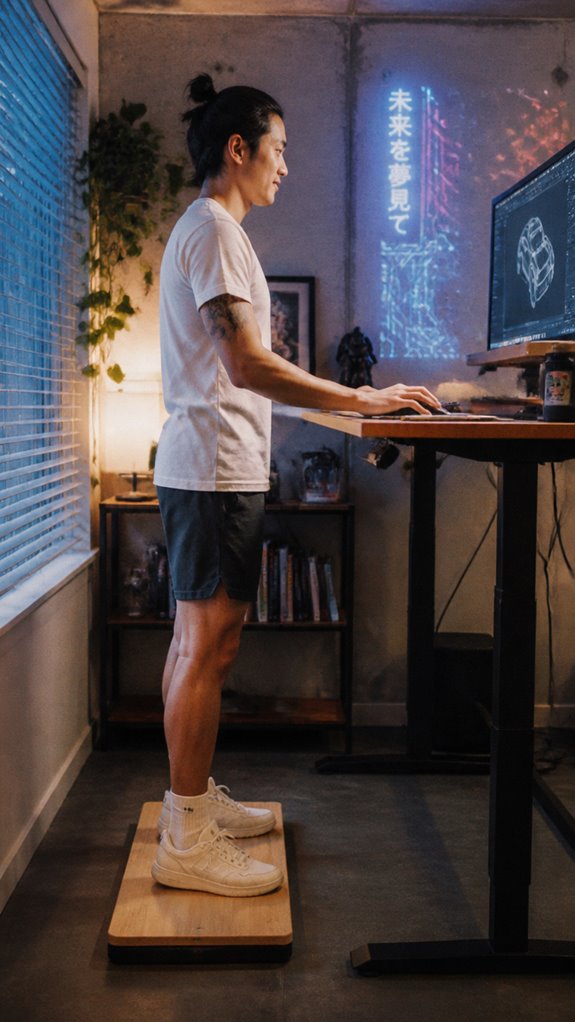
I started with five minutes. Now I do full meetings on it. Memory foam mat underneath. Ergonomic keyboard. Small patches. Big difference.
Your firmware is patchable. Promise.
Standing Desk Back Pain: Why I Almost Quit Programming
Last winter, my T12 vertebra staged a rebellion. Shooting pains. Numb fingers. Terrifying for someone typing for a living. My setup looked ergonomic enough, dual monitors at eye level, but my core was completely offline. I tried lumbar supports, stretches, even that ridiculous posture corrector from Instagram. Nothing stuck until Dr. Sarah Chen, my physio, explained the instability principle. Static standing is almost as bad as sitting. Your deep stabilizers atrophy like deprecated dependencies. The balance board changed everything. Now? Occasional wobbles. Zero regrets. Core strength, proprioception, and actually feeling my age instead of ninety.
Quick Takeaways
- Use micro-adjustments and subtle torso rotations to activate deep core stabilizers regularly.
- Incorporate resistance bands for added stabilization challenges during standing on the desk board.
- Maintain proper posture and avoid static positions to prevent system crashes like pain or fatigue.
- Select an unstable enough board to trigger core engagement without causing balance errors.
- Integrate brief side reaches and controlled knee bends to target obliques and enhance core activation.
Why Core Activation Matters When Using a Standing Desk
If you think about the human body as a computational system, extended periods of static sitting resemble a poorly optimized loop—line after line, with no feedback or real-time adjustments—leading to systemic failure of core stability.
Without dynamic load balancing, your lumbopelvic region—the critical kernel—becomes a bottleneck, risking fragmentation akin to a segmentation fault in a memory leak.
Micro-adjustments on a balance board act as real-time debugging, activating deep stabilizers like your transverse abdominis and multifidus.
Neglecting these routines invites catastrophic crashes—posture sagging, pain, and inefficiency.
It’s like running Ghost in the Shell on outdated firmware. Incorporating resistance bands into your routine can enhance these core activation exercises, providing an additional challenge to your stabilization efforts.
Control the variables; optimize the system.
How to Choose the Right Standing Desk Board for Better Core Engagement
Selecting the right standing desk board is akin to debugging an evolving codebase—every subroutine must integrate flawlessly to prevent system crashes like poor posture, chronic pain, or that “ghost in the shell” of your lumbar.
You need a platform with sufficient instability to trigger micro-adjustments, yet not so unstable it causes fatal errors in muscle recruitment. Choose softer surfaces to minimize fatigue, avoiding models with poorly calibrated feedback loops.
Remember, this isn’t an open-source project—you’re the lead dev, and control over hardware parameters ensures your core modules stay operational. Incorporating elements that promote shoulder blade pain relief can significantly enhance your overall comfort and productivity.
Because, in the end, a system crash at your workstation isn’t a bug—it’s an oversight in hardware architecture.
Top Exercises and Tips to Activate Your Core During Work
In the vast ecosystem of your workstation setup, the greatest systemic failure isn’t a bug buried deep in your code—it’s maintaining static postures that crash your core functions without warning. To avoid this operational meltdown, activate your core with intentional micro-adjustments.
- Engage in subtle torso twists every 10 minutes—to prevent your spines from resembling a frozen semaphore signal.
- Perform controlled knee bends, toggling between locked and slightly flexed, akin to debugging unstable algorithms.
- Incorporate brief side reaches to stimulate obliques—think of it as patching a leaky abstraction in your lumbar support system.
Optimize, debug, stay balanced.
Avoid These Common Mistakes When Using Standing Desk Boards for Core Strength
Ignoring common pitfalls when deploying a standing desk board for core fortification is akin to neglecting to patch core system vulnerabilities—eventually, the process crashes under the weight of unanticipated bugs.
You’ll prioritize micro-adjustments, but neglect proper form, risking a cascade of musculoskeletal errors, akin to corrupted code causing a meltdown.
Overestimating stability leads to system failure—think, ‘Ghost in the Shell’ malfunctioning due to faulty firmware.
Instead of recalibrating, you stubbornly run verbose routines—overtraining, fatigue, and ergonomic bugs—ensuring system degradation.
Additionally, introverts may benefit from embracing coworking environments that foster productivity while minimizing overstimulation.
Memory Foam Cushion Sensation
When thinking about the memory foam cushion sensation on a standing desk board, it’s less about zen-like comfort and more about avoiding a systemic failure in your ergonomic firmware—an issue that can escalate from a minor annoyance to cumulative musculoskeletal bugs if disregarded.
This layer acts as a buffering subsystem, preventing debug mode from degenerating into “Ghost in the Shell” chaos.
- It reduces fatigue error logs by dissipating pressure spikes.
- It prevents signal jitter in proprioception modules.
- It guarantees micro-adjustments occur smoothly, avoiding catastrophic user exhaustion.
Disregarding this layer risks unintended crashes—like developers ignoring failing tests—until the entire ergonomic architecture collapses.
Footwear Affecting Proprioception
If your footwear isn’t optimized for proprioception, your ergonomic system risks catastrophic failure—like a runtime exception in the kernel during peak load. Shoes act as middleware between you and balance, modulating the sensory input from mechanoreceptors in your foot.
Ultralight minimalist shoes, akin to efficient code, filter noise and enhance data flow, boosting postural control. Conversely, stiff insoles or heels introduce latency, skewing your body’s feedback loop toward “hip dominance” or “cache miss” errors.
Fundamentally, improper “firmware” hampers the system’s self-correcting abilities, turning what should be an elegant physical feedback tree into a debugging nightmare—ghost in the shell, indeed. Incorporating blue light blocking glasses can also help reduce digital strain during prolonged standing desk sessions.
Ergonomic Accessories for Comfort
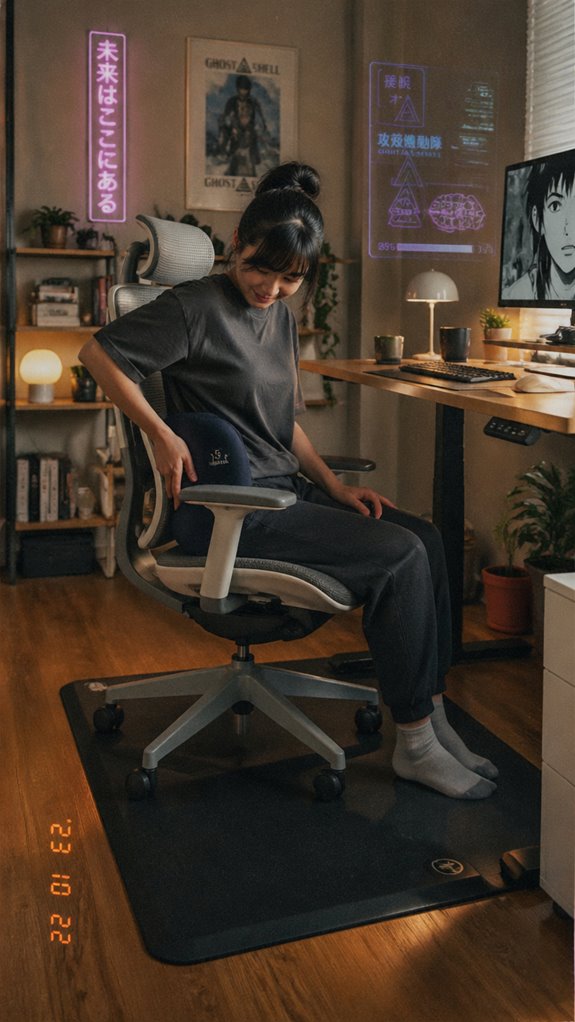
In the debugging process of prolonged desk-bound systems, ergonomic accessories serve as the essential middleware patching the inherent flaws in hardware and firmware alignment that inevitably surface in discomfort and fatigue. Think of your setup as code needing refactoring; without proper hooks, even the most optimized script crashes under load.
1. Lumbar Support Cushions: Debugging your posture’s memory leaks, these cushions provide controlled buffer zones.
2. Anti-Fatigue Mats: Like buffer overflows, they absorb pressure, preventing your feet from becoming spaghetti code.
3. Arm Rests: These APIs stabilize input pathways, reducing strain, and minimizing routine crashes in your musculoskeletal subsystem. Breathwork techniques can also enhance your overall well-being when managing ergonomic practices during work hours.
Standing Desk Height Adjustments
Aligning your workspace’s physical parameters with the demands of high-performance cognition demands more than stacking ergonomic accessories; it requires a refined calibration—a recursive function—at the core: your desk height.
Misaligned ergonomics create systemic bottlenecks, triggering micro-failures in neuromuscular processes. Precise adjustment guarantees ideal spinal and joint resource allocation, avoiding crashes like tech neck or lumbar overload. Additionally, optimizing your standing desk can significantly enhance developer comfort and productivity through proper alignment.
| Parameter | Ideal Setting | Feedback Mechanism |
|---|---|---|
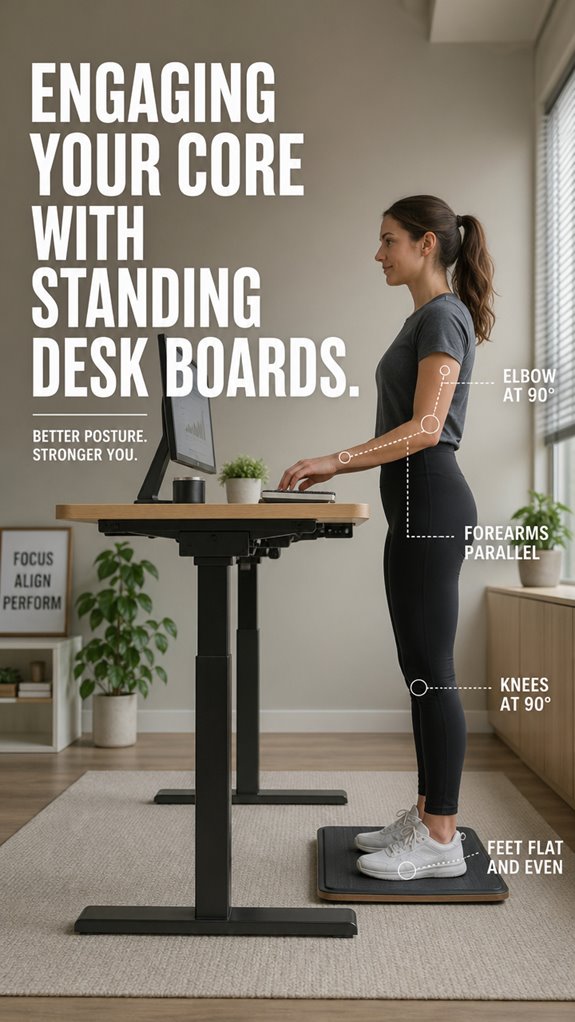
| Desk height | Elbow flexed at 90°, forearms parallel | Visual cues for posture correction |
| Monitor eye level | Slightly below eye line | Immediate ergonomic feedback |
| Foot placement | Flat on floor, knees at 90° | Balance stability check |
FAQ
How Long Should I Use a Standing Desk Board Daily?
You should aim to use a standing desk board for about 15 to 30 minutes daily, gradually increasing as your comfort grows. Listen to your body, take breaks, and balance it with sitting to prevent fatigue and maximize benefits.
Can Balance Boards Help With Existing Lower Back Pain?
Yes, balance boards can help with your lower back pain by promoting gentle movement, improving posture, and strengthening core and stabilizer muscles. Consistent use may decompress your spine and reduce discomfort, giving you better control over your back health.
Are Balance Boards Suitable for Older Adults or Those With Injuries?
Balance boards can be suitable for older adults or those with injuries if they choose a softer, less challenging surface and start with short sessions, gradually increasing use as they build strength, mobility, and confidence safely.
How Does Footwear Influence Balance and Core Activation?
Wearing proper footwear enhances your balance and core activation by providing better grip and stability, reducing foot fatigue, and supporting muscles needed for micro-adjustments. Choose shoes with good arch support and a non-slip sole for ideal control.
Is Professional Guidance Needed for Effective Core Engagement?
No, you don’t need professional guidance to effectively engage your core; focus on maintaining proper posture, staying aware of micro-movements, and practicing consistent, controlled adjustments—gaining confidence through experience and mindful attention to your body’s responses.
References
- https://gymba-ergonomics.com/2025/07/23/why-ergonomics-experts-recommend-balance-boards-for-remote-workers/
- https://fluidstance.com/blogs/news/benefits-of-balance-board
- https://friskadesk.com/blogs/standing-desk-advice/why-you-should-use-a-balance-board-with-your-standing-desk
- https://pubmed.ncbi.nlm.nih.gov/29494476/
- https://www.gaiam.com/blogs/discover/4-benefits-of-using-a-balance-board-with-a-standing-desk
- https://www.healthline.com/health/fitness/balance-board-exercises
- https://www.flexispot.com/spine-care-center/having-a-standing-desk-balance-board-is-a-must-for-standing-desks
- https://www.bellenae.com/blogs/news/standing-desk-balance-board-guide
- https://pmc.ncbi.nlm.nih.gov/articles/PMC11672953/
- https://pmc.ncbi.nlm.nih.gov/articles/PMC8519545/
- https://www.parispi.net/premium/theconversation/stories/can-shoes-alter-your-mind-what-neuroscience-says-about-foot-sensation-and-focus
- https://bearfoot.store/blogs/education/postural-control-impact-forces-injury-prevention-sensory-feedback
- https://www.youtube.com/watch?v=Gs-1SCGaQCc
- https://lejanbrand.com/en-us/blogs/lejan-blogs/foot-proprioception-and-why-it-has-such-a-big-impact-on-balance