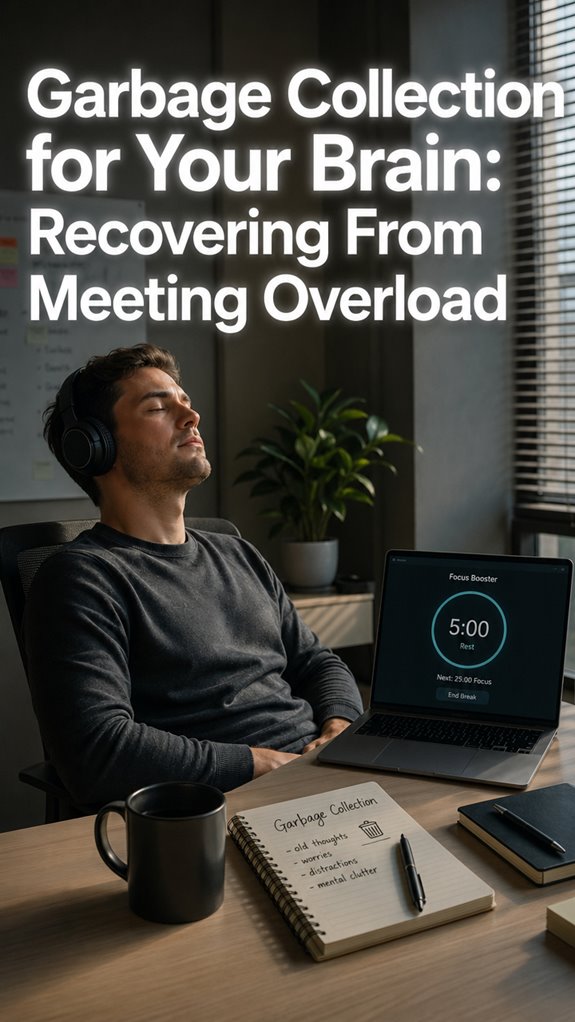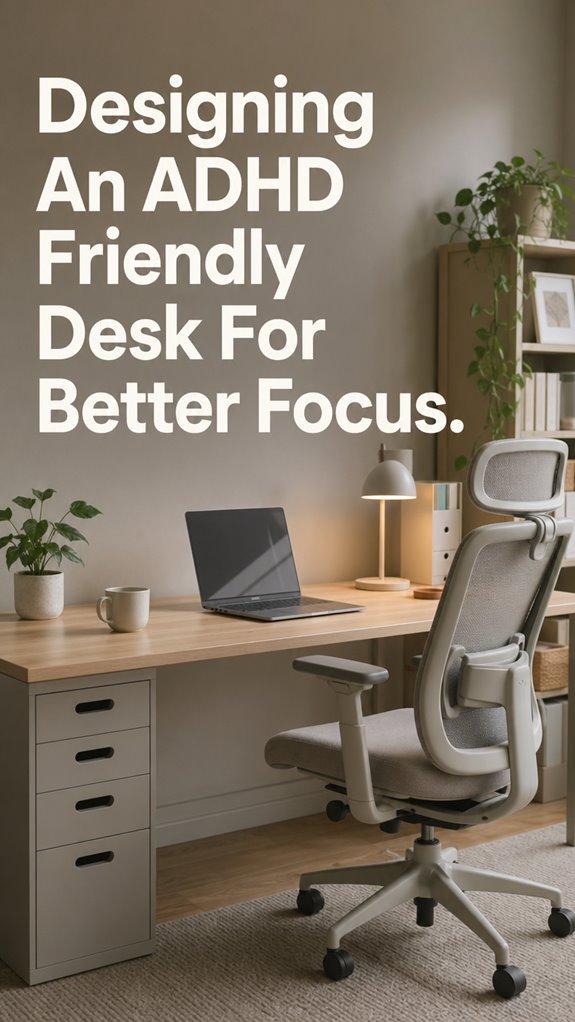
Ever spend three hours rearranging desk drawers instead of fixing one bug? Yeah, me too. That’s when I realized my workspace was running malware.
I stripped everything down. Ergonomic chair. Noise-canceling Sony WH-1000XM4s. Clean desk, clean mind. Kind of.
The real game changer? Sensory calibration. Too much chaos? Brain bluescreens. Too sterile? Motivation flatlines. I learned this the hard way during a Tuesday standup where I genuinely forgot what project I was on.
Now my desk is my IDE: minimal, modular, occasionally commented.
ADHD Desk Setup Mistakes That Cost Me a Promotion (and My Sanity)
Last year I missed a deadline because I couldn’t find my charger under literal trash. My productivity tanked. My manager noticed. RSD hit hard.
I hadn’t considered task initiation friction or visual clutter cognitive load. Everything fought for attention like competing threads in a race condition. No mutex in sight.
Microplastics from old receipts everywhere. Sensory overwhelm. Dopamine deficiency from constant context switching.
Now I use the “two-minute reset”: clear surface, one open tab, water nearby. Execution matters more than optimization. Sometimes I still fail. Progress is messy.
Quick Takeaways
- Implement modular workspace zones to reduce clutter and enhance task-specific focus, mimicking containerized digital functions.
- Use visual noise reduction methods, like decluttering and noise-canceling headphones, to improve signal-to-noise ratio.
- Incorporate ergonomic furniture with adjustable support to maintain physical comfort and prevent cognitive latency.
- Minimize background distractions through environmental controls such as lighting, sound insulation, and calming decor.
- Design sensory modulation tools, like weighted devices or background noise, to stabilize focus and manage overstimulation.
What Distractions Are Stealing Your Focus?
If only your mental firewall could filter out all the stray packets of distraction bombarding your workflow—unfortunately, the system is less “optimized” and more “crashing under the weight of trivial notifications.”
As any seasoned dev knows, when the OS lags, it’s rarely a hardware fault; instead, your cognitive stack is bloated with background processes—like open tabs, Slack pings, emails—clogging your primary thread of execution.
The inner runtime, reminiscent of “Ghost in the Shell,” struggles to prioritize critical processes over frivolous scripts.
The result? A sluggish focus state, frequent *metaphorical* context switches, and a console full of unresolved errors that crash your flow, repeatedly.
How to Organize Your Workspace to Minimize Clutter
When the mental RAM gets bogged down by the myriad background processes—Slack notifications, email pings, the sporadic ping of recurring personal tasks—the entire system’s throughput tanks. You become the human equivalent of a memory leak, leaking cognitive cycles into unnecessary context switching.
To optimize, declutter with precision—use containerized modules like drawer bins and clear trays, much like segregating code into functions. Establish functional zones—think of them as microservices—dedicated to specific operations.
Implement a Doom box for incoming items, preventing overflow errors. Just like debugging “Ghost in the Shell,” eliminate visual noise to keep your CPU cool, efficient, and ready for peak execution. Additionally, incorporating effective nasal strips can help enhance focus by improving airflow, allowing for clearer breathing and heightened concentration.
Simple Ways to Naturally Boost Dopamine and Stay Motivated
In the grand debugging process of productivity, boosting dopamine naturally functions like patching a volatile system—enhancing functionality without risking catastrophic crashes.
You control the core, but your neural architecture still processes leaks, bottlenecks, and runtime errors.
- Engage in micro-rewards, akin to feature flag deployment, to trigger partial system success before full deployment.
- Use physical routines like timers and themed workdays to prevent memory leaks of motivation.
- Incorporate dopamine-friendly decor, like motivational banners, shaping your UI to favor persistent engagement.
- Integrate sensory modules, such as white noise or weighted devices, akin to background services, subtly modulating system stability.
- Implement regular glute bridge exercises to improve physical health, which can, in turn, boost overall cognitive function.
Ultimately, you’re debugging “Ghost in the Shell”—except your own mind’s kernel requires continuous patching.
Choose Ergonomic Furniture That Supports Comfort and Focus
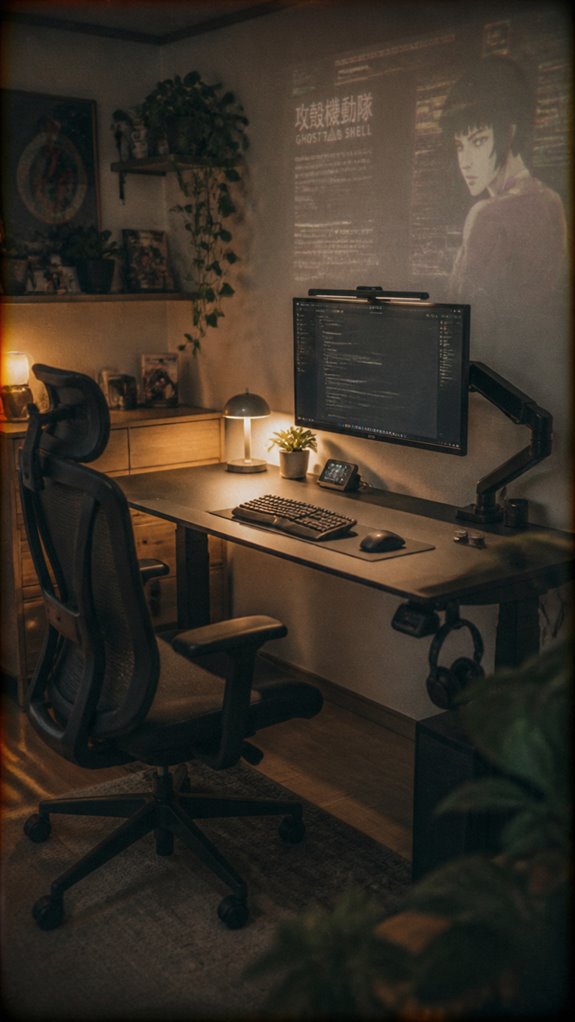
Amid the chaos of mental static and microglitches, choosing ergonomic furniture acts as a necessary patch to prevent hardware failures—neck strain, wrist fatigue, spinal misalignment—that inevitably trigger system crashes in productivity. Lateral epicondylitis can also arise from poor ergonomics, making it crucial to prioritize comfort while working.
| Ergonomic Element | Functional Impact |
|---|---|
| Adjustable Desk | Facilitates seamless scenario switching like hot-swappable modules, preventing stiff workflows. |
| Supportive Chair | Maintains code clarity; minimizes discomfort that skews cognitive buffers. |
| Ergonomic Keyboard | Reduces input lag; avoids “dead keys” like precision errors in DevOps. |
| Monitor Mounts | Ensures line of sight aligns, preventing neck recursion bugs. |
| Anti-fatigue Mat | Keeps micro-movements alive, preventing input bottlenecks and burnout. |
How Personal Touches Can Keep You Engaged and Productive
If your productivity pipeline resembles a leaky bug fix commit—sporadic crashes, memory leaks, total system failures—integrating personal touches acts as a critical patch. These additions serve as UI breadcrumbs that keep your neural GUI from spiraling into chaos.
- Embedding motivational quotes as inline comments in your mental codebase
- Assigning thematic icons or decals to task zones to reinforce routines
- Using tactile desk accessories for sensory feedback that triggers dopamine pathways
- Incorporating visual cues—color-coded sticky notes aligned with project phases—to optimize workflow clarity
Because, like debugging, sustained focus requires deliberate intervention—no auto-reload will reboot your mental infrastructure.
Custom Noise-Canceling Headphones
When your cognitive pipeline starts leaking like a deprecated server port, it’s hardly surprising that external noise becomes an insurmountable bug in your workflow.
Enter custom noise-canceling headphones—like a software patch for your mental OS, preventing background chatter from crashing the process. These aren’t mere accessories; they’re strategic firewalls against sensory overload, ensuring a controlled environment within chaos.
Think of them as your personal firewall—blocking unwanted signals—from coworker ‘pings’ to street noise—without adding latency.
In the sphere of focus optimization, they’re an essential system update, giving you the buffer to execute your code—er, tasks—with maximum uptime. Additionally, using effective tips for reducing distractions further enhances your productivity and focus.
Overstimulating Reward Cycles
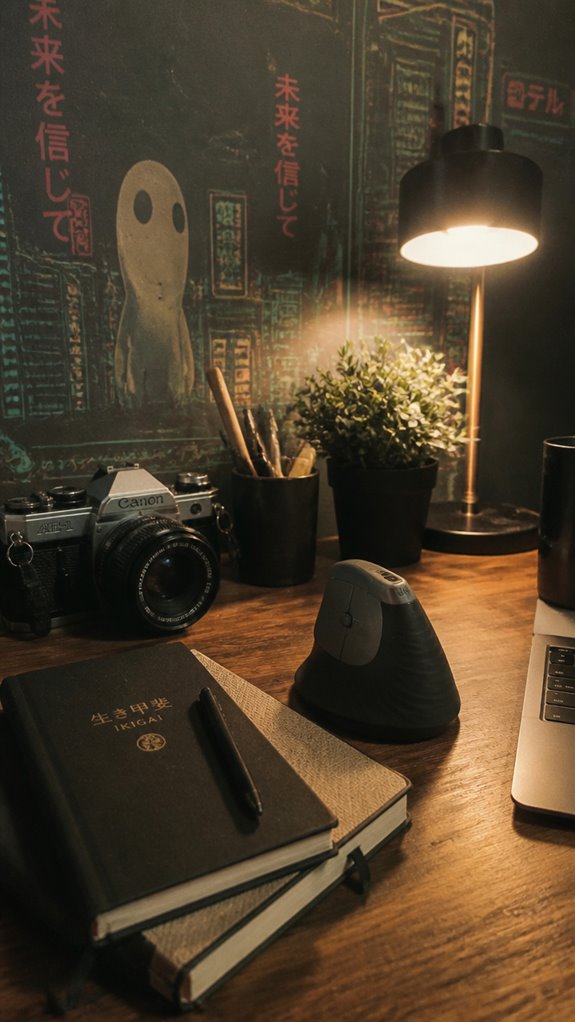
In the grand architecture of your cognitive system, reward cycles often resemble poorly optimized loops—freshly compiled, yet riddled with memory leaks and race conditions. You crave immediate gratification to bypass the inherent latency in dopamine delivery, leading to overstimulating reward triggers that crash your focus like a system gone rogue.
- Excessive stimuli mimic a denial-of-service attack on neural buffers, overwhelming executive functions.
- Dopamine tap-ins designed for big wins flood the reward queue, causing persistent cache invalidation.
- Short-lived surges trigger premature garbage collection, erasing the long-term task state.
Your brain, in “Ghost in the Shell” fashion, attempts self-correction, but the underlying logic remains unpatched. Incorporating tools like vertical mice can help alleviate some of the discomfort associated with excessive stimuli, promoting better ergonomic support during focus-driven tasks.
Adjusting Sensory Input Levels
A miscalibrated sensory input system, much like a malfunctioning UI, causes cascading failures across your cognitive stack.
You’re debugging your mental pipeline while the environment’s sensory parameters hemorrhage data. Overload—like a memory leak—crashes focus, forcing you into a perpetual reboot cycle.
Adjusting input levels requires fine-tuning the signal-to-noise ratio—think of it as optimizing your code for Docker containers with limited resources.
Whether it’s noise-cancelling headphones or dimmable lighting, each tweak reduces systemic errors. Consider using vision board kits as a tool to clarify your goals and motivate your focus.
You’re basically updating the firmware of your neuro-UI, endeavoring to emulate “Ghost in The Shell,” minus the cool cybernetic tech.
Ergonomic Chair Recommendations
Systemic hardware bottlenecks manifest not only in CPU throttling and network lag but also in the skeletal underpinnings supporting your digital endeavors. Your biological hardware, much like aging servers, demands ideal configuration.
An ergonomic chair isn’t a luxury; it’s essential firmware for your physical stack, preventing discomfort cascading into cognitive latency.
- Adjustable lumbar support to enhance spinal alignment
- Synchronous seat height and tilt controls for micro-adjustments during tasks
- Breathable, sweat-wicking fabric to minimize thermal throttle hazards
- Memory presets to quick-switch postures without command-line fatigue
Think of it as patching your “Human OS”—because, just like in “Ghost in the Shell,” control over your core hardware is non-negotiable. Additionally, optimal posture guidelines are crucial to further reduce strain and enhance focus during extended programming sessions.
FAQ
How Can I Personalize My Desk to Boost Focus?
You can personalize your desk by adding motivating decor, colorful sticky notes, and functional zones for tasks. Incorporate sensory tools like fidget toys, adjustable lighting, and gamified rewards to boost your focus and make your space uniquely yours.
What Are the Best Small Tools for Managing Sensory Input?
You can control sensory input with small tools like quiet fidget devices, noise-canceling headphones, soft lighting, textured stress balls, and a weighted lap pad, helping you stay focused and calm amid distractions while asserting your environment.
How Often Should I Rotate or Change Desk Setups?
You should rotate or change your desk setup every 4 to 6 weeks, or whenever you notice decreased focus or boredom. Regular adjustments give you control, refresh your environment, and help maintain engagement and productivity.
What’s the Ideal Balance Between Visual Cues and Minimalism?
Do you crave clarity and control? Aim for essential visual cues like color-coded tasks or whiteboards, but keep clutter minimal. Balance engages your focus without overwhelming, allowing your mind to shift smoothly between productivity zones.
How Can I Track Progress Effectively Without Overwhelming Myself?
You can track progress effectively by using visual tools like Kanban boards, checklists, or color-coded charts. Keep them simple, update regularly, and celebrate small wins to stay motivated without feeling overwhelmed.
References
- https://stimara.com/blogs/stimagz-blog/adhd-friendly-workspace
- https://www.thechronicillnesstherapist.com/cit-podcast/adhd-friendly-workspace-tips
- https://www.flexispot.com/spine-care-center/8-uplifting-ways-to-create-an-adhd-friendly-workplace
- https://forget.work/blog/the-ultimate-adhd-workspace-setup-master-every-day-with-confidence
- https://bestier.net/blogs/integrated-setup-guides/adhd-friendly-desk-setup-organization-tips-focus
- https://www.youtube.com/watch?v=jgAbo952uBA
- https://artacademi.com/blogs/art-wellbeing/adhd-friendly-home-office-regulating-dopamine-sustaining-focus
- https://helloalma.com/blog/adhd-friendly-workspace/
- https://www.additudemag.com/brain-stimulation-and-adhd-cravings-dependency-and-regulation/
- https://pmc.ncbi.nlm.nih.gov/articles/PMC5917772/
- https://www.oist.jp/news-center/news/2019/10/30/cycles-reward-new-insight-adhd-treatment
- https://pmc.ncbi.nlm.nih.gov/articles/PMC2626918/
- https://www.sciencedaily.com/releases/2019/10/191030100049.htm
- https://www.eurekalert.org/news-releases/650573
- https://www.youtube.com/watch?v=qcryeu8g2fA
- https://www.simplypsychology.org/adhd-sensory-overload.html