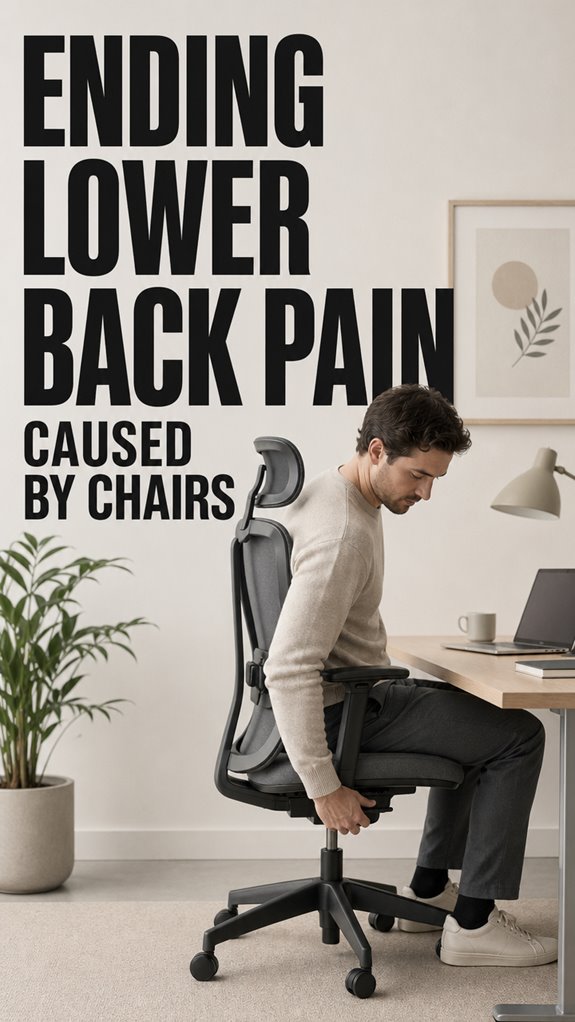
Ever felt like your back is compiling errors no debugger can catch? Mine was. After three years of 12-hour coding sprints, my spine staged a full system revolt.
I ignored the warnings. Tight hip flexors? Minor bug. Numb legs? Feature, not flaw. Then came the day I couldn’t stand up from my $80 Amazon basics chair without sounding like a broken kettle.
The fix wasn’t fancy. Adjustable lumbar support became my version control for posture. Recline function? Essential load balancing. Breathable mesh kept me from overheating during deployment marathons.
Your body logs every hour of technical debt. Pay it now, or face the crash.
Why Cheap Office Chairs Destroy Developer Productivity and Career Longevity
Last sprint cycle, my standup became literal torture. Degenerated L4-L5 disc. The MRI looked like spaghetti code. Six weeks of physical therapy, cortisol spikes, missed release deadlines.
My GitHub contribution graph.flatlined. Imposter syndrome peaked. colleagues shipped features while I iced my lower back like a bruised ego.
Turns out ergonomics isn’t perk culture fluff. It’s infrastructure. Same way we invest in CI/CD pipelines, we need posture monitoring, standing desk rotations, core strengthening routines. Developer wellness directly impacts code quality and burnout rates.
My current setup: Herman Miller Aeron, Varidesk converter, Pomodoro stretch alarms. Expensive? Less than one week of unpaid medical leave.
Quick Takeaways
- Choose an ergonomic chair with adjustable lumbar support and recline features to maintain proper spinal alignment.
- Ensure your chair height and depth support natural lumbar curve and keep feet flat on the floor.
- Use supportive accessories like lumbar cushions and footrests to enhance comfort and posture.
- Take regular breaks to stretch and reset your spine, reducing muscle fatigue and systemic stress.
- Seek professional ergonomic assessment if back pain persists despite adjustments.
Why Does Sitting Cause Lower Back Pain?
While sitting might seem like a passive task, it actually involves a surprisingly hostile environment for our lower back, much like debugging a legacy system with interwoven dependencies—complex, fragile, and prone to failure when pushed.
Your pelvis tilts backward, akin to a poorly configured server crashing after a memory leak, stressing the lumbar spine. Improper ergonomic footwear and neglected posture awareness are the unchecked bugs in this skeletal software.
The lumbar’s natural curve flattens, generating system errors like disc stress. Optimizing this environment requires meticulous code—adjust your chair, support your lumbar, and enforce posture policies to prevent *system* failure under load.
How to Choose a Chair That Supports Your Back
In the grand architecture of ergonomic support, selecting a chair that genuinely safeguards your back resembles debugging a legacy codebase—painstaking, with hidden dependencies lurking beneath the surface. Opting for a chair that includes top heating pads can provide additional comfort and relief to those suffering from lower back pain.
Prioritize robust fabric material—think high-thread count, breathable, and durable—like buffer validation in critical modules. Armrest design must facilitate dynamic interaction: adjustable, with lateral support, preventing upper body leaks.
| Criteria | Implementation |
|---|---|
| Fabric material | Breathable, high-density weave |
| Armrest design | 4D adjustability, lateral support |
| Lumbar support | Integrated or add-on, height/depth adjustable |
| Overall build | High-back, reliable recoil, minimal code crashes |
Choosing an ergonomic chair can significantly contribute to reducing back pain and enhance your computing experience. Choose your hardware wisely—lest your human system suffer a runtime failure.
Features That Improve Lumbar Support
When optimizing lumbar support features, it’s essential to take into account the modular architecture of ergonomic design, akin to debugging a sprawling codebase where a single missing null pointer cascades into catastrophic system failures.
To guarantee your back’s infrastructure stays operational:
- Lumbar pillow: acts as a critical module; size and firmness are non-negotiable, avoiding the classic “impossible to fit” bug.
- Adjustable ergonomic design: height and depth controls—think of them as runtime flags—enable real-time tuning, unlike static placeholders.
- Integrated support systems: like synchronized recline, these features preemptively fix issues before UI (your spine) crashes under pressure—because, much like “Ghost in the Shell,” your back’s infrastructure should be seamless.
Easy Adjustments for Back Relief
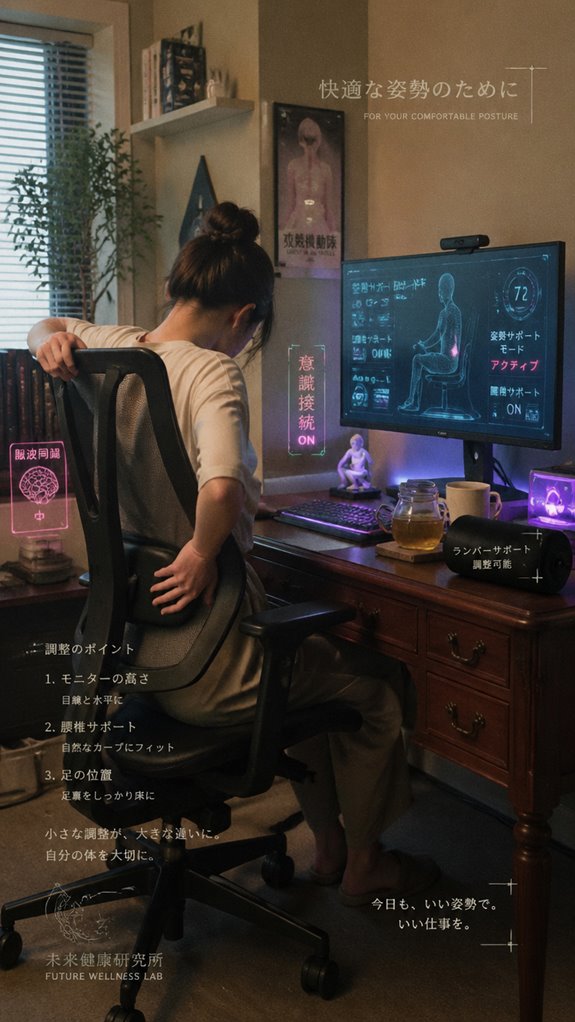
In the debugging process of back health, overlooking straightforward adjustment protocols resembles deploying a patch without testing—inevitably, system crashes are inevitable. Posture awareness functions as the core “boot parameter,” ensuring the system runs without memory leaks—those misaligned support accessories, like lumbar pillows, act as essential hotfixes.
Without these, you risk a cascade of errors—muscle strain, disc stress—like unhandled exceptions. Just as a toolchain requires precise calibration, your chair’s ergonomics demand proper setup. Ignoring these basic configurations is as absurd as trusting a “Ghost in the Shell” AI to troubleshoot human biomechanics—it’s not intelligence, just code run amok. Additionally, integrating monitor stands can greatly enhance your workspace comfort by allowing for better alignment of screens.
Daily Habits to Maintain Spinal Health at Your Desk
Even as you meticulously draft lines of code in your IDE, overlooking the critical scripting of daily habits at your desk risks system-wide failure—an unexpected crash in your biomechanical layers akin to a memory leak somewhere deep within your spinal architecture.
Neglecting ergonomic routines risks system crashes in your spinal architecture—prioritize daily biomechanical debugging to prevent failure.
To prevent this, prioritize:
- Execute posture awareness routines, regularly recalibrating your lumbar support like debugging a stubborn kernel panic. Proper alignment can also help mitigate pelvic floor pain, enhancing overall comfort during prolonged sitting sessions.
- Maintain spinal flexibility through micro-exercises, akin to patching an unresponsive UI.
- Implement scheduled breaks, akin to deploying hotfixes to prevent a cascade of CPU errors.
- Ensure proper arm support with wide armrests that can alleviate shoulder strain, preventing additional pain during long coding sessions.
These habits serve as your biomechanical version control, keeping your musculoskeletal system optimized rather than succumbing to catastrophic back-end failures.
When to See a Professional for Back Pain
Encountering persistent or worsening back pain is akin to a database sending out error logs that can no longer be ignored; the core system—your musculoskeletal architecture—displays signs of catastrophic failure that no amount of code patching can remedy.
If muscle fatigue persists past routine posture correction or debugging your sitting ergonomics, it’s time for a system audit. Ignoring these signals risks a total system crash, much like the proverbial “Ghost in the Shell” malfunctioning core. Additionally, integrating top neck stretchers into your routine can provide immediate relief and support for your overall musculoskeletal health.
Your body demands a diagnostic—professional intervention—because no simple patch or roll-out of lumbar support can fix a corrupted infrastructure. Upgrade now before your kernel is irreparably compromised. To aid in your journey to recovery, consider utilizing top productivity planners to better manage your daily habits and alleviate stress on your body.
My Initial Lumbar Support Trial
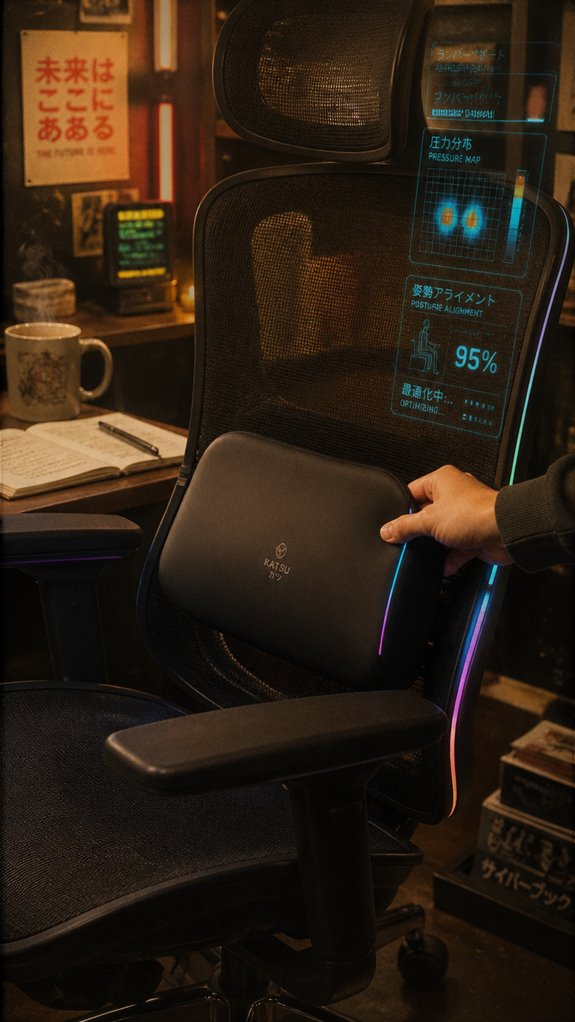
When deploying a new lumbar support pillow for my ongoing ergonomic patch, I immediately recognized that the initial trial phase is akin to beta testing a critical subsystem—rushed, imperfect, but essential for preventing catastrophic hardware failure within my spinal architecture.
Launching new ergonomic support feels like beta testing—imperfect but vital for spinal health stability—requiring careful updates and realignments.
- Lumbar discomfort became the unexpected bug, revealing glaring flaws in cushion quality, much like a rogue memory leak in kernel space.
- The support’s responsiveness initially felt like running a deprecated API—clunky and unrefined, risking system instability. Adding a layer of screen filters could also minimize distractions and improve focus during this testing phase.
- Realignments, like software patches, were necessary to stabilize the core framework, transforming fragile beta into a resilient user interface. Additionally, incorporating a weighted heating pad can enhance muscle relaxation and provide soothing relief during long hours of sitting.
Uncomfortable Adjustable Lumbar Cushions
In the universe of ergonomic support, adjustable lumbar cushions function as the patch notes for an ongoing user experience bug—yet too often, deployment is riddled with misconfigurations that crash the whole system.
Poor aesthetic design and inflated price considerations—think “Ghost in The Shell” dystopia—expose the fragility of human hardware. Support that’s neither too firm nor too soft becomes the code crash of bespoke comfort—requiring rigorous calibration, not guesswork. To enhance balance and improve overall fitness, integrating tools like stability balls can offer additional support while working.
When these cushions slide, overheat, or induce discomfort, it’s akin to a memory leak eroding your productivity. Long-term usability hinges on firmware-like support, but alas, many products remain an absurd patchwork—fragile, unreliable, and stubbornly incompatible. The quest for optimal thoracic support is often overlooked in favor of quick fixes that fail to deliver true comfort and alignment.
Optimal Workspace Ergonomic Setup
Designing an ideal workspace ergonomic setup is akin to debugging a poorly integrated API—each component must interact seamlessly; otherwise, systemic failure cascades into micro-latency in your lumbar support algorithms.
Creating ergonomic harmony requires seamless integration; neglect it, and efficiency crashes like a faulty system.
- You must integrate ergonomic accessories like supportive lumbar pillows, monitor stands, and footrests—without them, your seating posture collapses. Incorporating top grip trainers can also improve your overall strength, providing additional support during long hours of sitting.
- Optimize your chair height, lumbar depth, and recline—think of this as version control for your spine’s stability.
- Maintain a neutral head position and feet flat—lest your code’s precision be undone by a single misaligned parameter.
Like Ghost in the Shell’s void, neglecting these layers triggers chaos—combat the inevitable with engineering rigor. Top desktop humidifiers can also help create a more comfortable environment, alleviating issues like dry air that exacerbate discomfort.
Custom Chair Height Adjustments
While it might seem trivial, adjusting your chair height functions as the core API call preventing systemic thread stalls—chronic back pain and ergonomic deadlocks—in your biological hardware.
When your seat isn’t optimized for posture alignment, your lumbar support becomes a null reference, risking a slouching buffer overflow. Even *Ghost in the Shell* would warn against bypassing hardware calibration; misaligned posture bottlenecks your prefrontal cortex’s ability to function properly. Ensuring proper eye protection can also help to mitigate distractions, improving focus on maintaining good posture.
Set thighs parallel to the ground, feet flat, and elevating or lowering your chair becomes a command sequence that preserves the integrity of your back’s natural lumbar curve. Power up, align, and avoid the catastrophic kernel panic that’s inevitable neglect. Incorporating proper ergonomic adjustments into your workspace can significantly enhance your overall comfort and productivity.
FAQ
How Often Should I Take Breaks to Prevent Back Pain?
You should take breaks every 30 to 60 minutes to stand, stretch, and incorporate posture correction. Using ergonomic accessories boosts your efforts, empowering you to maintain a strong, pain-free back and stay in control of your health.
Can Specific Exercises Help Improve Chronic Lower Back Pain?
Like forging a steel sword, specific exercises sharpen your strength against chronic lower back pain; combine posture correction with targeted stretching routines to transform your back into a resilient, unbreakable shield.
Are There Differences in Lumbar Support for Different Body Types?
Yes, you can optimize lumbar support in ergonomic chairs for your body type by customizing support levels, height, and depth. Accurate fit empowers you to maintain proper posture, crush discomfort, and exert control over your lower back health.
What Signs Indicate My Chair Setup Isn’t Properly Supporting Me?
If your posture feels strained or uncomfortable, and you notice pain or numbness, your chair isn’t supporting you properly. Prioritize posture correction and ergonomic adjustments; actively optimize lumbar support, seat height, and angles to dominate your comfort and health.
How Do Underlying Health Conditions Affect Back Pain Management?
Like a locked gate, underlying health conditions can block effective back pain relief. You must address neurological conditions, consider herbal remedies, and adapt management strategies, empowering yourself to conquer pain with informed, targeted actions.
Summary
In the grand schema of ergonomic optimization, neglecting lumbar support is akin to running Windows ME on a modern dev rig—a classic relic doomed to crash under load, yet stubbornly retained for nostalgia. Your spinal integrity relies on a well-tuned, adjustable support system—think of it as patching a kernel panic before your posture becomes a legacy bug. Abandon the illusion of a ‘set and forget’ config; even HAL 9000 would advise constant refactoring for seamless operation.
References
- https://www.goodrx.com/well-being/movement-exercise/lower-back-pain-prevention
- https://mainstaymedical.com/best-sitting-position-for-lower-back-pain/
- https://eurekaergonomic.com/blogs/eureka-ergonomic-blog/lumbar-support-chair-adjustment
- https://www.spine-health.com/wellness/ergonomics/office-chair-how-reduce-back-pain
- https://my.clevelandclinic.org/health/articles/4290-low-back-pain-coping
- https://www.youtube.com/watch?v=QLgByJ2V-9I
- https://myevolvechiropractor.com/the-best-way-to-sit-at-your-desk-and-stay-out-of-pain/
- https://www.youtube.com/watch?v=NOP2Y0L5Z5U
- https://www.youtube.com/watch?v=62WDt8p1vzQ
- https://axialchairs.com/lumbar-support-uncomfortable
- https://www.doctronic.ai/blog/lumbar-support-cushions-are-they-worth-it/
- https://thecushionlab.com/products/the-ergonomic-lumbar-pillow
- https://connect.mayoclinic.org/discussion/cushions-to-support-buttback-when-sitting/
- https://www.thejoint.com/2025/04/02/7-best-lumbar-support-pillows-tested-by-back-pain-experts-and-an-editor