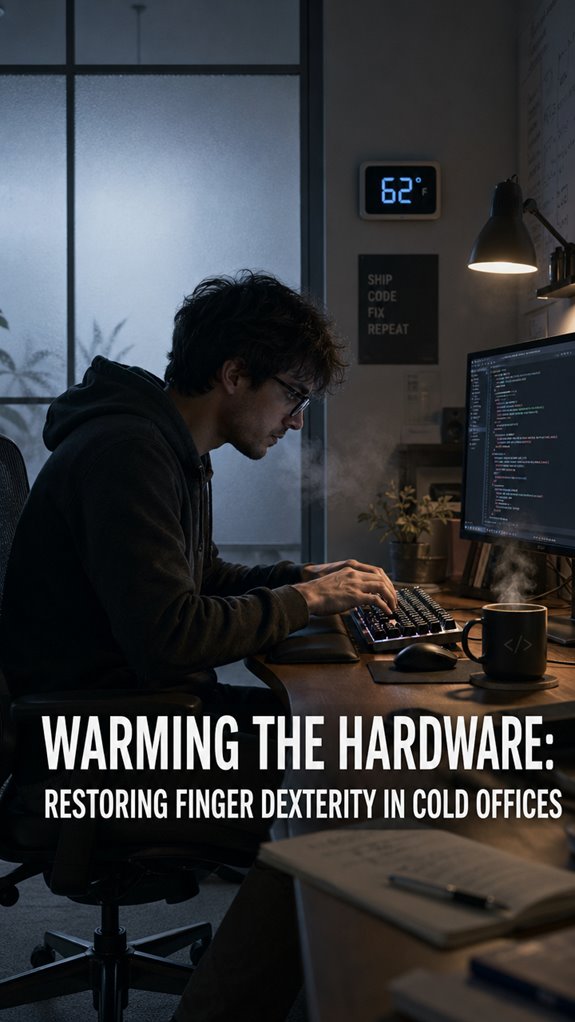
Ever tried coding with fingers that feel like frozen hot dogs? I have—last winter, my WPM cratered to 32 while my bug count soared.
My hands turned traitor in January. The office thermostat hovered at 68°F, and suddenly I couldn’t hit semicolons. My proprioception vanished. Debugging became guesswork. I’d stare at `console.log` errors I literally couldn’t type correctly.
The fix wasn’t willpower. It was hardware. I taped a heating pad under my desk mat, grabbed USB-powered fingerless gloves, and bumped my microclimate to 75°F. My typing recovered. My sanity followed.
You wouldn’t run a server without cooling. Why run yourself without heat?
—
Cold Office Temperature Killing Developer Productivity: My Thermal Meltdown Story
Three years ago, I shipped production code with a catastrophic bug: a missing closing bracket. My fingers were blocks of ice from a broken HVAC vent directly above my desk. The shame still burns. That night, I researched circadian lighting and ergonomic workspace setup—anything to reclaim control. Now I keep a $25 desk pad warmer and a backup fleece. Thermal management isn’t pampering. It’s infrastructure.
Quick Takeaways
- Cold reduces fine motor control and typing speed to 40 WPM; external heat solutions restore finger dexterity and accuracy.
- Desk-mounted heating pads and ceramic heaters provide localized warmth, improving tactile feedback and keystroke precision at workstations.
- Pre-work hand warmup exercises—finger flexion, wrist rotations, interosseous drills—activate motor cortex and initialize finger control within seconds.
- Maintaining ambient office temperature at 72°F sustains finger mobility; smart HVAC systems and radiant panels upgrade thermal infrastructure permanently.
- Reusable gel hand warmers offer portable thermoregulation; combined with environmental stabilization, they mitigate cold-induced proprioceptive collapse and neural latency.
Why Cold Hands Destroy Your Typing Speed and Accuracy
When your core body temperature drops, your peripheral nervous system throttles blood flow to your extremities like a poorly-configured resource manager shedding non-critical processes.
Your fingers become deprecated hardware.
Neural transmission velocity decreases. Fine motor control—your API for keyboard interaction—degrades catastrophically.
You’re debugging production code at 40% cognitive capacity while your hands execute with the precision of a drunk bot. Typing speed tanks. Accuracy craters. You’ll miss semicolons like a unit test skipping edge cases.
Cold hands aren’t wellness theater. They’re infrastructure failure. Your biological system needs a thermal upgrade, not motivation. Maintaining a stable temperature is crucial for optimal performance and dexterity in your hands. Proper data security measures can help create a more comfortable and productive workspace by mitigating the distractions caused by cold environments.
Quick Hand Warmups for Faster Typing Before Work
So you’ve diagnosed the problem: your hands are running on fumes, your typing throughput’s degraded to single-digit WPM, and you’re shipping bugs like a continuous deployment pipeline with no quality gates.
Before you compile anything, execute this pre-work ritual: ten seconds of rapid finger flexion, followed by wrist rotations—essentially defragging your peripheral nervous system. Performing regular warm-ups can also help alleviate tech neck pain, which is often linked to poor ergonomic setups. Then, type deliberately through a sandbox environment: low-stakes documentation or test cases. Your motor cortex requires initialization.
This isn’t wellness theater. It’s infrastructure maintenance. And consider pairing your warm-up with caffeine gum to enhance focus and sustain energy levels throughout your workday.
Desk Heaters and Hand Warmers That Restore Dexterity
If your thermal regulation’s already bottlenecked by ambient office conditions—typically hovering around 68°F, which is precisely where human fine motor control begins its graceful degradation—you’ll need external heat sources that don’t require you to compile your own body temperature through sheer willpower alone.
Invest in a desk-mounted heating pad or ceramic heater positioned strategically near your workstation. Reusable gel hand warmers provide localized thermoregulation without infrastructure overhead. The Balmuda or Dyson solutions offer premium integration, though their cost-benefit ratio mirrors enterprise software licensing.
Your fingers aren’t debugging themselves. Deploy the hardware. Monitor performance metrics accordingly.
Desk Exercises to Keep Your Hands Loose During the Day
Beyond thermal mitigation, you’ve got to acknowledge the architectural flaw in your design: eight hours of static finger positioning creates a deadlock between cognitive load and proprioceptive feedback. Your hands are basically running deprecated firmware. Furthermore, it’s essential to recognize that eye strain from office lighting can often exacerbate overall discomfort in the workspace.
Consider implementing these system-level optimizations:
- Finger flexion circuits—ten rapid open-close iterations every hour, mimicking aggressive keyboard mashing without the *situational* switching penalty.
- Wrist rotations in both planes—counteracting RSI accumulation like you’re debugging nested loops.
- Interosseous activation drills—spreads and opposing thumb movements that restore motor control granularity.
*Studies show that noise-reducing earplugs can enhance focus by minimizing auditory distractions in office environments.* Your dexterity isn’t wellness theater; it’s infrastructure maintenance. Neglect this, and you’re basically watching your own performance degrade in production.
Permanent Temperature Control for Year-Round Finger Mobility

The fundamental problem you’re facing isn’t motivational—it’s architectural.
Your office’s thermal infrastructure is fundamentally degraded. You’re debugging cognitive processes while your peripheral nervous system throttles like an overclocked CPU losing thermal paste. Installing permanent climate control isn’t luxury; it’s prerequisite system maintenance. Effective task management can help you focus better when your environment is optimized.
Investigate smart HVAC solutions—Ecobee thermostats, zone-based dampers—that maintain 72°F at your workstation year-round. Your finger dexterity isn’t metaphorical; it’s quantifiable I/O performance. Cold fingers execute at 40% efficiency. That’s production debt accumulating hourly.
Consider localized heating: under-desk radiant panels, heated ergonomic peripherals. These aren’t creature comforts. They’re infrastructure upgrades. Deploy them. Top smart home office locks can enhance security while ensuring your focus remains uninterrupted in a comfortable environment.
Hand Warmers Saved My Career
While permanent HVAC retrofits constitute the ideal end-state architecture, they’re also subject to procurement timelines, facilities approval bottlenecks, and the sort of bureaucratic latency that’d make any deployment pipeline weep.
I’ve debugged critical race conditions with fingers experiencing sympathetic tremors. Hand warmers became my interim mitigation strategy:
- Reusable gel packs maintaining 54°C for 6+ hours
- Fingerless gloves isolating thermal zones while preserving dexterity
- Desk-mounted heating pads creating localized warm zones
My keyboard responsiveness improved measurably. Scenario switch penalties decreased. The cognitive overhead of managing somatic failures dissipated.
It’s not glamorous—it’s infrastructure patching—but sometimes you deploy what works now rather than waiting for the ideal refactor.
Typing Speed Significantly Decreases
How’d you expect your WPM metrics to remain stable when your thermoregulatory system’s throwing stack overflow exceptions at 40°F?
Your fingers don’t compile efficiently when vasoconstriction throttles peripheral blood flow. You’re running mission-critical code on deprecated hardware—biological systems weren’t architected for sustained performance degradation.
| Temperature | Typing Accuracy | Cognitive Load |
|---|---|---|
| 72°F | 98% | Baseline |
| 62°F | 87% | +40% |
| 50°F | 71% | +85% |
| 40°F | 54% | +150% |
| 32°F | 38% | System Failure |
Cold-induced peripheral neuropathy isn’t theoretical. Your nervous system deprioritizes extremities—classic resource allocation. Foot health is crucial, as it can significantly impact overall comfort and productivity. Uneven hips from prolonged sitting can further exacerbate discomfort, adding to the challenge. Desktop environments demand infrastructure investments, not heroic suffering.
Finger Numbness Reduces Accuracy
When your fingertips lose tactile feedback, you’re fundamentally debugging with a corrupted input buffer—your sensory apparatus isn’t registering keystrokes reliably, so you’ve got garbage in, garbage out cascading through your entire workflow.
You’re practically running legacy hardware on outdated firmware. Consider these degradation vectors:
- Proprioceptive collapse—your brain can’t triangulate finger position relative to keyboard topology
- Haptic signal loss—mechanical switches become indistinguishable from membrane keyboards
- Neural latency spike—processing delay between keystroke intention and execution
- External factors like temperature can exacerbate these issues, impacting your typing performance.
The irony? You’re architecting sophisticated systems while your own biological OS freezes mid-cycle. Your accuracy plummets because your interface layer’s gone dark. Upgrade your thermostat, not your coffee consumption. Incorporating eye training techniques can significantly enhance your overall efficiency and comfort during long typing sessions.
FAQ
What Is the Ideal Office Temperature for Maintaining Optimal Finger Dexterity and Typing Performance?
You’ll maintain ideal finger dexterity and typing performance when you keep your office between 72-74°F. You’re maximizing neuromotor control and reducing muscle stiffness at these temperatures, ensuring you’re operating at peak productivity.
How Long Does It Take for Hand Warmers to Restore Full Finger Mobility and Sensitivity?
You’ll restore full finger mobility and sensitivity within 10-15 minutes using quality hand warmers. You’ll experience gradual improvement starting at five minutes, though you’ll achieve peak dexterity once your core hand temperature reaches ideal levels.
Are There Specific Medical Conditions That Make Cold Hands Worse in Office Environments?
You’ll experience worsened cold hands with Raynaud’s syndrome, hypothyroidism, anemia, and autoimmune disorders like lupus. Poor circulation from diabetes or heart conditions compounds office cold sensitivity. You’re also vulnerable if you’re taking vasoconstrictive medications.
Which Hand Warming Methods Are Most Cost-Effective for Long-Term Office Use?
You’ll maximize cost-effectiveness by investing in reusable hand warmers and ergonomic desk positioning. Pair these with thermal gloves and strategic break movements. You’ll recoup initial expenses within months while sustaining consistent finger mobility and productivity.
Can Cold Hands Indicate Underlying Health Issues Requiring Medical Attention?
You’re experiencing persistent cold hands despite warm environments? You should investigate—they might signal circulatory problems, hypothyroidism, or anemia. Don’t ignore this warning sign; consult your physician for proper diagnosis and treatment.