Tired of ending your workday with a neck that feels like it’s running on legacy code? Yeah, me too. Portrait monitors were supposed to be my hack for more screen real estate, but my cervical spine disagreed violently.
Last quarter, I thought I was being clever. Stacked my 27-inch vertical for Slack and documentation while my landscape handled the actual work. Three weeks in, I couldn’t turn my head without my C5-C7 reminding me gravity is undefeated. The tension headaches were just bonus features I never asked for.
Turns out eye-level positioning isn’t optional fluff … it’s core infrastructure. I finally deployed a monitor arm, kept that 24-inch sweet spot, and started treating hourly breaks like mandatory code reviews. My trap knots haven’t submitted a pull request since.
Still convinced your neck pain is just “part of the gig”?
Portrait Monitor Neck Pain: How I Almost Bricked My Spine for Better Code Reviews
The denial phase lasted longer than I’d care to admit. I told myself the stiffness was temporary, that my ergonomic setup was “good enough,” that real developers push through discomfort. My breaking point came during a sprint retrospective when I literally couldn’t look left to address my PM without rotating my entire torso like some malfunctioning robot.
I’d optimized everything except the hardware my consciousness depends on. … Sound familiar?eye-level positioning, 24-inch viewing distance, C5-C7 compression, vertical monitors, ergonomic desk setup, monitor arms, hourly movement breaks, trapezius overuse, disc herniation prevention, remote work health, developer wellness, screen ergonomics, neck hyperextension, gravitational load, musculoskeletal health, tension headaches, sprint retrospective, PM interactions, legacy code mentality, consciousness hardware
Quick Takeaways
- Portrait monitors force sustained neck flexion and hyperextension, compressing cervical vertebrae and creating shear forces on intervertebral discs.
- Position monitor at eye level with the top edge 2-3 inches above your gaze line, maintaining 24-inch distance from eyes.
- Use monitor arms for adjustable height control and incorporate keyboard trays to maintain neutral wrist, arm, and neck positioning.
- Implement hourly movement breaks with neck and shoulder exercises, plus desk stretches every 90 minutes to prevent chronic compression.
- Poor portrait monitor positioning risks trapezius overuse syndrome, nerve impingement, herniation, and compensatory movement patterns without timely ergonomic intervention.
Why Portrait Monitors Strain Your Neck: The Biomechanics
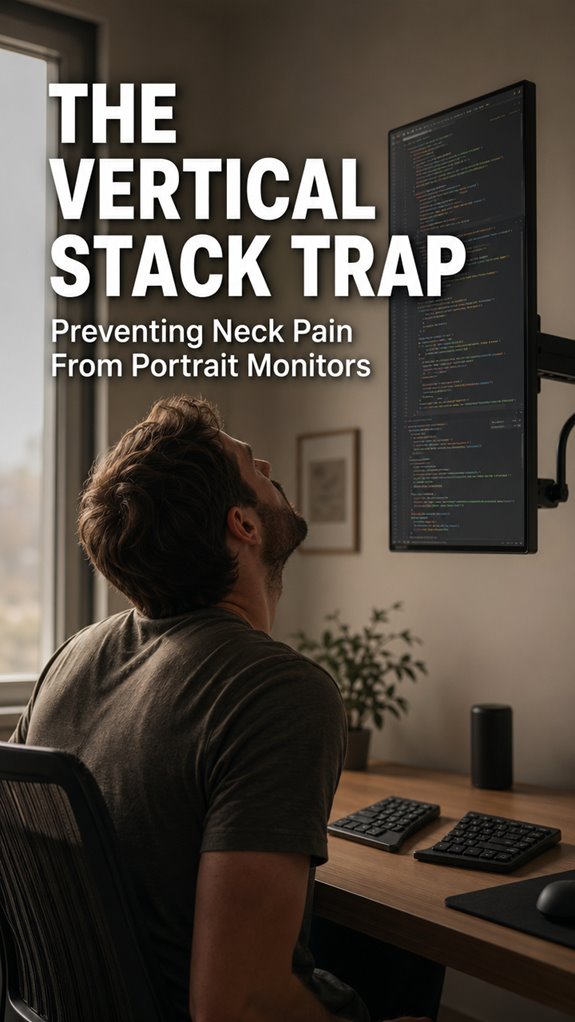
When you’ve spent eight hours debugging a race condition in your microservices architecture, the last thing you need is your monitor orientation conspiring against your cervical spine—yet that’s precisely what portrait mode delivers. Your neck flexes into chronic hyperextension, forcing your C5-C7 vertebrae into sustained compression.
This vertical stack architecture fundamentally misaligns your visual cortex with your spinal column’s mechanical tolerances. The gravitational load compounds exponentially; your head weighs roughly eleven pounds, but sustained angle multiplies effective mass across cervical segments.
You’re practically running legacy code on inadequate hardware—your neck’s bandwidth exceeded, error logs accumulating. System upgrade mandatory.
How to Position Your Monitor for Neck Relief
How’d you expect your cognitive stack to execute flawlessly when your physical layer’s collapsing?
Position your monitor at eye level—literally parallel to your natural gaze vector. Your screen’s top edge should sit approximately two to three inches above horizontal sight lines. Distance matters: maintain twenty-four inches between your eyes and display. Moreover, incorporating eye training techniques can help you adjust to this optimal viewing distance more effectively.
This isn’t wellness theater; it’s infrastructure maintenance. You’re preventing cervical spine degradation, which cascades through your entire system like a memory leak corrupting your debugging session. Keeping your neck aligned not only improves comfort but also enhances ergonomic health over time.
Adjust your chair height accordingly. Think of it as load balancing across your skeletal architecture. Your future self—the one still shipping code at sixty—will appreciate the foresight.
Accessories That Reduce Portrait Monitor Neck Strain
You’ve optimized your monitor’s vertical axis—good. Now address the remaining infrastructure failures systematically:
- Monitor arms (ergonomic articulation)—eliminate fixed positioning constraints like deprecated legacy code. Effective posture sensors can provide real-time feedback on your alignment.
- Document holders (lateral proximity optimization)—reduce saccadic load between screen and reference material. Incorporating these tools can help minimize neck strain and promote better ergonomics.
- Keyboard trays (postural alignment matrices)—maintain neutral wrist angles during sustained cognitive load. Utilizing these trays supports a more natural typing position, reducing potential discomfort.
- Neck pillows (cervical support scaffolding)—compensate for accumulated tension during marathon debugging sessions. It’s essential to choose neck pillows that contour to the cervical spine for optimal support.
These aren’t wellness theater. They’re system-level upgrades preventing cascading failures.
Your vertebrae, like any mission-critical infrastructure, require deliberate architectural intervention. Treat them as load-bearing systems, not afterthoughts. The irony? We architect bulletproof distributed systems while our biological architecture deteriorates under its own weight. Upgrade accordingly. Additionally, incorporating box breathing techniques can enhance focus and reduce stress, further improving your work environment.
Daily Stretches and Movement Breaks to Prevent Damage
Like any production system hemorrhaging resources under continuous load, your body’ll fail catastrophically without scheduled maintenance windows—except your biology doesn’t gracefully degrade, it corrupts state and forces an unplanned outage.
You’re executing cognitive overhead while your cervical spine registers buffer overflows. Implement hourly movement breaks: neck rotations, shoulder retractions, scapular stabilization exercises. These aren’t wellness theater—they’re mandatory garbage collection cycles for your musculoskeletal runtime.
Execute desk stretches every ninety minutes. Your trapezius isn’t debug output; it’s core infrastructure. Without deliberate intervention, you’ll ship a deprecated version of yourself—chronically compressed, perpetually throttled.
The system requires maintenance, not motivation.
Monitor Arm Saved My Neck
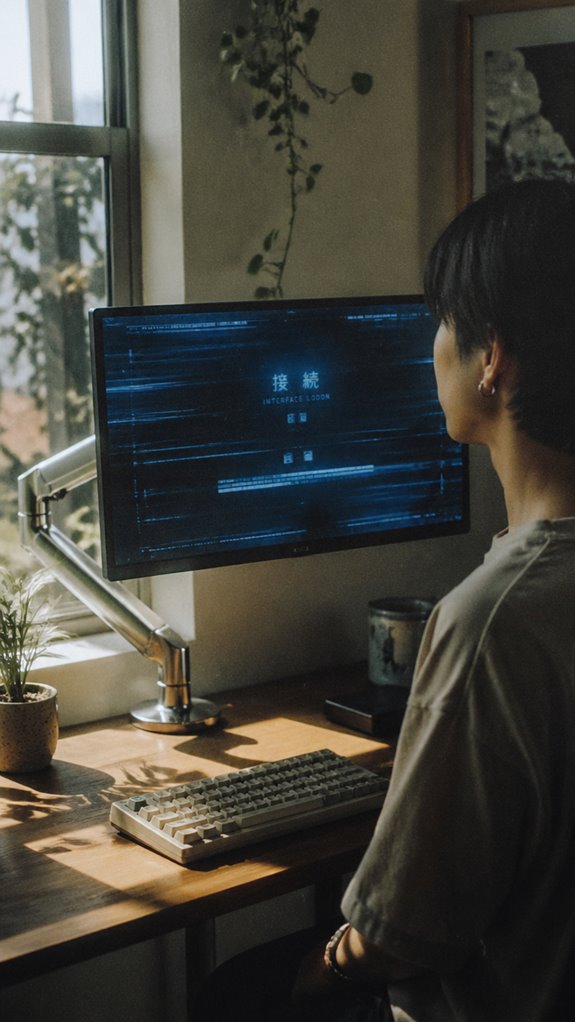
The maintenance protocol I’d outlined—those hourly rotations and scapular stabilization drills—remained theoretically sound until I encountered a hard constraint: my monitor sat at shoulder height, forcing my cervical spine into a permanent forward-flexion state that no amount of stretching could counteract.
I invested in a monitor arm. Game-changing infrastructure upgrade:
- Adjustable height positioning eliminates chronic flexion loads
- Pivot articulation reduces thoracic kyphosis compensation patterns
- VESA mounting standardizes ergonomic baseline across workstations
- Real-time posture optimization during extended debugging sessions
Incorporating regular nerve flossing techniques can also help alleviate tension in the arms and neck. My neck’s now debugging properly. The system’s no longer throwing exceptions at 3 PM. Sometimes you can’t patch biological code—you’ve got to architect around it. Incorporating saddle chairs for comfort into your workspace can further enhance your overall ergonomic setup.
Cervical Spine Compression Risk
While that monitor arm resolved the acute flexion problem, I’d inadvertently created a new failure mode: vertical stacking.
Your cervical spine now experiences sustained compressive loading—think of it as memory leaks accumulating across an eight-hour sprint.
When you stack monitors vertically, you’re introducing shear forces that your intervertebral discs weren’t architected to handle. The C5-C6 segment degrades predictably, like deprecated code nobody refactored.
Your nucleus pulposus doesn’t negotiate with poor ergonomic design; it simply fails.
This compression cascades systemically: reduced blood flow, nerve impingement, eventual herniation.
Your biological hardware demands better specifications than you’re currently provisioning.
Trapezius Muscle Overuse Syndrome
Your cervical spine isn’t the only subsystem degrading under sustained vertical stacking—you’ve now introduced a secondary failure mode upstream in your trapezius muscle group, which has been load-balancing your neck’s inadequate structural support like an overprovisioned thread pool compensating for a memory leak nobody bothered to profile.
A split keyboard can actually help reduce the strain on your trapezius by promoting a more natural hand and arm position.
Your traps are practically running hot-path compensation code:
- Sustained isometric contraction without recovery cycles
- Phosphocreatine depletion mirrors inefficient algorithm complexity
- Myofascial trigger points accumulate like unhandled exceptions
- Proprioceptive degradation cascades through postural feedback loops
This isn’t wellness theater. Your trapezius is literally executing emergency patches to your architecture’s fundamental design flaw—portrait monitors.
To mitigate this, consider incorporating proper ergonomic adjustments into your workstation setup.
Eventually, even overprovisioned muscle tissue hits its rate limit.
FAQ
Can Switching From Portrait to Landscape Monitor Orientation Permanently Reverse Neck Damage?
Like scar tissue that never fully disappears, you can’t reverse established neck damage—only prevent further deterioration. Switching to panoramic orientation stops progressive injury, but you’ll need targeted rehabilitation exercises to restore your cervical spine’s ideal function.
What Is the Average Recovery Time for Portrait Monitor-Related Neck Pain Conditions?
You’ll typically recover from portrait monitor neck pain within 2-6 weeks through ergonomic corrections and targeted stretching. Your recovery timeline depends on condition severity, compliance with postural adjustments, and consistent therapeutic intervention you’re implementing.
Are Standing Desks Better Than Sitting Desks for Portrait Monitor Neck Strain?
Standing desks aren’t your silver bullet—they’re just a different angle of the same problem. You’ll still experience strain if you don’t optimize monitor height, distance, and posture regardless of whether you’re standing or sitting.
Does Monitor Distance From Eyes Affect Neck Strain Differently Than Monitor Height?
You’ll find monitor distance primarily affects eye strain and focal length, while height directly determines your neck’s angular deviation. Both matter, but height creates postural compensation you can’t correct through distance alone.
Which Neck Pain Medications Are Most Effective for Portrait Monitor-Related Discomfort?
You’ll find NSAIDs like ibuprofen work best initially—think of them as circuit breakers stopping pain’s cascade. However, you’re addressing symptoms, not ergonomics. Your monitor’s position matters far more than medication; proper height prevents you needing pills altogether.