Ever feel like your eyes are staging a tiny rebellion after hours of staring at code? Mine have. It’s called accommodative lock, and after eight hours wrestling with TypeScript errors, my eyeballs basically mutiny.
I learned this the hard way. Debug session. Three PM. The screen started doing that thing where it exists but also doesn’t. My睫状肌(remember those?) had gone on strike.
The fix? Weirdly analog.
Distance gazing. Blink cycles. Palming. Like CTRL+ALT+DEL for your face. I execute this ritual every 90 minutes now. Otherwise my vergence tracking drifts into that uncanny valley where nothing quite resolves.
My visual cortex never logs the crash. Just freezes.
Fixed Focus Syndrome from Remote Work: When Your Eyes Betray You During Sprint Reviews
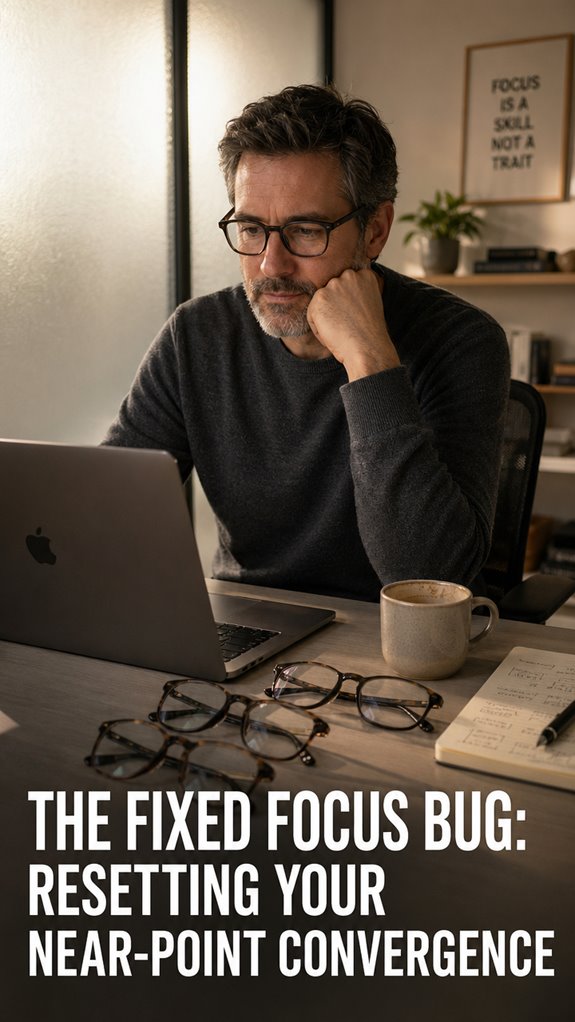
Last March, I presented during sprint review with what I called “stuck buffer eyes.” Fourteen hours of pull requests. My ciliary muscles flatlined. I couldn’t shift focus between my notes and the camera. Dry eye, digital eye strain, the 20-20-20 rule, I knew them abstractly. Not viscerally. The meeting continued. My eyes didn’t. I stared at my team like a loading icon, buffering through questions I barely caught. Someone asked if I was okay. I said “network latency.” We both knew.
Quick Takeaways
- Prolonged screen fixation causes accommodation lag, where the eye’s lens flattens, disrupting convergence and distance calculation accuracy.
- Execute the 3-step reset protocol: 20-second distance gazing, 10 blink cycles, and 60-second palming to restore accommodation flexibility.
- Repeat the reset cycle three times every 90 minutes during work to prevent accommodation system lock-in and eye strain.
- Perform hourly convergence cycles and routine distance gazes to maintain near-point focusing flexibility and prevent vergence tracking degradation.
- Apply the 20-20-20 rule during work sprints and maintain arm’s-length monitor distance to reduce accommodation fatigue effectively.
What Happens to Your Eyes When You Stare at Screens?
When you’ve spent fourteen hours debugging a race condition in your microservices architecture while your own optical system’s refresh rate degrades to near-useless levels, you start to understand what system collapse feels like from the inside.
Your ciliary muscles contract into a locked state—what ophthalmologists call accommodation lag. The lens flattens; convergence fails. You’re fundamentally running on deprecated hardware, executing critical cognitive tasks while your accommodation API hangs indefinitely. To mitigate this issue, consider implementing effective tips to relieve computer eye strain.
Prolonged screen fixation triggers vergence-accommodation conflict. Your eyes compute distance incorrectly; blur cascades through your visual pipeline like a cascading failure across distributed nodes. The system doesn’t gracefully degrade—it simply stutters, then crashes. Additionally, computer use can lead to eye strain and discomfort, further complicating recovery from this visual malfunction.
Spotting Screen-Lock Symptoms in Your Workday
How’d you know your accommodation system’s entered a zombie state?
You’re debugging a critical race condition at 3 PM when your visual stack starts throwing exceptions. Distant monitors blur. Near text refuses to resolve. Your ciliary muscles? Locked in an infinite loop, still computing for that last Slack message.
You’ve deployed accommodation arrest—the system equivalent of a memory leak nobody noticed during sprint planning. Your pupils dilate inefficiently. Vergence tracking degrades. You’re basically running legacy code on contemporary hardware.
The irony’s exquisite: you’re architecting scalable systems while your own biological infrastructure crashes silently, demanding a hard reset. To combat this, remember that digital eye strain can be mitigated through regular breaks and proper screen positioning.
The 3-Step Reset Protocol for Near-Point Convergence
Since your accommodation system’s now throwing a stack overflow, you’ll need to execute a deliberate three-step recovery sequence—essentially a forced garbage collection for your ciliary muscles.
- Distance gaze (20 seconds minimum)—defocus completely at infinity.
- Blink protocol (10 deliberate cycles)—reset tear-film layer. Incorporating top vertical mice can also help alleviate wrist strain during prolonged computer use.
- Accommodation lag mitigation (palming technique, 60 seconds)—disable near-point fixation.
- Repeat cycle—three iterations ideal.
Think of it as your eyeballs’ equivalent to clearing browser cache. Your vergence system’s locked in a pathological loop, demanding manual intervention. Execute this protocol every ninety minutes. It’s important to remember that good posture can significantly enhance your overall visual comfort and efficiency.
It’s not wellness theater; it’s infrastructure maintenance. Your lens deserves better than permanent myopic accommodation. Deploy accordingly.
How to Practice Eye Flexibility Daily
The reset protocol you’ve just executed? That’s merely your system’s baseline diagnostic. You’ll now implement daily practice iterations—microexercises deployed across your sprint.
Twenty-second convergence cycles, executed hourly. Your ciliary muscles require regression testing like any deprecated codebase. Incorporating elbow pads during physical activities outside these eye exercises can ensure overall comfort and protection.
Distance gazing intervals function as your garbage collection routine, flushing accumulated focal strain.
Near-point targeting exercises—index cards at arm’s length, systematic refocus patterns—constitute your unit tests. Peripheral awareness drills mirror load-balancing protocols across your visual architecture.
This isn’t wellness theater. You’re architecting neural plasticity through deliberate, reproducible stress-testing. Your eyes, like any legacy system, deteriorate without maintenance cycles. Incorporating practices such as earthing sheets can enhance your overall wellness and support your eye health during these exercises.
Stop the Problem Before It Starts

Before you’ve even debugged your first runtime error of the morning, your visual system’s already encountered cascading failures—the architectural debt accumulating faster than you can refactor it.
Prevention requires systematic intervention:
- Implement 20-20-20 protocols religiously during sprints
- Configure monitor distances at arm’s length specifications
- Establish accommodation breaks between task switches
- Deploy blue-light filtering during nocturnal coding sessions
Your convergence system isn’t legacy code you’ll optimize later. It’s mission-critical infrastructure. You’re fundamentally running three simultaneous threads—accommodation, vergence, and pupillary response—while maintaining consciousness. Engaging in nerve flossing exercises can also help alleviate tension in your arms, supporting better overall posture during long coding sessions.
Neglect now guarantees system degradation. Deploy prophylactic measures before your optical subsystem enters permanent error states. Managing dry eyes is essential to maintaining your visual health in a screen-heavy environment.
Glasses Prescription Kept Blurring
Your optometrist hands you fresh lenses with the confidence of someone shipping untested code to production—and you’ll spend the next three weeks in QA hell, squinting at your IDE while your eyes refuse to converge on the focal plane they’re supposedly calibrated for.
The prescription degrades incrementally. Your accommodation system—that biological lens-adjustment mechanism—hasn’t received the memo about its new parameters. To enhance your visual comfort, incorporating effective relaxation techniques after coding sessions can be beneficial.
You’re debugging human firmware with incompatible hardware specs. The blur isn’t malfunction; it’s architectural mismatch between expected and actual optical behavior, a system attempting to execute instructions its substrate can’t parse.
Regression testing against your own eyeballs yields reproducible failures. Additionally, ensuring optimal sleep quality can significantly affect your overall visual comfort and performance, making it crucial to address both eye strain and rest.
Accommodation Amplitude Decline
How’s that near-field focus working out at forty-plus?
Your accommodation amplitude—that crystalline lens’s ability to pivot focal power—degrades like legacy code nobody’s maintained. You’re experiencing presbyopia’s systematic failure cascade.
- Lens elasticity diminishes approximately 1 diopter per decade after thirty.
- Ciliary muscle efficiency tanks despite continued neural signaling fidelity.
- Near-point distance extends from ten centimeters to forty-five centimeters.
- Reading demands exceed your biological API’s maximum throughput capacity.
In addition to this, consuming caffeine gum may help enhance your alertness during long reading sessions.
Your eyes can’t compile what your screen demands anymore. It’s not a bug; it’s deprecated hardware running contemporary software. Donut seat cushions can provide needed support for maintaining good posture during prolonged reading sessions.
Your optical system needs refactoring, not debugging. Time for bifocals or progressive lenses—the patches your infrastructure requires.
Presbyopia’s Progressive Lens Demand
When you’ve burned through fifteen years of eight-hour sprints debugging other people’s monolithic architectures, you’d think your own sensory subsystems would at least maintain backward compatibility.
Your presbyopia doesn’t care about your sprint velocity. Progressive lenses become non-negotiable infrastructure. You’re not upgrading for comfort—you’re implementing mandatory patches against biological deprecation. Having the right reading glasses can make a significant difference in your daily life.
The lens prescription compounds annually, similar to accumulated technical debt. Each diopter increment mirrors legacy system bloat: inevitable, quantifiable, requiring intervention.
You’ll iterate through multiple progressive lens configurations before achieving acceptable performance metrics. It’s essentially A/B testing your optical stack in production. Moreover, just as noise-reduction is crucial in tech environments for optimal performance, the right lenses must filter distractions to enhance visual clarity.
FAQ
Does the Fixed Focus Bug Affect Children or Only Adults Who Use Screens?
You’re susceptible to the fixed focus bug regardless of age. Children develop it faster because their eyes adapt quickly to prolonged near-work. You’ll notice symptoms earlier if you’re younger and use screens heavily.
Can Blue Light Glasses Prevent Near-Point Convergence Problems From Developing?
Blue light glasses don’t prevent near-point convergence problems; studies show 60% of screen users still develop accommodation issues regardless. You’ll need regular focusing exercises and viewing breaks to maintain convergence flexibility effectively.
How Long Does It Take to Fully Recover From Fixed Focus Accommodation?
You’ll typically recover your near-point accommodation within two to four weeks once you’ve reduced close-work screen exposure. Your ciliary muscles need consistent distance-focusing stimulus to fully reset their resting state.
Are There Medications or Supplements That Can Improve Eye Flexibility Naturally?
You’ll strengthen your eye’s focusing ability through lutein, zeaxanthin, and omega-3 supplements. You can also practice ciliary muscle exercises and reduce screen time to naturally restore your accommodation flexibility.
Which Professions Experience the Highest Rates of Screen-Induced Convergence Dysfunction?
You’ll experience the highest convergence dysfunction rates in software development, graphic design, accounting, and content creation—fields where you’re locked on screens for 8+ hours daily without adequate visual breaks.