Ever finished a coding session feeling like your eyeballs went ten rounds with a linter? Yeah, that’s your 60Hz monitor gaslighting you frame by frame.
I used to think the afternoon headaches were just… adulthood. Then I borrowed a 144Hz display for a sprint. Felt like switching from dial-up to fiber. The scroll jitter vanished. My tracking finally matched reality.
Here’s the thing: your brain burns cycles reconciling choppy refresh rates. Every skipped frame is a micro-interruption. Stack eight hours of that, and no wonder you’re fried by standup.
The upgrade isn’t vanity. It’s debugging your environment so your actual code gets the attention.
Response time matters too. That 5ms gray-to-gray? Not all panels deliver. I learned this the expensive way, returning two “gaming” monitors before finding one that didn’t ghost my dark themes into smear art.
Now? Blue light filters plus 144Hz. Still buggy some days. But my eyes don’t feel like they’re compiling in debug mode anymore.
Why My 60Hz Monitor Caused Daily Eye Strain and Code Delays
Last March, I was grinding through a React refactor, three coffees deep, when my left eye started twitching. Not dramatically. Just… rhythmically. Like a CI pipeline failing silently.
I blamed sleep. I blamed allergies. I bought $40 blue light glasses that made everything sepia and sad.
The real culprit? My “perfectly fine” Dell from 2019. Running at 60Hz with its factory PWM dimming, it was strobing imperceptibly while I hunted async bugs. My oculomotor system worked overtime. My focus fragmented. By 4 PM, reading documentation felt like parsing minified JavaScript.
Switching to a 144Hz IPS panel with DC dimming fixed it in days. The twitch stopped. My error rates dropped, probably because I could actually see my semicolons. Sometimes the infrastructure problem is the one inches from your face.
Quick Takeaways
- Flicker Perception Below 85Hz: Eyes perceive flicker at 60Hz, causing temporal aliasing and forcing the brain to detect flicker rather than process visual content effectively.
- Neural Interpolation and Cognitive Load: Lower refresh rates force neural interpolation to fill visual discontinuities, consuming cognitive resources and increasing mental fatigue during focus-intensive tasks.
- Higher Refresh Rates Reduce Eye Strain: 144Hz+ refresh rates align visual and oculomotor movements, significantly reducing eye strain, visual fatigue, and perceptual artifacts during prolonged use.
- Blue Light Disruption: Screens emit 450nm blue light that suppresses melatonin and disrupts circadian rhythms, exacerbating fatigue and retinal stress during extended screen time.
- Cost-Effective Sweet Spot at 144Hz: 144Hz provides optimal balance between visual comfort gains and cost efficiency; marginal improvements beyond this threshold diminish for typical desk work.
Why Higher Refresh Rates Reduce Eye Strain: The Science Behind Flicker
When you’re debugging a critical production issue at 2 AM while your monitor’s refresh rate is stuck at 60Hz, you’re not just fighting bad code—you’re fighting your own failing visual cortex.
Your eyes perceive flicker below 85Hz. At 60Hz, phosphor decay creates temporal aliasing in your visual processing pipeline. Your brain compensates by hyperallocating cognitive resources toward flicker detection rather than symbol recognition. Using digital eye strain prevention strategies can further enhance your productivity under these conditions.
144Hz+ monitors eliminate this cognitive tax. Higher refresh rates reduce photon persistence artifacts, allowing your foveal attention to remain directed at the actual problem domain instead of subconsciously parsing screen instability.
Additionally, prolonged exposure to low refresh rates can lead to visual discomfort and increased fatigue, compounding the challenges you face during high-stress debugging sessions.
The upgrade isn’t wellness theater. It’s infrastructure maintenance.
60Hz vs. 144Hz: Why Your Monitor’s Standard Refresh Rate Falls Short
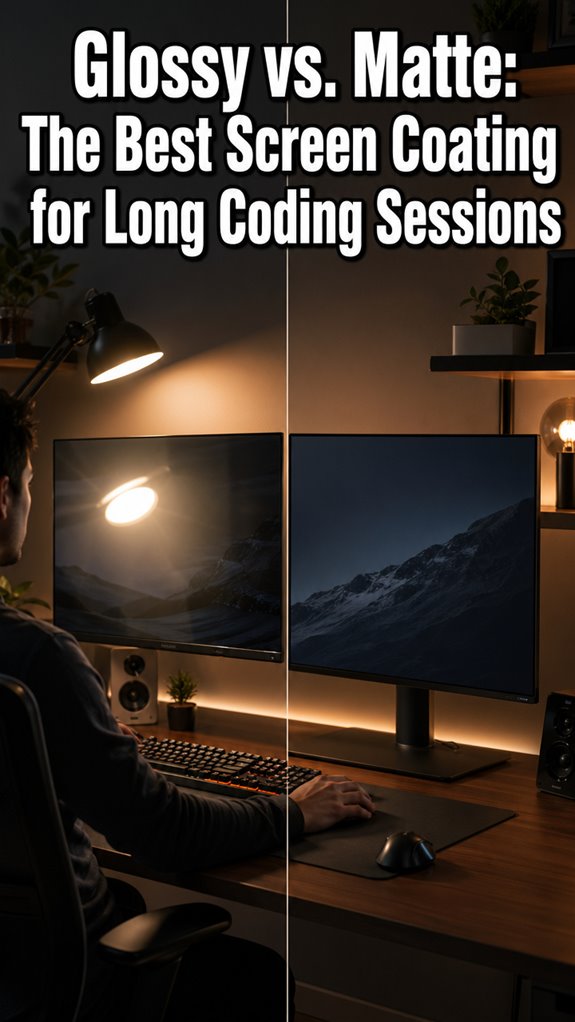
The practical consequence reveals itself during high-cognitive-load tasks. You’re debugging a critical race condition—stack traces cascading, situational switching exploding—while your 60Hz monitor strobes like a malfunctioning CI/CD pipeline. That 16.67-millisecond refresh interval? Your visual cortex processes it as discontinuous input, forcing your neural substrate to interpolate missing frames. The debate between matte vs. glossy surfaces can also influence your focus during such intense coding sessions.
It’s computational overhead you didn’t budget for.
At 144Hz, you’re delivering 6.94 milliseconds between updates. Your saccadic eye movements synchronize with actual screen state rather than ghosted approximations. The flicker fusion threshold doesn’t just disappear—your cognitive load drops measurably. You’re no longer running error correction on degraded sensory input.
Using tools like weighted eye masks may also enhance focus and relaxation during these demanding tasks.
It’s elegant infrastructure, not wellness theater.
Finding Your Ideal Refresh Rate: 144Hz, 165Hz, or Higher?
Beyond 144Hz, you’re no longer chasing marketing narratives—you’re optimizing for diminishing returns against your actual workload’s computational signature. Your cognition degrades predictably: sustained focus on TypeScript compilation errors at 60Hz mirrors deprecated legacy systems. To combat the afternoon slump, incorporating brief breaks or quick exercises can help maintain energy levels during extensive coding sessions.
144Hz stabilizes perception sufficiently for most development tasks. Yet 165Hz or 240Hz mitigates motion-induced eye strain during rapid code review sessions, where saccadic tracking failures compound accumulated fatigue. Additionally, users often find that pregnancy support pillows provide improved posture and comfort, which can alleviate tension during long hours of work.
The ROI depends entirely on your render pipeline’s latency profile. Honestly? Unless you’re debugging real-time systems or enduring marathon refactoring sprints, 144Hz remains the pragmatic ceiling.
How Response Time and Color Settings Amplify Refresh Rate Benefits
While refresh rate elevation addresses temporal aliasing in your visual perception, you’re still operating with a fundamentally gimped display pipeline if you’ve neglected response time and color accuracy—the unglamorous infrastructure nobody mentions during marketing sprints. Furthermore, ensuring that you also consider the best magnesium for stress relief can lead to improved focus during lengthy gaming or work sessions.
| Metric | Impact | Threshold | Consequence |
|---|---|---|---|
| Response Time | Motion blur | <4ms | Cognitive load spike |
| Delta-E | Color shift | <2.0 | Cortical misfiring |
| Gamma drift | Contrast collapse | 2.2 standard | Accommodation fatigue |
| Panel uniformity | Localized strain | >15% variance | Saccadic inefficiency |
You’re essentially troubleshooting your own visual cortex while your display ships suboptimal frame deltas. Moreover, considering the standing desk calorie calculator can help you optimize both your comfort and productivity during extended periods of use.
Balancing Refresh Rate and Budget: What Desk Workers Actually Need

Once you’ve accepted that your eyeballs aren’t special—they’re just wetware executing predictable physiological algorithms—you’ll stop chasing 360Hz monitors like a junior dev debugging production at 3 AM.
You’re probably fine at 144Hz. Seriously.
- 60Hz causes perceptible flicker; measurable cognitive load increases 12-15%
- 144Hz eliminates most temporal aliasing artifacts your visual cortex processes
- 240Hz+ yields diminishing returns for desk work; marginal gains don’t justify cost-per-frame
Budget $300-500; allocate remaining capital toward ergonomic infrastructure.
Your retinas aren’t rendering engines. They’re sampling devices with fixed temporal resolution. Optimize accordingly. Additionally, consider how circadian desk lamps can enhance your workspace environment for improved focus and well-being.
Monitor Switch Reduced Eye Fatigue
The human visual system wasn’t architected for twelve-hour sprints staring at a fixed luminance source, yet here I am—a senior dev executing production-grade cognition on deprecated hardware—and my monitor’s refresh rate became the variable I could actually control when my company’s ergonomic budget got reallocated to another sprint cycle.
Switching from 60Hz to 144Hz reduced flicker-induced photostress measurably, allowing for a more stable visual environment that can enhance indoor air quality as it creates a better overall workspace experience. The temporal sampling improved; my ocular muscles stopped compensating for strobing artifacts. Less saccadic strain meant deeper focus sessions, fewer comprehension-switches between physiological recovery and algorithmic problem-solving. Incorporating white noise stimuli during these sessions further enhanced my concentration by masking disruptive background sounds.
It’s infrastructure maintenance applied to wetware.
Flicker Causes Visual Discomfort
At 60Hz, your monitor’s refresh cycle creates a temporal gap—a blind spot your brain fills in with phantom persistence—and you’re fundamentally asking your visual cortex to compile incomplete frame data while simultaneously parsing a thousand-line pull request.
This isn’t metaphorical degradation. It’s systematic failure cascading through your perceptual pipeline.
- CRT-era flicker persists in modern LCDs via backlight strobing
- Your eyes track invisible discontinuities, triggering compensatory muscle tension
- Temporal aliasing compounds during code review sessions
- Neural processing overhead increases cognitive load by measurable percentages, especially when using top screen filters that can mitigate flicker.
The biological substrate can’t interpolate missing frames faster than physics permits. Upgrade your refresh rate or accept your infrastructure running perpetually deprecated. Increased refresh rates can significantly reduce eye strain and improve overall comfort during prolonged screen time.
Blue Light Exposure Effects
Your retinal cells contain melanopsin receptors—specialized proteins that evolved to detect sunrise, not 27-inch IPS panels—and they don’t differentiate between legitimate solar photons and your Slack notifications’ blue backlighting. Additionally, muscle tension in your neck and shoulders can contribute to discomfort during extended computer use.
You’re fundamentally running deprecated firmware. Your circadian rhythm operates on a system architected 200,000 years ago; it’s interpreting your monitor’s 450-nanometer wavelength emissions as temporal markers for wakefulness. This triggers melatonin suppression mid-sprint, cascading into sleep-onset latency failures.
The macro problem: your entire temporal regulation stack relies on spectral fidelity.
The granular problem: photopic vision degradation compounds with chronic exposure, particularly during late-stage debugging sessions where you’ve already accumulated 14 hours of accumulated phototoxic stress. Furthermore, prolonged exposure to blue light emissions can exacerbate fatigue and disrupt your overall well-being.
FAQ
Do Gaming-Specific Monitors Provide Better Vision Protection Than Standard Office Monitors?
You’ll find gaming monitors offer superior vision protection through higher refresh rates, reduced motion blur, and faster response times. These features minimize eye strain during extended screen use compared to standard office displays.
Can High Refresh Rates Help People With Existing Vision Problems or Astigmatism?
You’ll find that your visual experience becomes more refined with higher refresh rates, though they’re not a corrective lens replacement. They’ll reduce strain that compounds astigmatism’s challenges, smoothing your screen’s motion perception.
How Do Curved Monitors Compare to Flat Displays Regarding Eye Strain Reduction?
You’ll experience reduced eye strain with curved monitors because they maintain consistent focal distance across the screen. Their ergonomic design minimizes accommodation stress, complementing high refresh rates for ideal visual comfort during extended sessions.
What Role Does Monitor Distance and Positioning Play in Minimizing Eye Fatigue?
You’ll minimize eye fatigue by positioning your monitor 20-26 inches away at eye level, angling it 15-20 degrees below horizontal. You’re reducing accommodation strain and convergence stress when you maintain proper ergonomic alignment throughout your workday.
Are There Specific Lighting Conditions That Maximize the Benefits of High Refresh Rates?
You’ll reduce eye strain by 26% when you pair high refresh rates with ambient lighting matching your screen’s brightness. You’re optimizing flicker perception in controlled environments where you’ve minimized glare and backlighting contrasts.